94 Version: 1.2.1 MS249E C-863.12 Mercury Controller
Calibrating the joystick axis in PIMikroMove
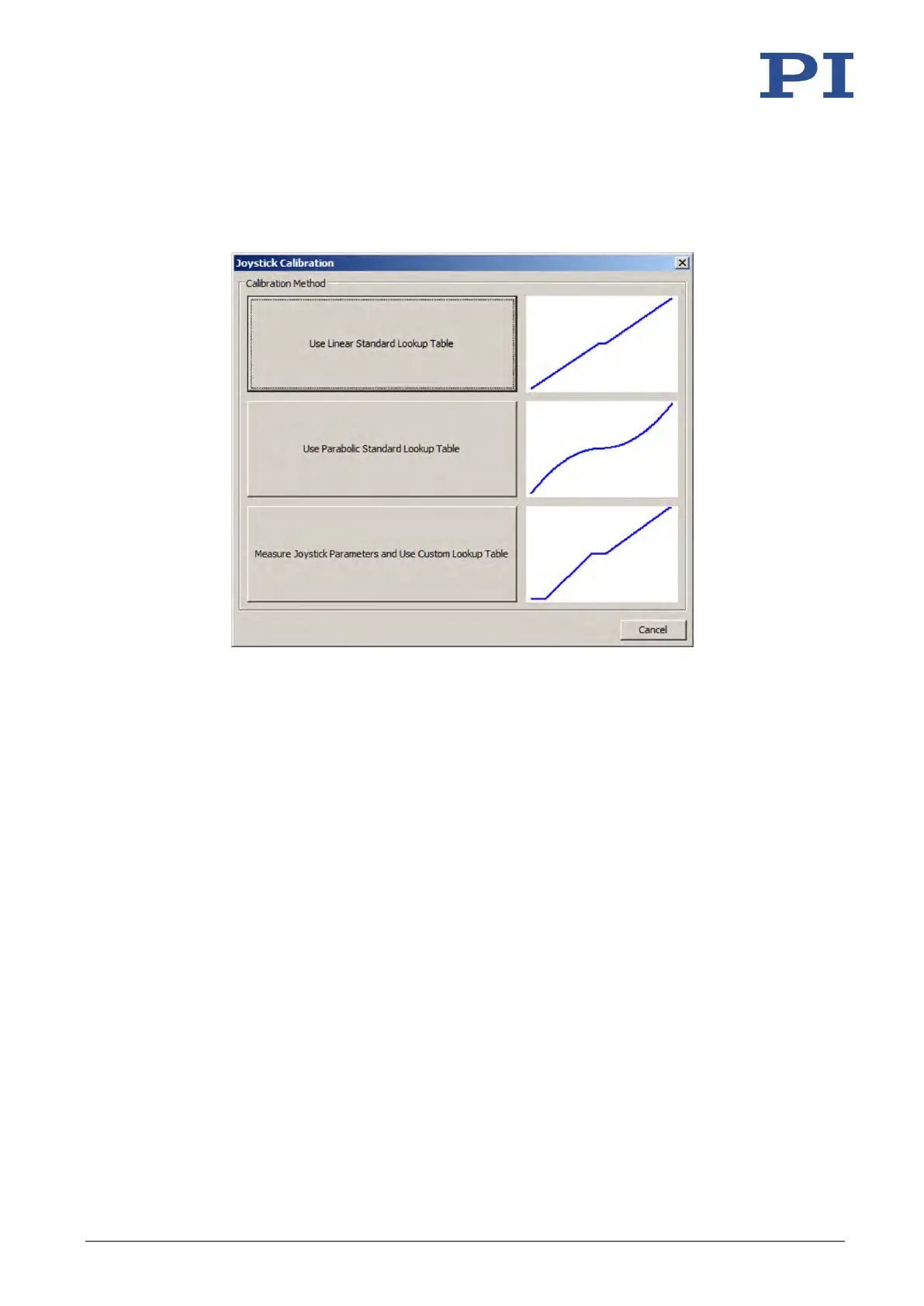
1. Open the Joystick Calibration window in the main window of PIMikroMove via the C-
863.12 > Calibrate controller joystick… menu item.
2. Select the calibration method by clicking on the appropriate button:
− If you want to use the linear lookup table type for the joystick axis, click Use Linear
Standard Lookup Table. With this, the appropriate lookup table type is loaded and
the calibration is finished.
− If you want to use the parabolic lookup table type for the joystick axis, click Use
Parabolic Standard Lookup Table. With this, the appropriate lookup table type is
loaded and the calibration is finished.
− If you have connected the Z axis of a C-819.30 joystick or generally want to map the
behavior of the joystick in an individual lookup table, click Measure Joystick
Parameters and Use Custom Lookup Table. Here the Controller Joystick Calibration
window opens.
3. When the Controller Joystick Calibration window has opened, follow the instructions in
this window.
The custom lookup table values are determined in this way.
By clicking on OK, you load the lookup table values into the nonvolatile memory of the
C-863.12. Calibration is now finished.



 To Next Page