C-863.12 Mercury Controller MS249E Version: 1.2.1 7
3.1 Product View
3.1.1 Front Panel
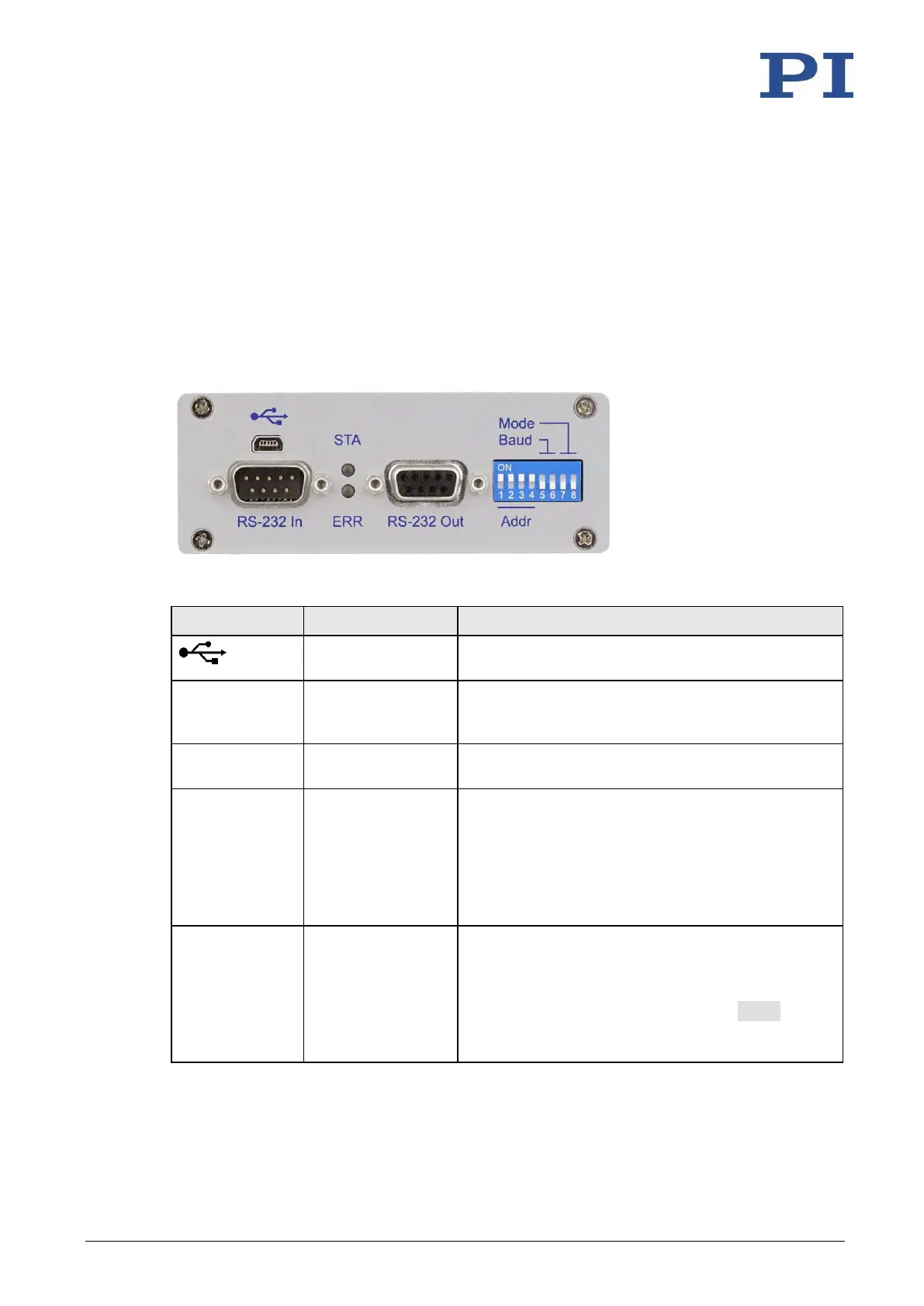
Figure 1: Front panel of the C-863.12
Universal serial bus for connection to the PC; do not
connect if RS-232 In is already connected.
Serial connection to the PC or to the previous
controller in a daisy chain network; do not connect to
the PC if the USB interface is already connected.
Serial connection to the subsequent controller in a
daisy chain network
Controller state:
▪ Lights up continuously: C-863.12 is ready for
normal operation
▪ Flashing: C-863.12 is in firmware update mode
▪ Off: C-863.12 is not connected to the supply
voltage
Error indicator:
▪ On: Error (error code 0)
▪ Off: No error (error code = 0)
The error code can be queried with the ERR?
command. The query resets the error code to zero
and the LED is switched off.



 To Next Page