C-863.12 Mercury Controller MS249E Version: 1.2.1 251
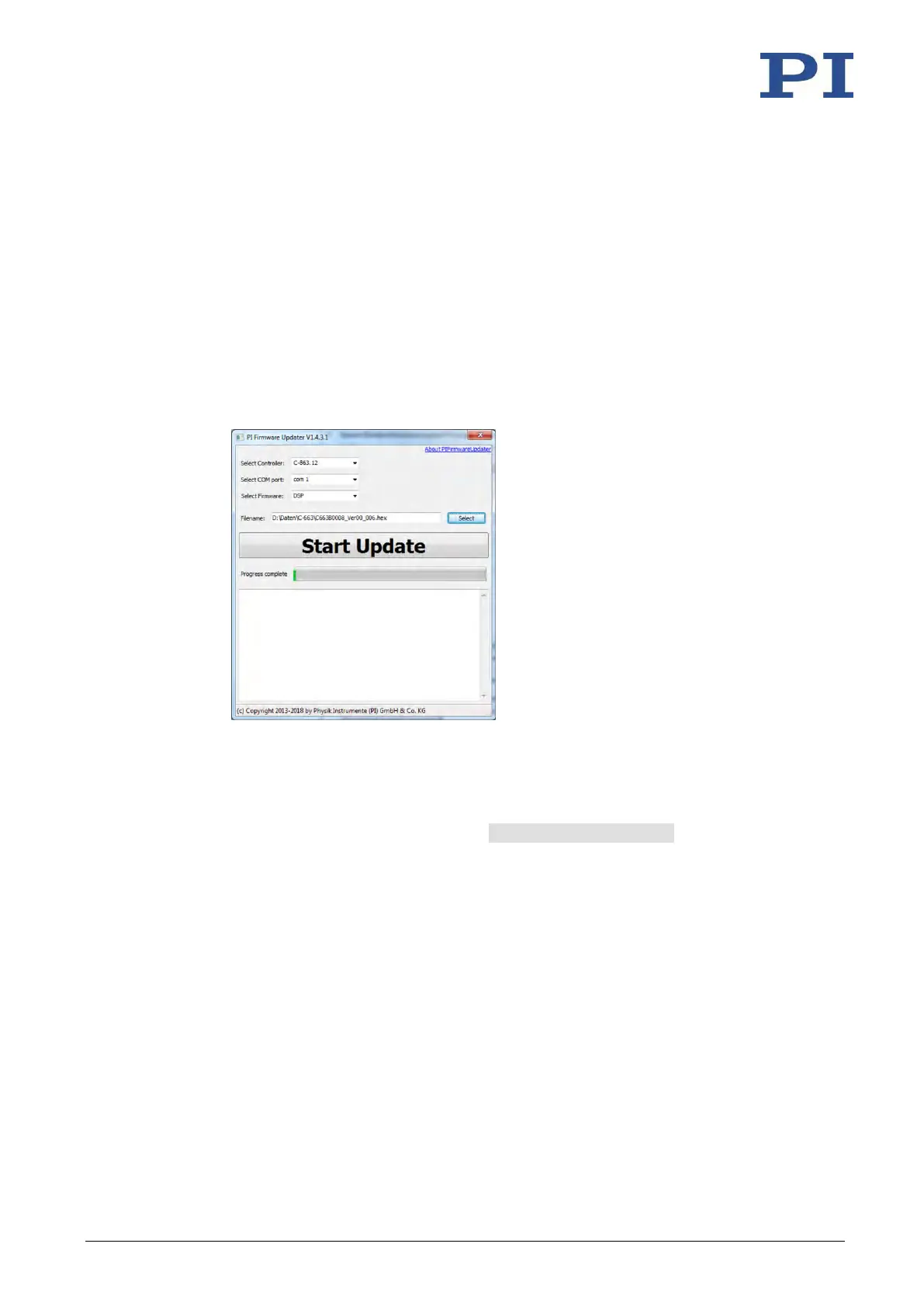
− Select the C-863.12 entry in the Select Controller: field.
− Select the COM port of the PC connected to the C-863.12 in the Select COM port:
field.
− Do not change the Select Firmware: field. The "DSP" (DSP = Digital Signal Processor)
is automatically entered by selecting the controller.
5. Select the new firmware file:
a) Click the Select button.
b) Go to the directory in the file selection window where you stored the firmware file.
c) Double-click the new firmware file (.hex extension) to enter the file path in the
Filename field.
6. Start the firmware update by clicking on the Start Update button.
The firmware of the C-863.12 is updated. The update progress is displayed in the
message list and by the progress bar.
The update was successful when the disconnect Comport message appears as
the last entry in the message list.



 To Next Page