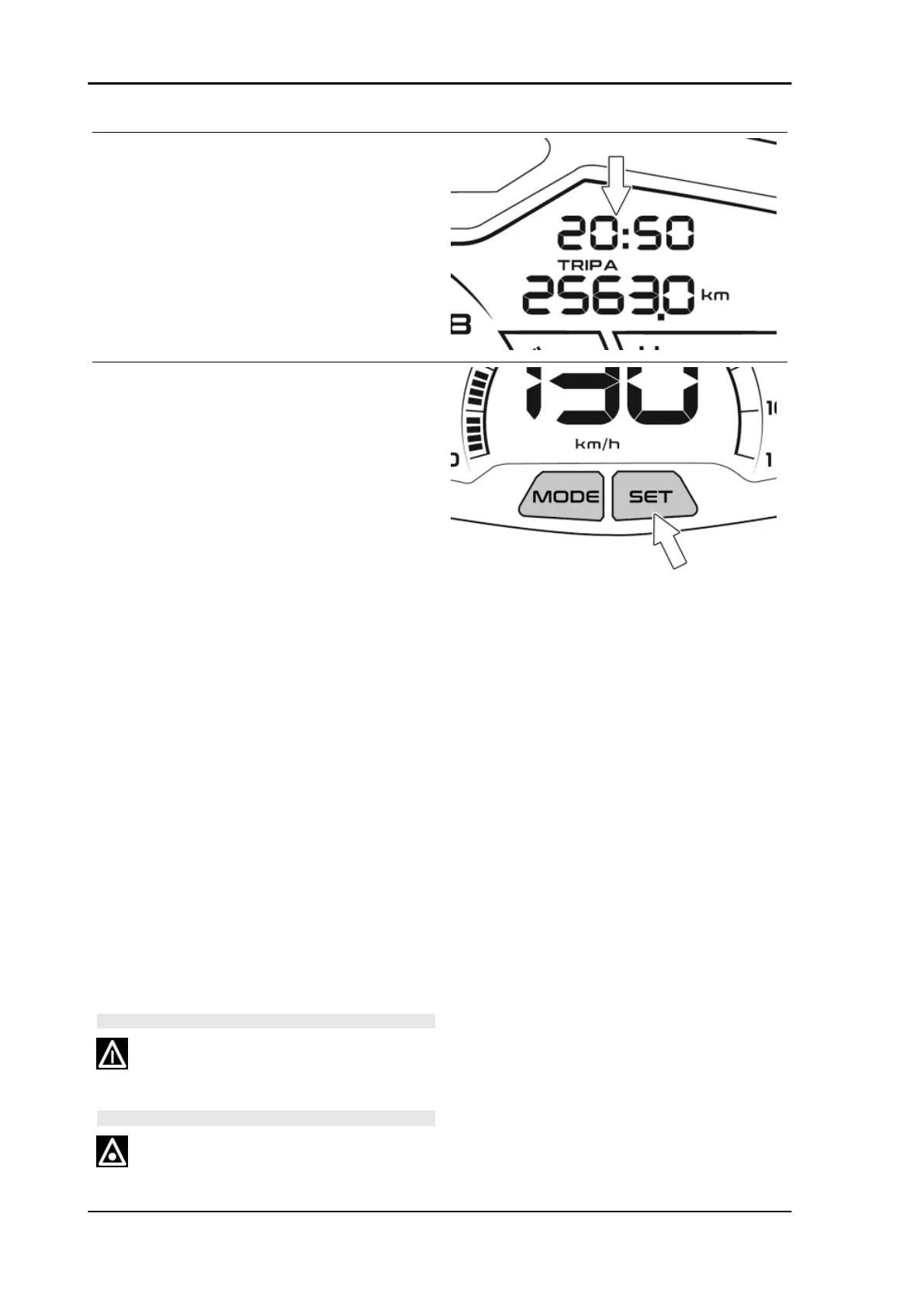
To set or adjust the time, with vehicle running or
with key inserted in «ON» position, do the follow-
ing:
•
press and hold the SET button on the
instrument cluster for at least 5 sec-
onds and then release the button; the
hour value "hh" starts flashing;
•
press the SET button briefly and re-
peatedly to set the correct hour value;
press and hold the SET button to cycle
the hour value rapidly;
•
press the SET twice in succession
briefly to confirm the set value (or cur-
rent value, if no changes were made) -
the minutes value «mm» now starts
flashing;
•
press the SET button briefly and re-
peatedly to set the correct minutes val-
ue; press and hold the SET button to
cycle the minutes value rapidly;
•
press the SET twice in succession
briefly to confirm the set value (or cur-
rent value, if no changes were made).
If the SET button is not pressed for a period ex-
ceeding 5 seconds at any time during this proce-
dure, the system exits clock setting mode.
WARNING
FOR SAFETY REASONS THE TIME SETTING IS ONLY
POSSIBLE WITH THE VEHICLE AT A STANDSTILL.
WARNING
Electrical system Beverly 400 E5
ELE SYS - 74









 To Next Page