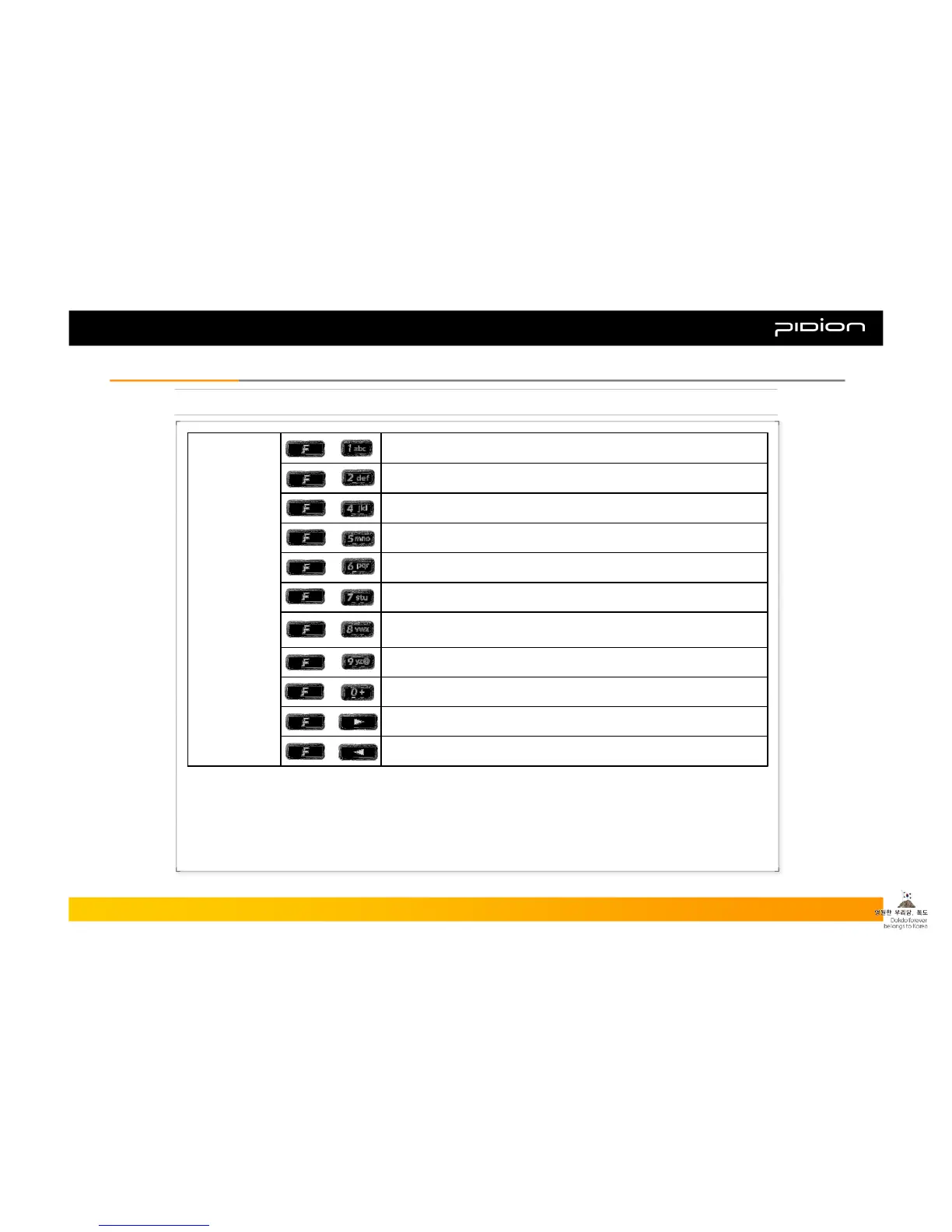
4. Function Key Description
Move down+
Move up+
Launch Stylus Pen control program+
Commend Page Up+
Select the next launched program on Tasks, or move 8 spaces to the
right in Word Mobile (same feature as the Tab key on the PC)
+
Commend Page Down+
Gradually darken the LCD screen+
Commend Refresh (same feature as the F5 button on the PC)+
Gradually brighten the LCD screen+
Launch On-Screen Keyboard+
Launch Start (same feature as the Windows button on the PC)+
Combinations
of Function
Keys and
Digit/Symbol
Buttons
Copyright © 2006 Bluebird Soft, Inc. All Rights Reserved. < 6 >
BIP-1300
I. Knowing the ProductI. Knowing the Product



 To Next Page