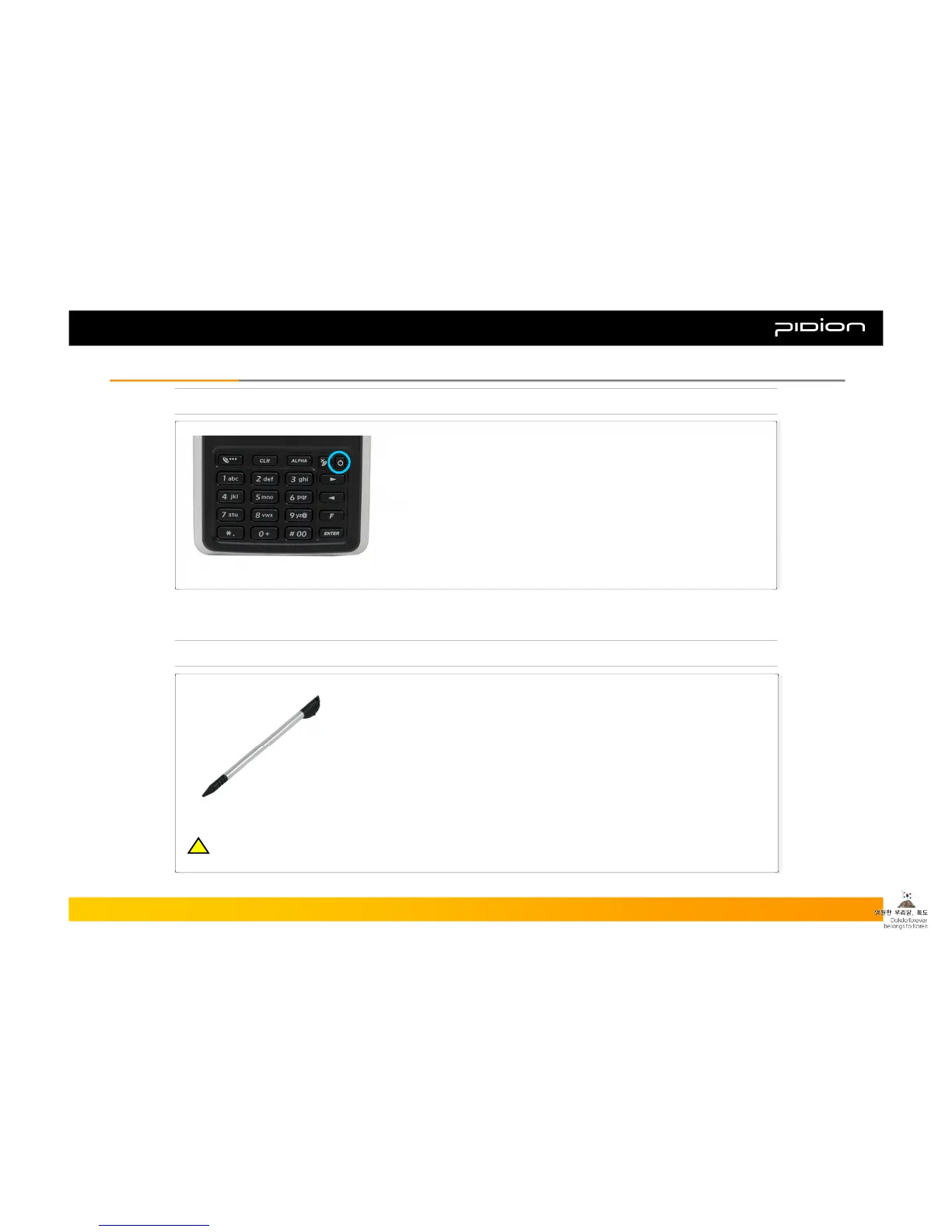
1. Turning On/Off
Power Button
2. Using the Stylus Pen
▪ Stylus Pen is an input device that can be used for selecting, launching, and
moving items on the touch screen LCD.
▪ Pressing the Stylus Pen (Tap): Select or launch an item by touching an icon
on the screen with the tip of the Stylus Pen.
▪ Dragging the Stylus Pen (Drag): Used to select multiple items, select
characters or images by dragging.
▪ Holding the Stylus Pen Down (Tap and Hold): See the functions of the
selected item(s) that show up in a popup box when you tap the screen with
the Stylus Pen.
▪ You can turn on your PDA by pressing the Power Button on the upper
right-hand corner of the keypad.
▪ With the Power turned ON, if you press the Power button for 3
seconds or more the Back Light will turn off.
▪ The Back Light will turn on again if you press the Power button for 3
seconds or more.
▪ You can turn off the PDA by pressing the power button when the
PDA is ON or Back Light is OFF.
Copyright © 2006 Bluebird Soft, Inc. All Rights Reserved. < 14 >
BIP-1300
II. Learning the BasicsII. Learning the Basics
※ The product can be damaged if you use a pen, nail, pin, etc. instead of the authentic Stylus Pen.
!!



 To Next Page