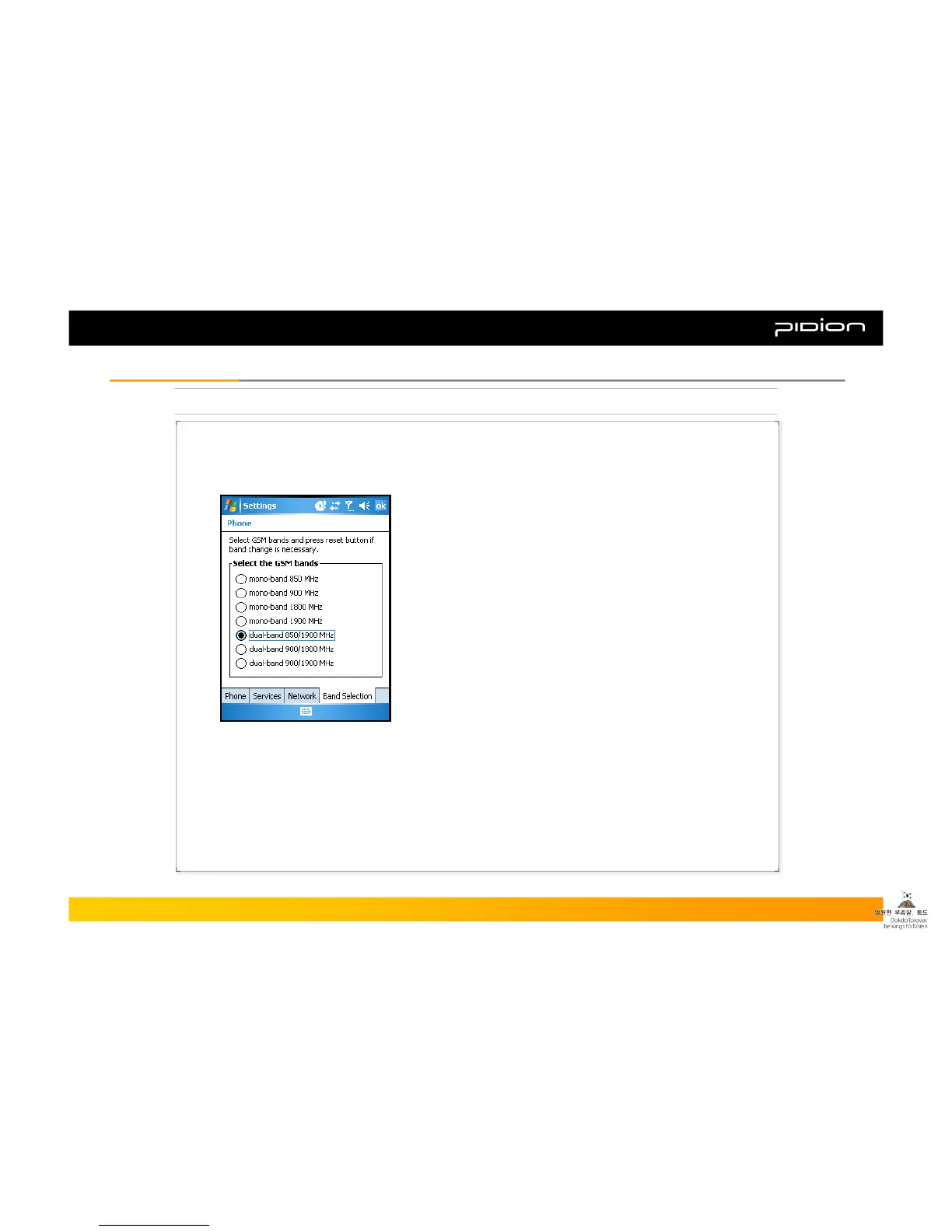
7. Selecting GSM Bands
If your PDA supports GSM connection, you need to change the settings as follows in order to use
GSM connection.
▪ Example of setting GSM bands:
① Select [Start] and follow the steps below.
② Go to [Settings] → [Personal] tab and select [PHONE]
③ Select the correct GSM bands on the [Band Selection]
④ Select GSM bands and press the reset button.
Copyright © 2006 Bluebird Soft, Inc. All Rights Reserved. < 32 >
BIP-1300
III. FunctionsIII. Functions



 To Next Page