2. Using Camera
※ Or, you can launch the Camera program or photo album as described below:
▪ Go to [Start] → [Programs] → [File Explorer]
Select [My Devices] on the top of the explorer and go to [ProgramStore] folder.
Go to [CAMERA] folder and launch [CAMERA] program.
[Launching Camera Program]
▪ Go to [Start] → [Programs], and launch [CAMERA] program.
▪ If you map the side button of the PDA to use it as a camera button,
the [CAMERA] program will launch when you press the side button.
①
③ ④
⑤
⑥
⑦
②
⑧
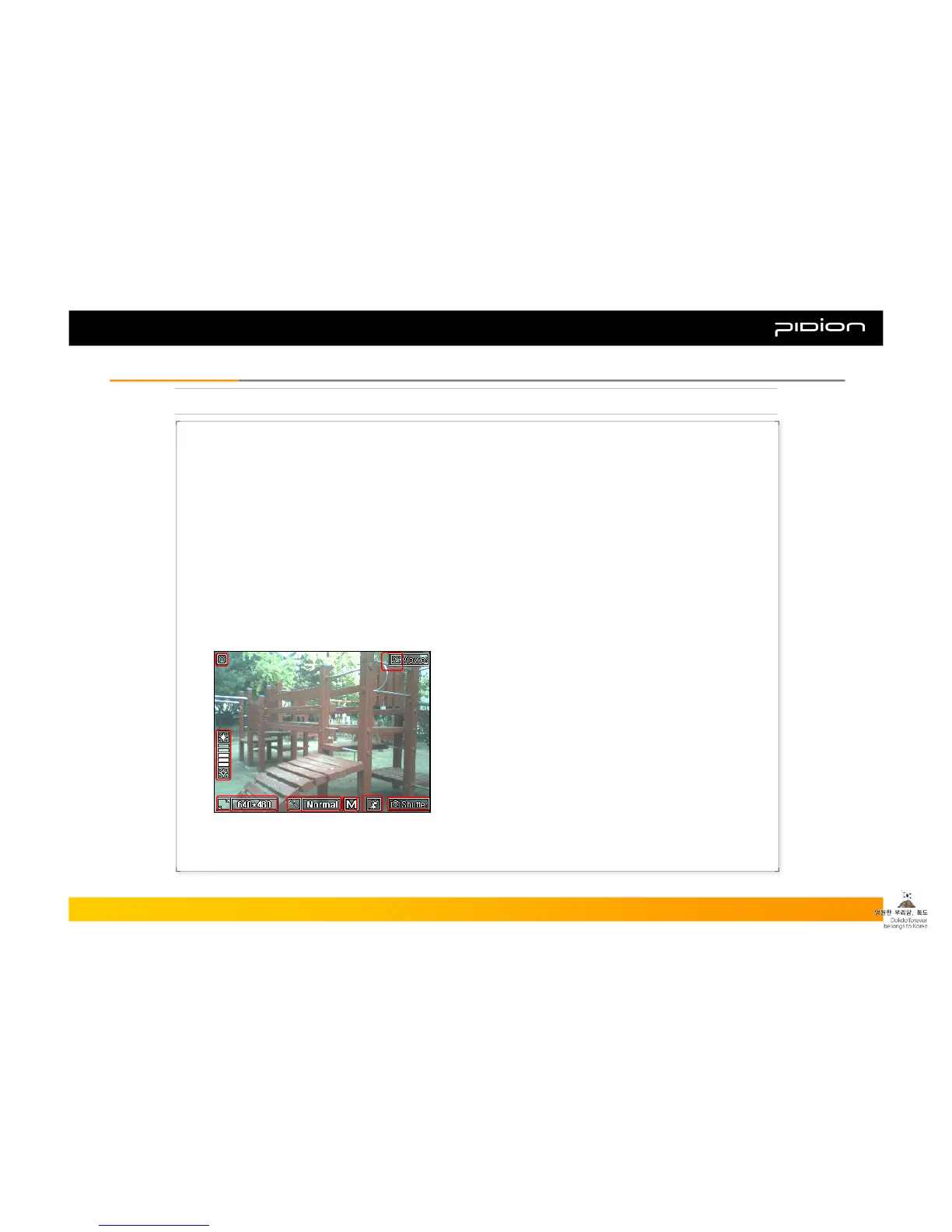
▪ Set Screen
① Close Camera Program
② Adjust Brightness
③ Set Resolutions: 320*240 ~ 1600*1200
④ Special Effects: Normal, Gray, Solaris, Aqua, Negative
⑤ Quality: High(H), Medium(M), Low(L)
⑥ Add the Flash Icon: Flash On / Off
⑦ Photograph
⑧ Photo Album
Copyright © 2006 Bluebird Soft, Inc. All Rights Reserved. < 25 >
BIP-1300
III. FunctionsIII. Functions



 To Next Page