9. Using SIM Card
SIM Card Slot
Detach the battery before using the SIM Card.
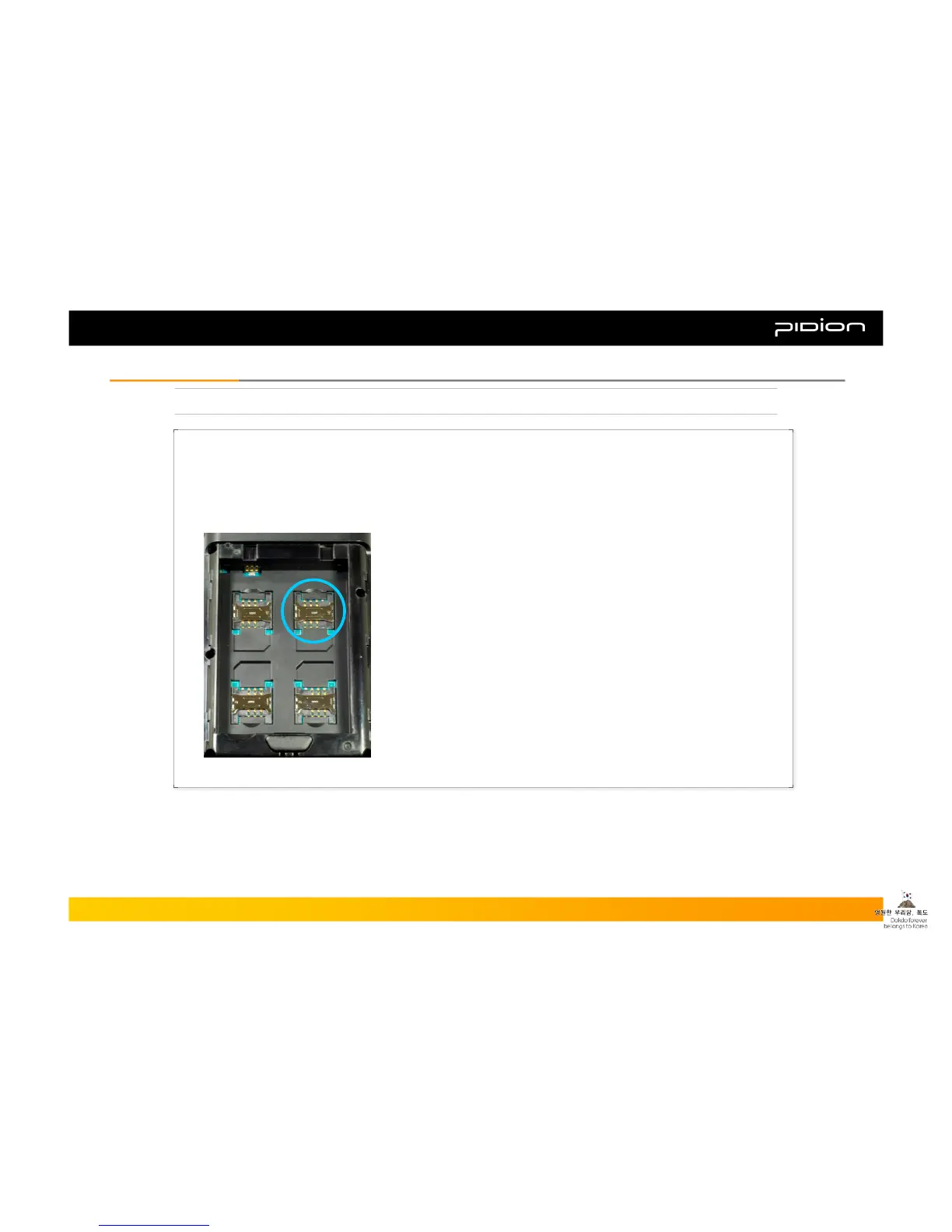
As seen in the picture below, the slot located in the upper right section (among the 4 slots) is the SIM Card Slot.
Please insert the SIM card in this slot.
※ Among the 4 slots only the upper right slot is the SIM Card Slot. The other 3 are SAM Card Slots, so if you
insert the SIM Card into the other slots the card will not work properly.
Copyright © 2006 Bluebird Soft, Inc. All Rights Reserved. < 22 >
BIP-1300
II. Learning the BasicsII. Learning the Basics



 To Next Page