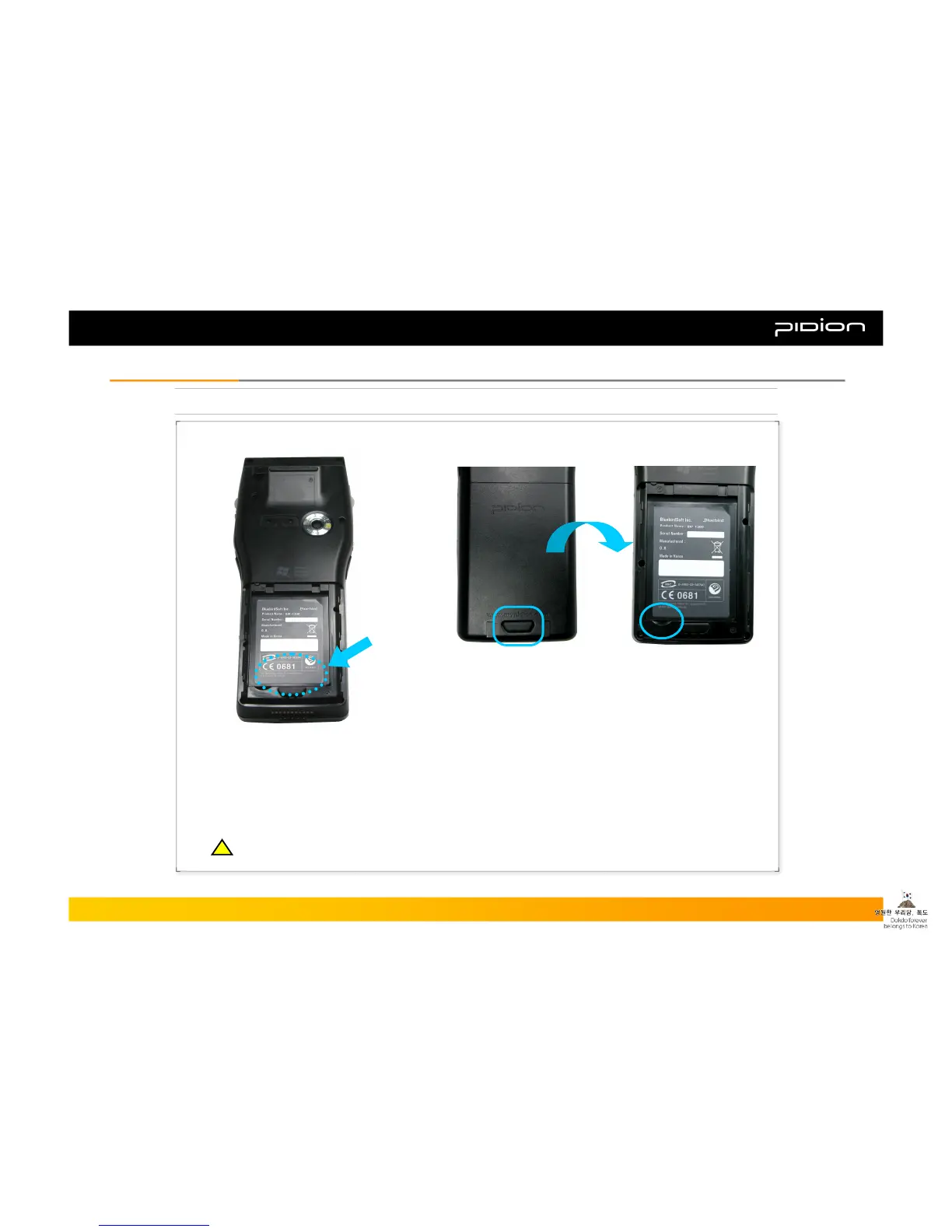
5. Attaching/Detaching the Battery
[Attaching the Battery]
▪ After placing the battery into location and
pressing the bottom part of the battery, the battery
detachment button will pop up and will lock into
position.
▪ After locking the battery into position, attach the
battery cover by pushing it upwards.
[Detaching the Battery]
▪ When detaching the battery cover, press the
detach button.
▪ After detaching from the battery case, separate
the battery from the case by pulling it up, using the
groove at the bottom lefthand corner.
Copyright © 2006 Bluebird Soft, Inc. All Rights Reserved. < 7 >
BIP-1300
I. Knowing the ProductI. Knowing the Product
※ Detach the battery only after you turn off the product.
※ Abruptly turning off the product may cause damage, and you may lose saved data.
!!



 To Next Page