2. Downloading Files
▪ In order to use ActiveSync, connect your PC or
laptop to the PDA with the USB cable.
Or, you can also attach the PDA on the cradle
and connect the cradle to your PC or laptop with
the USB cable.
▪ If the PDA is turned on when connecting with
the PC, the PC automatically senses it and
launches ActiveSync.
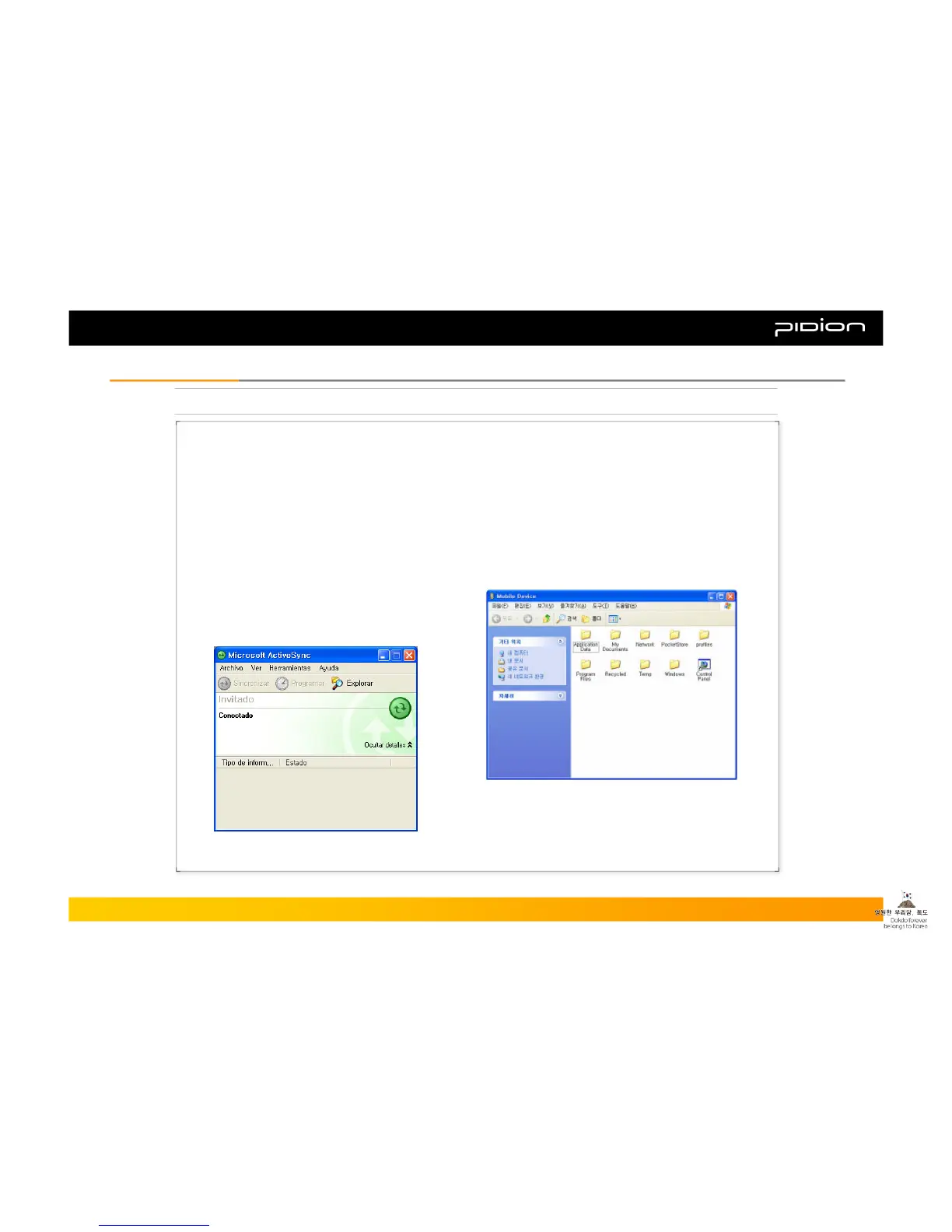
▪ Open Mobile devices window by clicking
Explore button on ActiveSync window.
▪ Once you connect the PDA to the PC with ActiveSync,
you can synchronize features such as Favorites, Contact,
Schedule, Tasks, E-mail Inbox, etc. You can also copy
or paste files, and get help on installing new programs.
▪ Copy desired files by using Explorer on the PC, and
move them into the folder you want in PocketStore.
Copyright © 2006 Bluebird Soft, Inc. All Rights Reserved. < 36 >
BIP-1300
IV. Connecting ActiveSyncIV. Connecting ActiveSync



 To Next Page