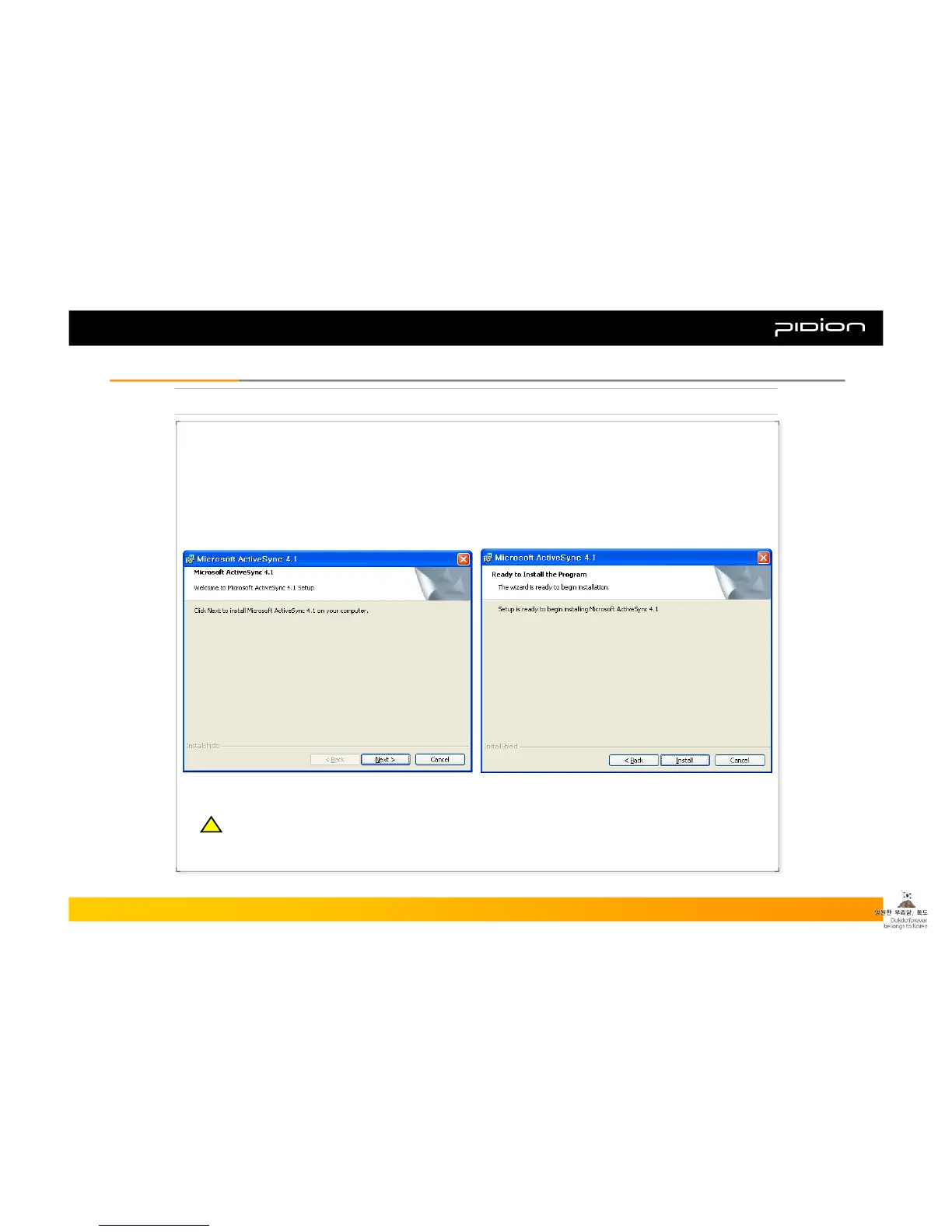
1. Installing ActiveSync
▪ Download ActiveSync from
http://www.microsoft.com/korea and launch
setup.exe.
▪ When ActiveSync starts, click Next.
▪ When the installation screen shows up, click Install.
Copyright © 2006 Bluebird Soft, Inc. All Rights Reserved. < 34 >
BIP-1300
IV. Connecting ActiveSyncIV. Connecting ActiveSync
※ This direction is based on Korean Microsoft ActiveSync 4.2. There may be differences on the screen or
differences in the menu functions/features if you use other versions of the product.
You have to install Microsoft ActiveSync Version 4.0 or higher.
!!



 To Next Page