4. Using Bluetooth
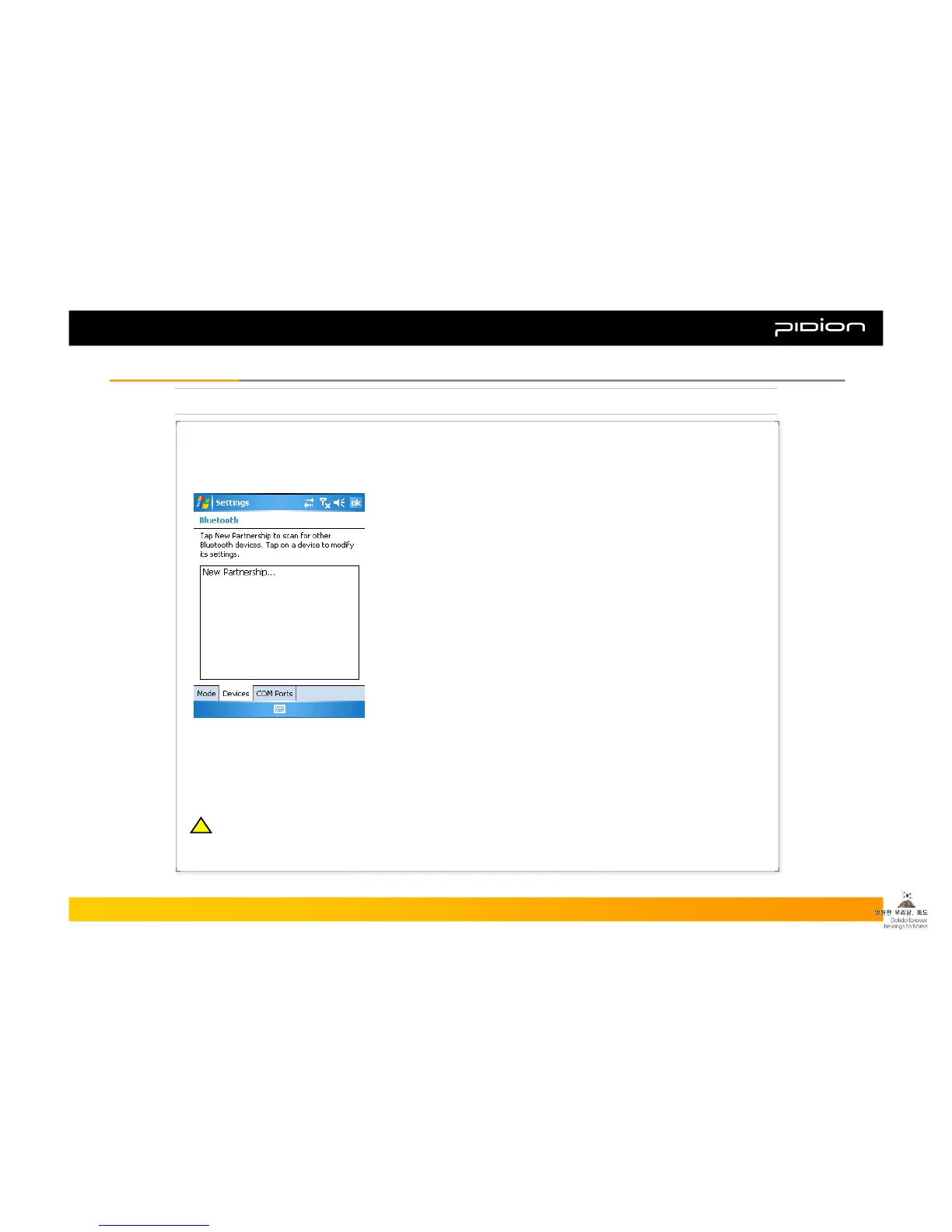
Scan and pair up with other Bluetooth devices.
▪ Example of using Bluetooth:
① Steps: [Start] -> [Settings]
② After pressing [Connections] tab, select [Bluetooth]
③ On the [Devices] tab, select ‘New Partner...’
※ If the PDA recognizes Bluetooth devices which are
within range, you will see its model and icon on the
screen like shown in the image.
※ If the PDA does not recognize any, it alerts that no
devices have been found.
▪ You may see a windows screen requiring a PIN number.
(The PIN number is different from every Bluetooth device and is used
to prove validation. Ask the Bluetooth producer for the PIN number.)
▪ Check if the icon indicates the same device as the device found.
▪ Double click the device found, select menu and type in the PIN
number again.
▪ Once you type in the correct PIN number, see if the red mark in
front of the device disappears.
▪ Select activate the device after double-clicking the name.
▪ See if a red mark appears on the icon.
Copyright © 2006 Bluebird Soft, Inc. All Rights Reserved. < 29 >
BIP-1300
III. FunctionsIII. Functions
※ To see if other Bluetooth devices interlock with the PDA, please consult with the Bluetooth producers.
!!



 To Next Page