User Manual of WAP-200N/WBS-200N
-51-
The page includes the following settings:
Object Description
• System Information
Shows the general system information such as device name, MAC
address, country, current time, and firmware version.
• LAN Settings
Shows Local Area Network settings such as the LAN IP address, subnet
mask, DHCP Server, and Rx/Tx packets.
• WAN Settings
Shows Wide Area Network settings such as the MAC address, connection
type, connection status, IP address, subnet mask, primary and secondary
DNS, and Rx/Tx packets.
• Current Wireless Settings
Shows wireless information such as operation mode, wireless mode,
channel bandwidth, frequency, channel, information about each SSID,
security settings, and Rx/Tx packets.
5.2.2 Save/Reload
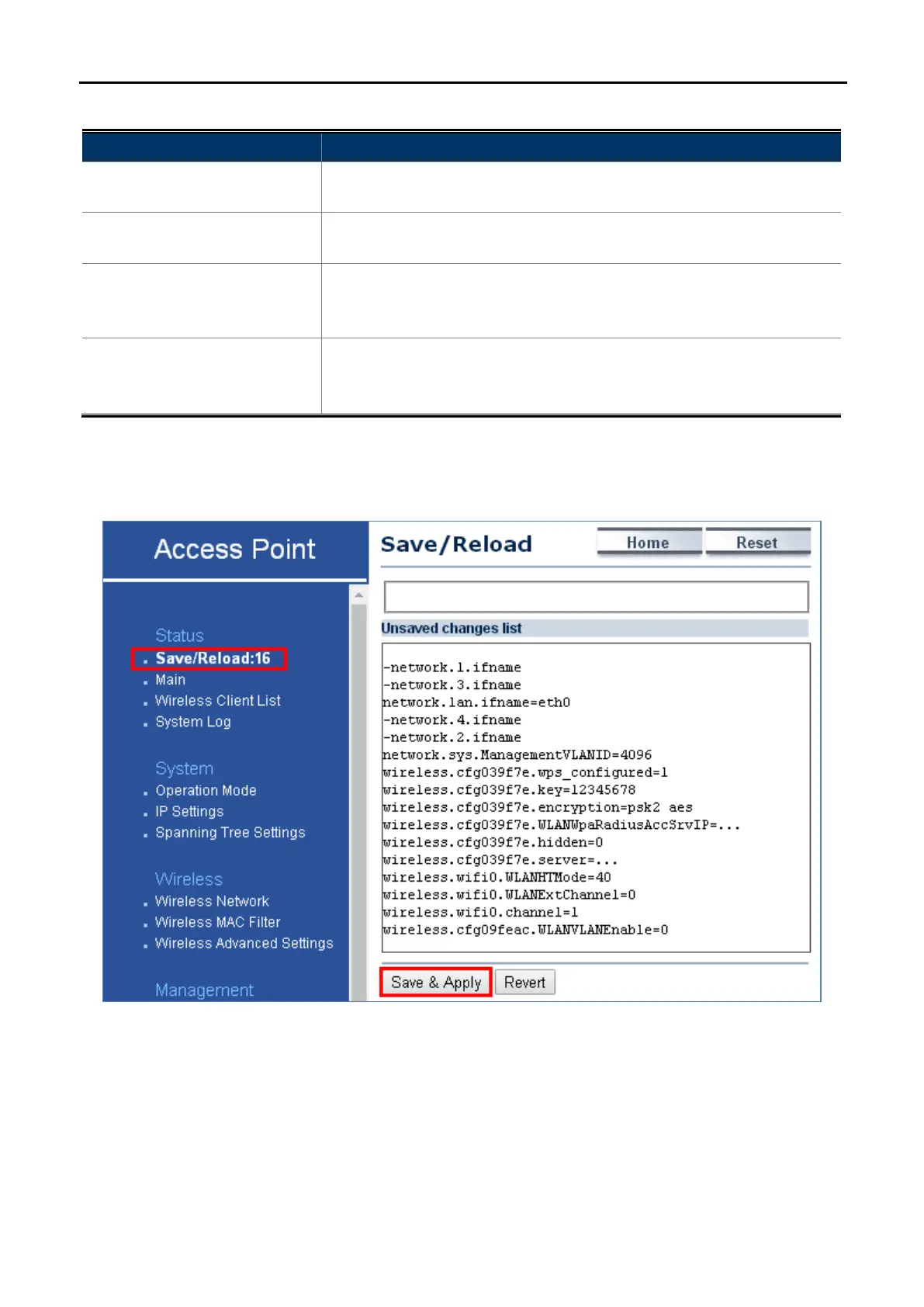
Click “Status Save/Reload” and the following page will be displayed.
Figure 5-12 Save/Reload
Click Save & Apply to save and apply all configurations.
Click Revert to cancel the unsaved changes and revert to the previous settings that have been saved.
It's not necessary to save and apply the settings if unsaved changes list is empty.



 To Next Page