User Manual of WAP-200N/WBS-200N
-84-
5.5.5 Wireless Advanced Settings
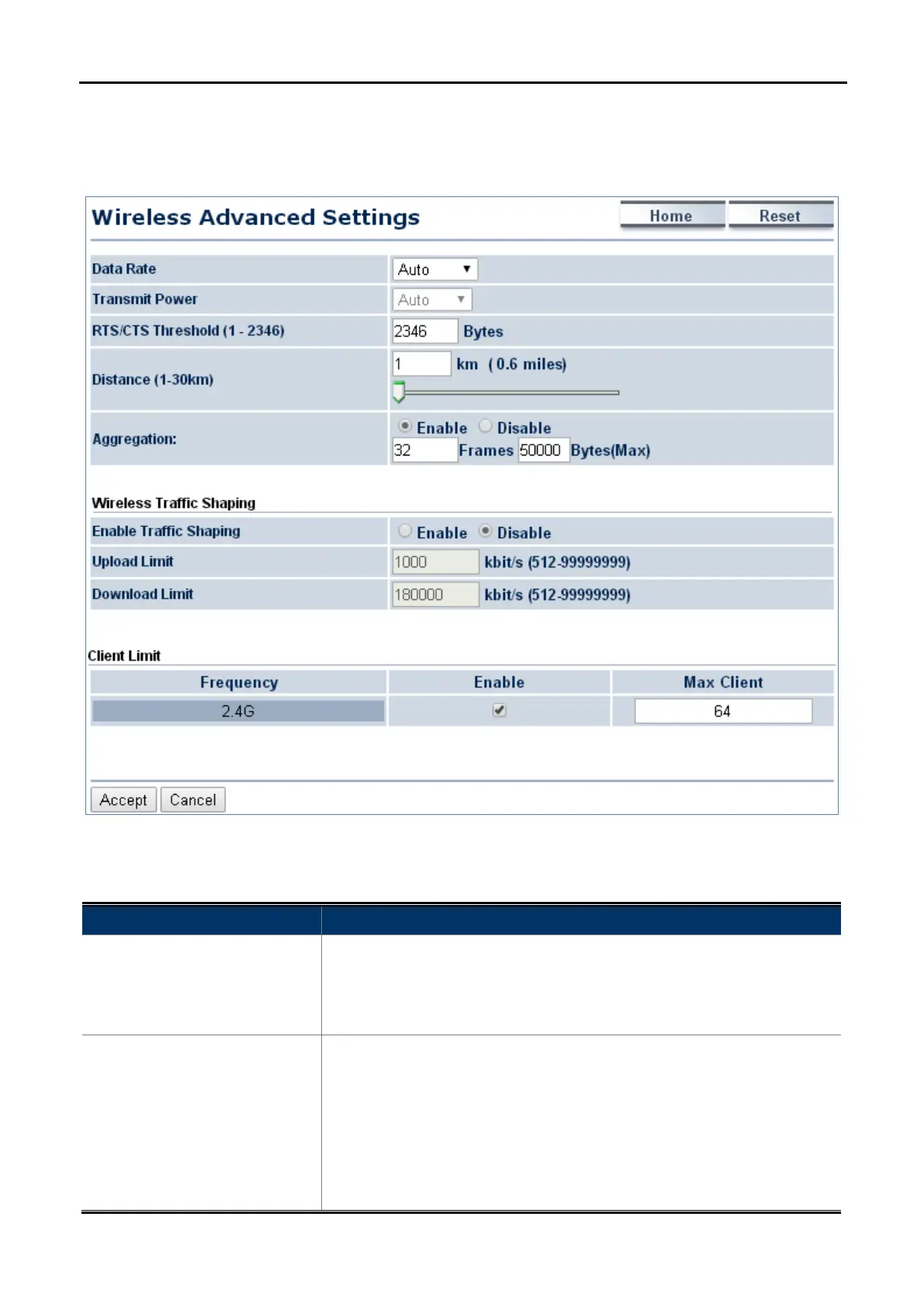
Click “Wireless Wireless Advanced Settings” to configure the wireless advanced settings.
This section allows you to configure the wireless related settings to optimize the wireless network.
Figure 5-47 Wireless Advanced Settings
The page includes the following settings:
Object Description
• Data Rate
Select a data rate from the drop-down list. The data rate affects
throughput. If you select a low data rate
throughput is reduced but the transmission distance increases. The
default is “Auto”.
• Transmit Power
Configure the output transmission power of the device (Range:
11~29dBm). The PtP range less 1km should keep it as default and
distance exceed 5km is suggested to highest value.
The option is only allowed to be configured after disabled Green option of
“Operation Mode” page. Keep it as default “Auto” setting to prevent
violating regio
nal regulation unless your configuration meets the



 To Next Page