User Manual of WAP-200N/WBS-200N
-86-
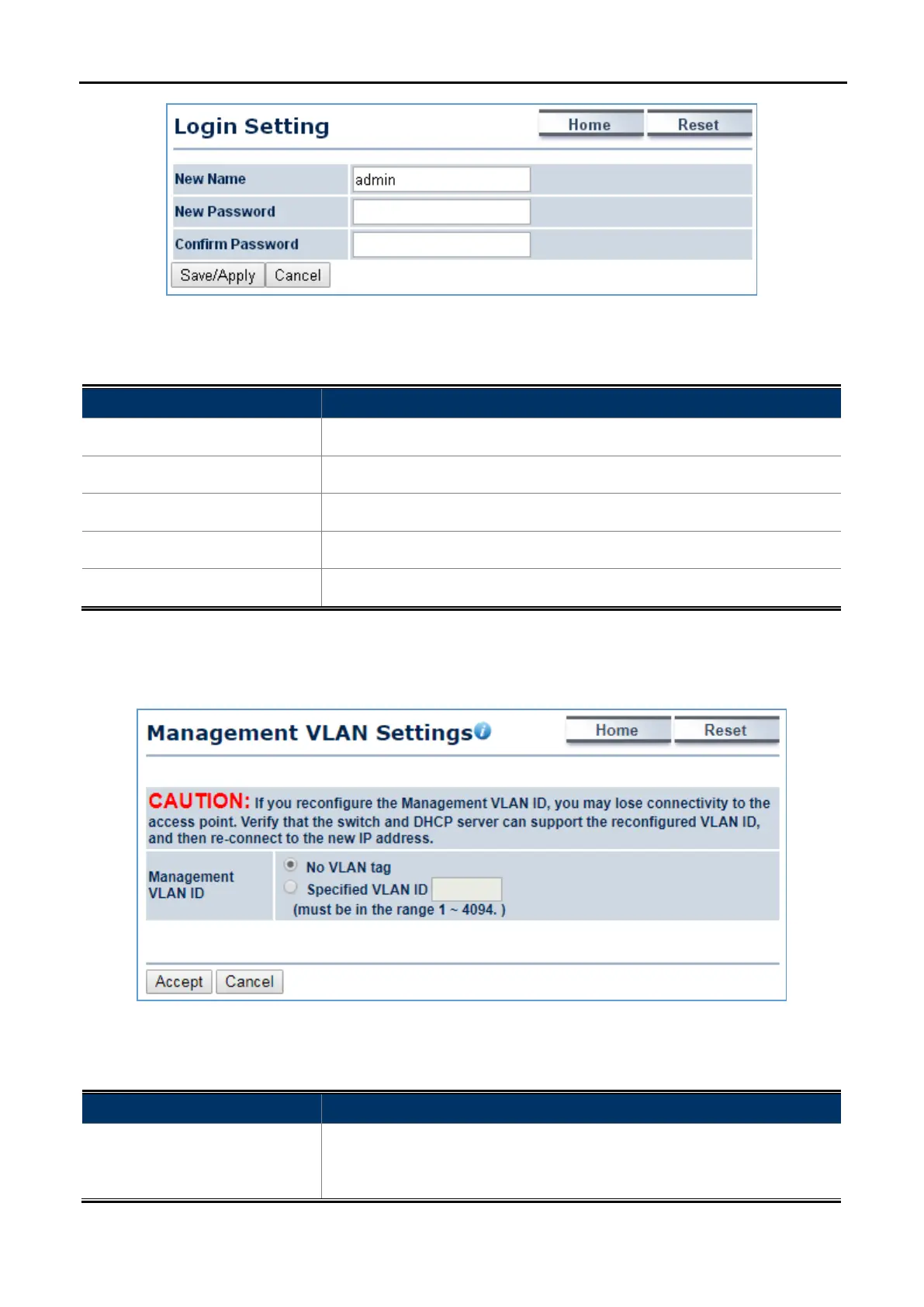
Figure 5-48 Administration (Password Settings)
The page includes the following settings:
Object Description
• New Name
Enter a new username for logging in to the Web page.
• New Password
Enter a new password for logging in to the Web page.
• Confirm Password
Re-enter the new password for confirmation.
• Save/Apply
Click Save/Apply to apply all changes.
• Cancel
Click Cancel to cancel the settings.
5.6.2 Management VLAN
Click “Management Management VLAN” to configure the management VLAN settings.
Figure 5-49 Management VLAN
The page includes the following settings:
Object Description
• Management VLAN ID
If your network includes VLANs and if tagged packets need to pass
through the Access Point, enter the VLAN ID. Otherwise, select No VLAN
tag.



 To Next Page