User Manual of WAP-200N/WBS-200N
-33-
5.1.5 WDS Bridge (WDS PtP/WDS PtMP)
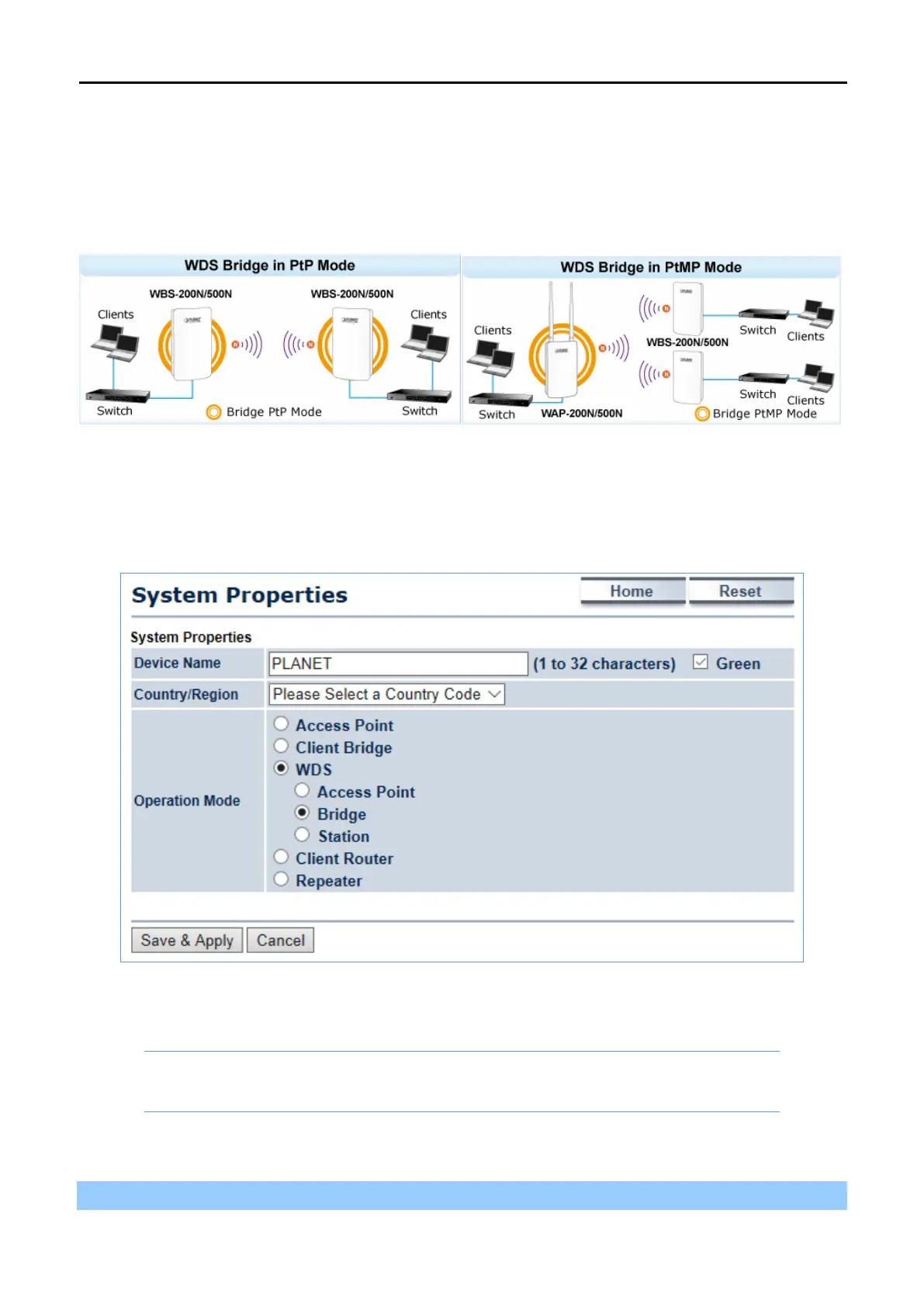
This section allows you to configure the WDS Bridge mode. In this mode, the device is bridging to remote node
through wireless MAC address. When suppressed SSID broadcast is checked, unknown wireless clients are
not allowed to connect to the AP.
Go to the “System Operation Mode” page to configure the device as “WDS Bridge” and then go to
“Wireless
WDS Link Settings” to configure the WDS bridge mode in PtP (Point to Point) or PtMP (Point to
Multiple Points) applications.
Figure 5-6 Operation Mode – WDS Bridge
Configuration Example
The following procedure will guide you to how to establish WDS connection.
Step 1. Go to the “Operation Mode” page to configure the device as “WDS Bridge”.



 To Next Page