User Manual of WAP-200N/WBS-200N
-52-
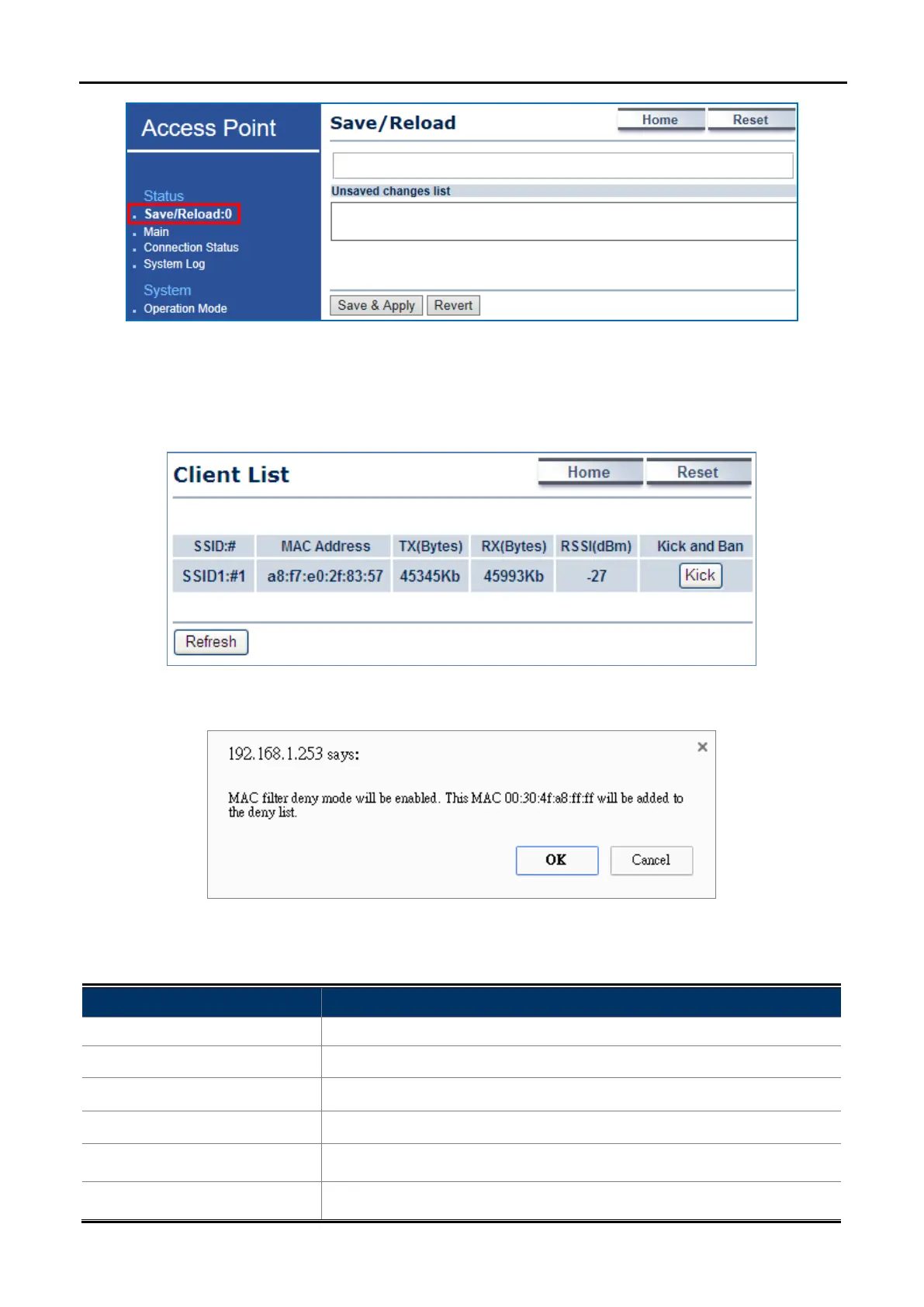
Figure 5-13 Save/Reload - Default
5.2.3 Wireless Client List
Click “Status Wireless Client List” to view the current associated client.
Figure 5-14 Wireless Client List
Figure 5-15 Kick the client
The page includes the following settings:
Object Description
• SSID:#
The SSID number that the client associated to.
• MAC Address
The MAC Address of the associated client.
• TX (Bytes)
The current transmit packet of the associated client.
• RX (Bytes)
The current received packet of the associated client.
• RSSI (dBm)
The current signal strength of the associated client.
• Kick and Ban
Click Kick to add the client to the wireless mac filtering deny list.



 To Next Page