User Manual of WAP-200N/WBS-200N
-63-
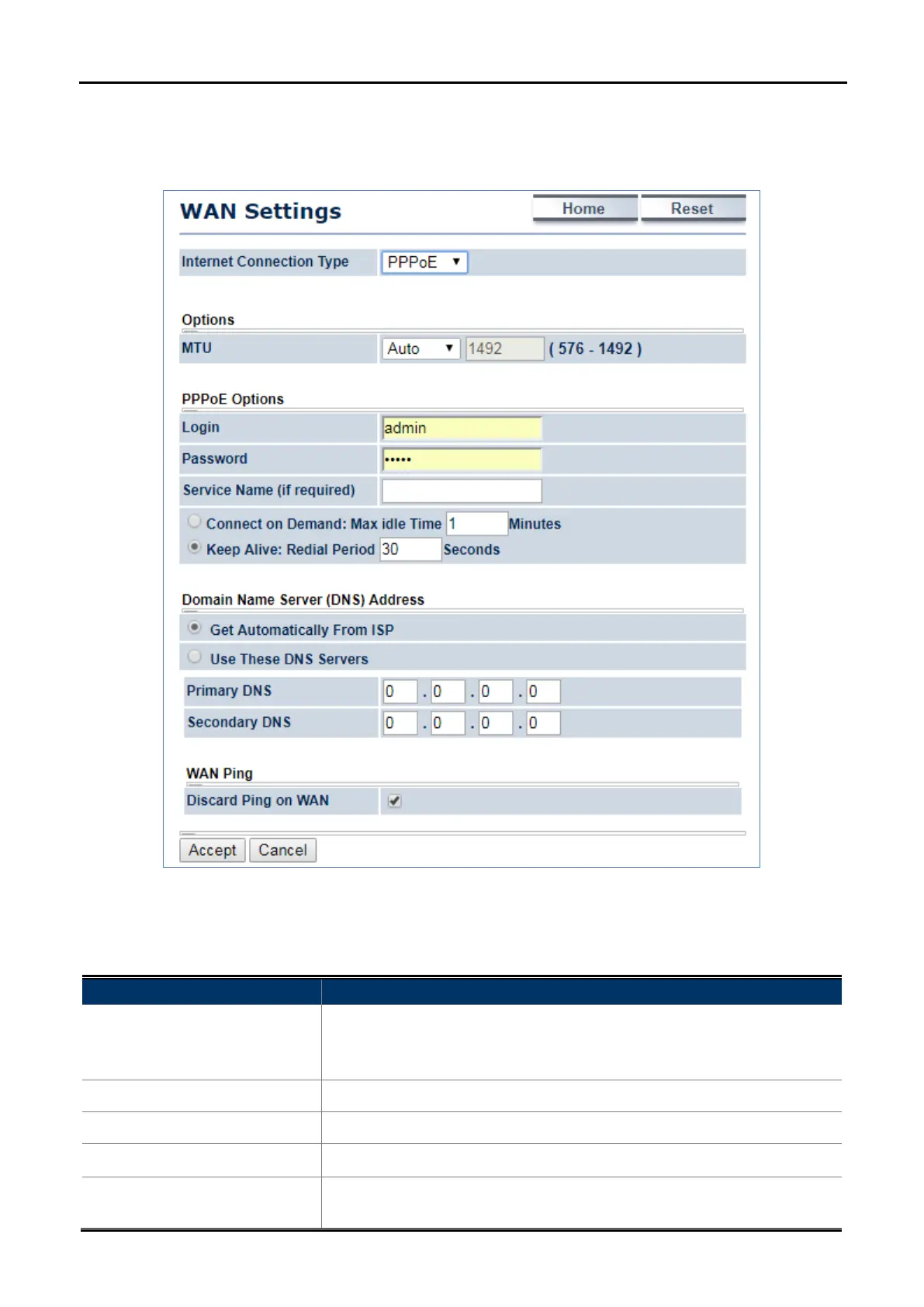
5.4.2.3. PPPoE
Select PPPOE if ISP is using a PPPoE connection and provide you with PPPoE user name and password.
Figure 5-26 WAN Settings – PPPOE
The page includes the following specific settings in PPPoE type:
Object Description
• MTU
The maximum transmission unit (MTU) specifies the largest packet size
permitted for an internet transmission. The factory default MTU size for
PPPoE is 1492. The MTU size can be set between 576 and 1492.
• Login
Enter the username provided by ISP.
• Password
Enter the password provided by ISP.
• Service Name (if required)
Enter the service name of an ISP (optional).
• Connect on Demand
Select it to specify the maximum idle time. Internet connection will
disconnect when it reaches the maximum idle time, but it will



 To Next Page