User Manual of WAP-200N/WBS-200N
-95-
The page includes the following settings:
Object Description
• Target IP / Domain Name
Enter the IP address you would like to search.
• Ping Packet Size
Enter the packet size of each ping.
• Number of Pings
Enter the number of times you want to ping.
• Start Ping
Click Start Ping to begin pinging.
• Trace route target
Enter an IP address or domain name you want to trace.
• Start Traceroute
Click Start Traceroute to begin the traceroute operation.
• Target Address
Enter the IP address of the target PC.
• Time period
Enter time period for the speed test.
• Check Interval
Enter the interval for the speed test.
• Start Speed Test
Click Start Speed Test to begin the speed test operation.
• IPv4 Port
Displays the IPv4 port number of the device.
• IPv6 Port
Displays the IPv6 port number of the device.
5.6.12 Logout
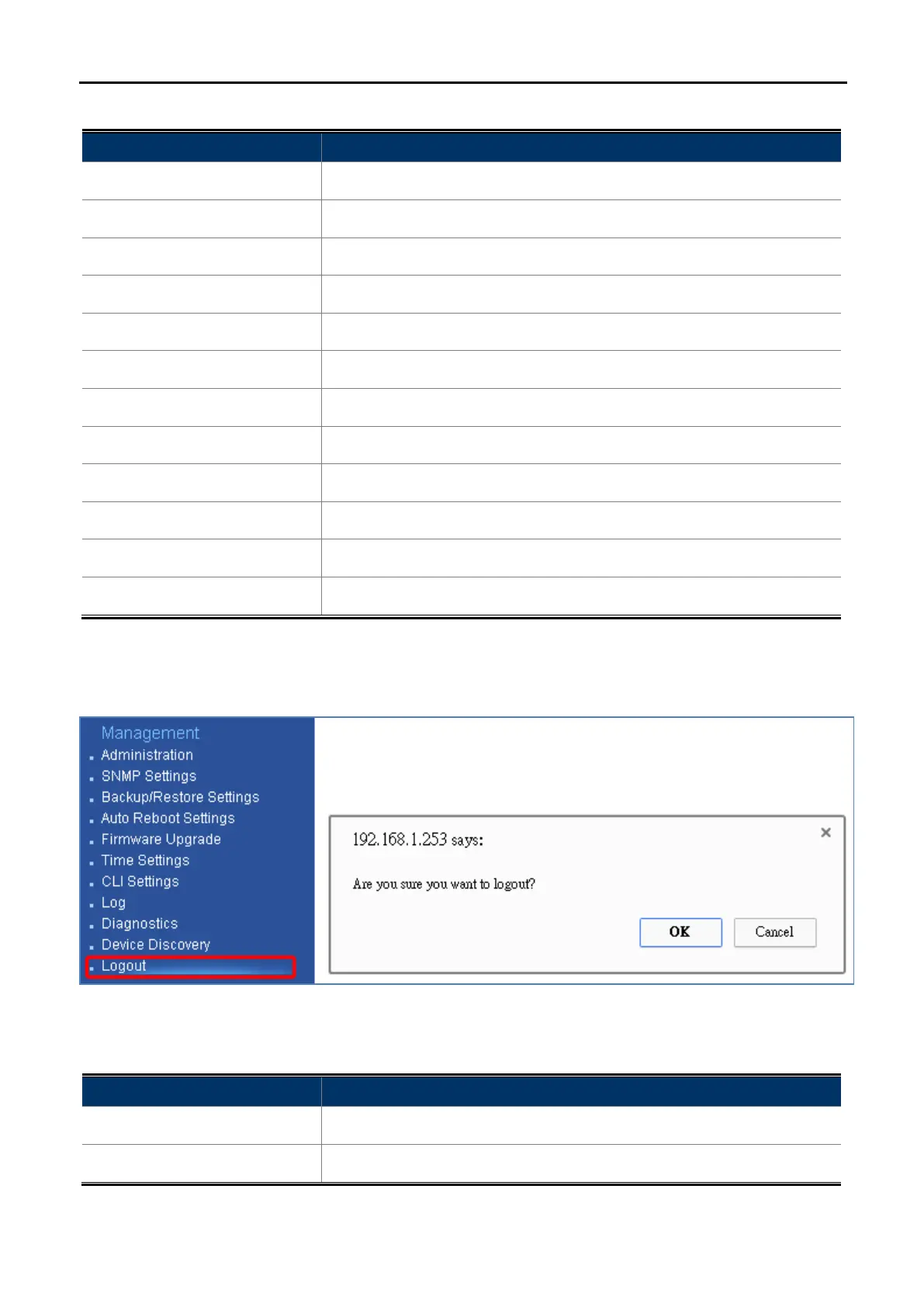
Click “Management Logout” to log out the system.
Figure 5-59 Logout
The page includes the following settings:
Object Description
• OK
Click OK to log out the system.
• Cancel
Click Cancel to cancel the operation.



 To Next Page