User’s Manual of WGR-500-4P and WGR-500-4PV
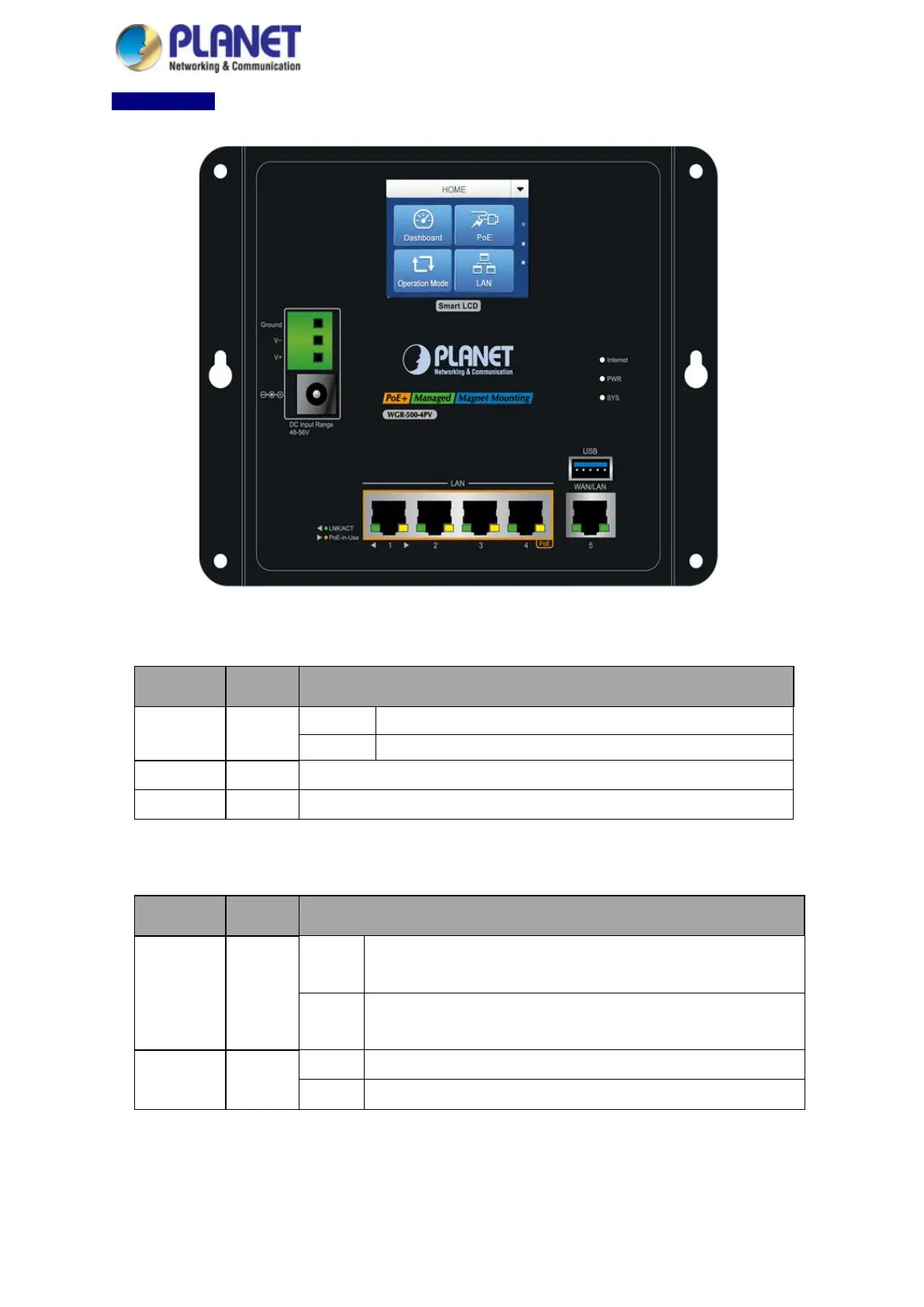
WGR-500-4PV
Figure 2-7: LED Indicators of WGR-500-4PV
■ System
LED Color Function
Internet
Green
Lights:
Internet is synchronized successfully in the route mode.
Blinks:
Internet data is being transmitted.
PWR Green Lights to indicate that the Switch has power.
SYS Green Lights to indicate the system is working.
■ LAN Per 10/100/1000Mbps PoE Port (Port-1 to Port-4) LED
LED Color Function
LNK/ACT Green
Lights:
To indicate the link through that port is successfully established at
10/100Mbps.
Blinks:
To indicate that the switch is actively sending or receiving data
that port.
PoE In-Use Amber
Lights: To indicate the port is providing 48V~56VDC in-line power.
Blinks: To indicate the connected device is not a PoE powered device (PD).



 To Next Page