User’s Manual of WGR-500-4P and WGR-500-4PV
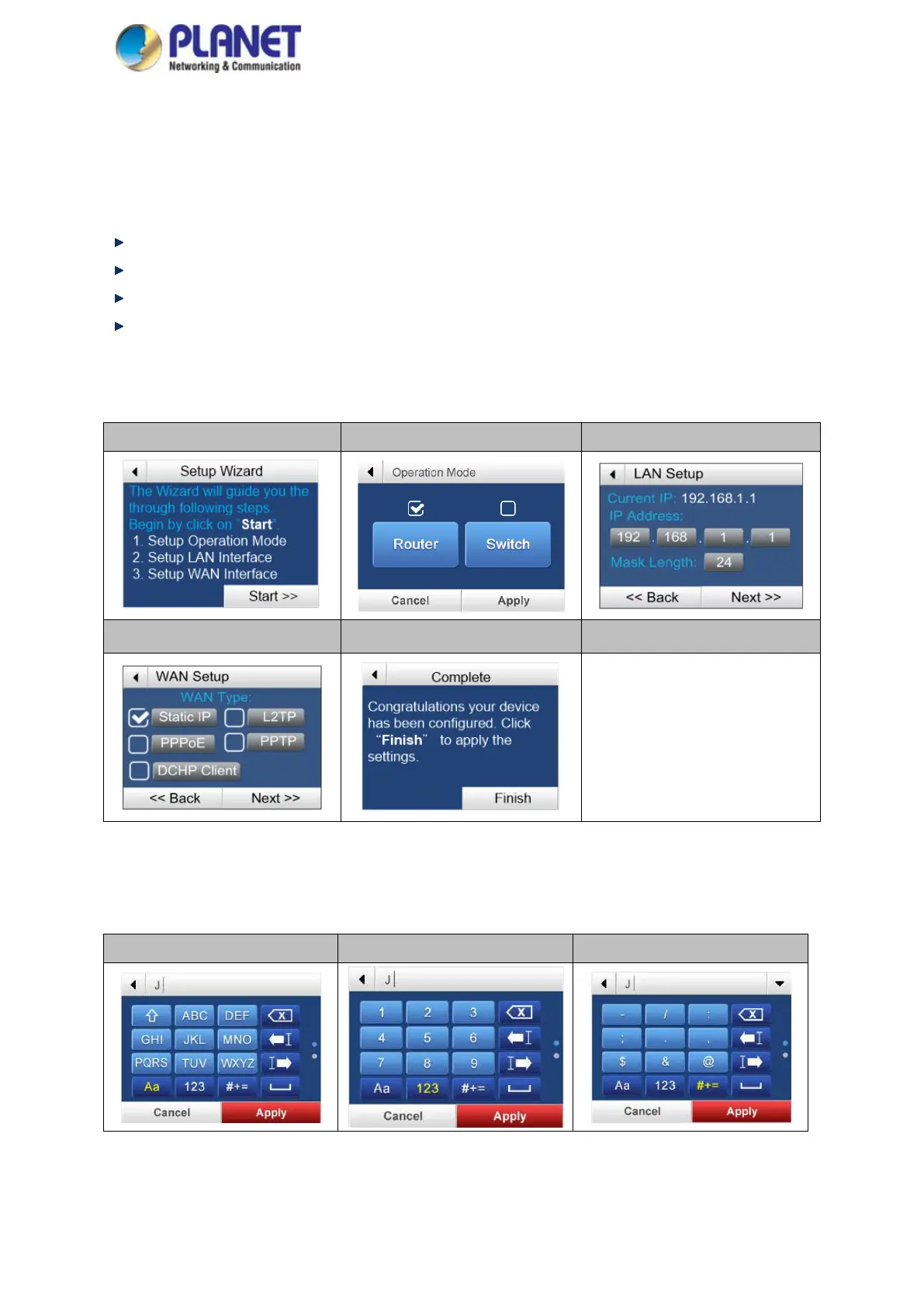
Starting Touchscreen Setup Wizard
The wizard will guide your through the setup of your industrial wall-mount Gigabit router. For example, when the
WGR-500-4PV is in router mode, and the touchscreen wizard helps you set up the following configurations in
minutes.
Setting up Operation Mode
Setting up LAN Interface
Setting up WAN Interface
Finish
Begin by clicking on “Start”
Step 1 Step 2 Step 3
Step 4 Step 5
When you configure WAN setup, it may require to input user name and password. User can use the following key
panels to input letters, numbers and symbols from the LCD screen.
Letters Numerals Symbols



 To Next Page