User’s Manual of WGR-500-4P and WGR-500-4PV
Mode 4 PPTP
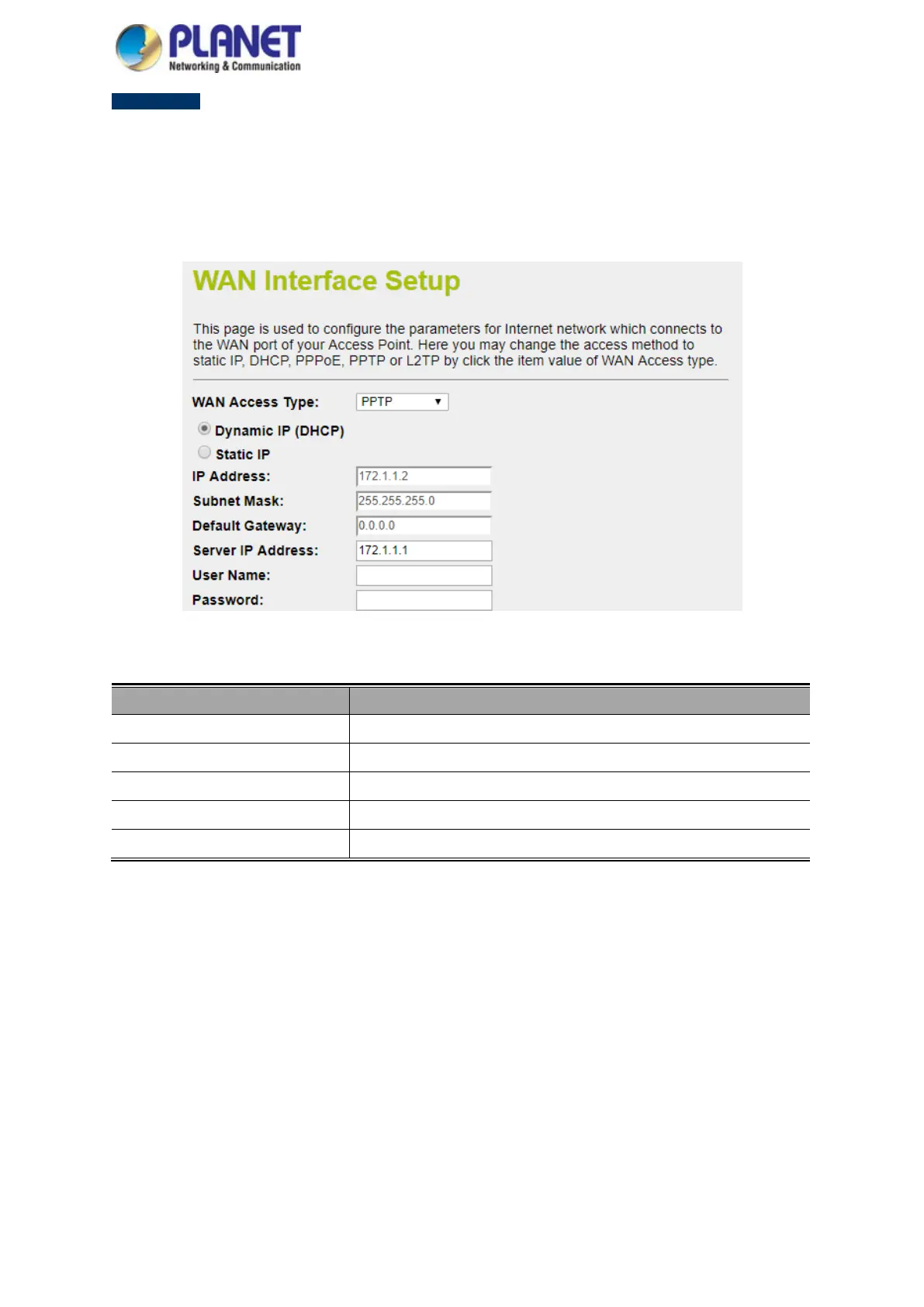
Choose PPTP (Point-to-Point-Tunneling Protocol) if your ISP uses a PPTP connection. Your ISP will provide
you with IP information and PPTP Server IP Address; of course, it also includes a username and password. This
mode is typically used for DSL services. The setup is shown in Figure 4-15.
Figure 4-15: WAN Interface Setup – PPTP Setup
Object Description
IP Address Enter the IP address.
Subnet Mask Enter the subnet Mask.
Server IP Address Enter the PPTP Server IP address provided by your ISP.
User Name Enter your PPTP username.
Password Enter your PPTP password.



 To Next Page