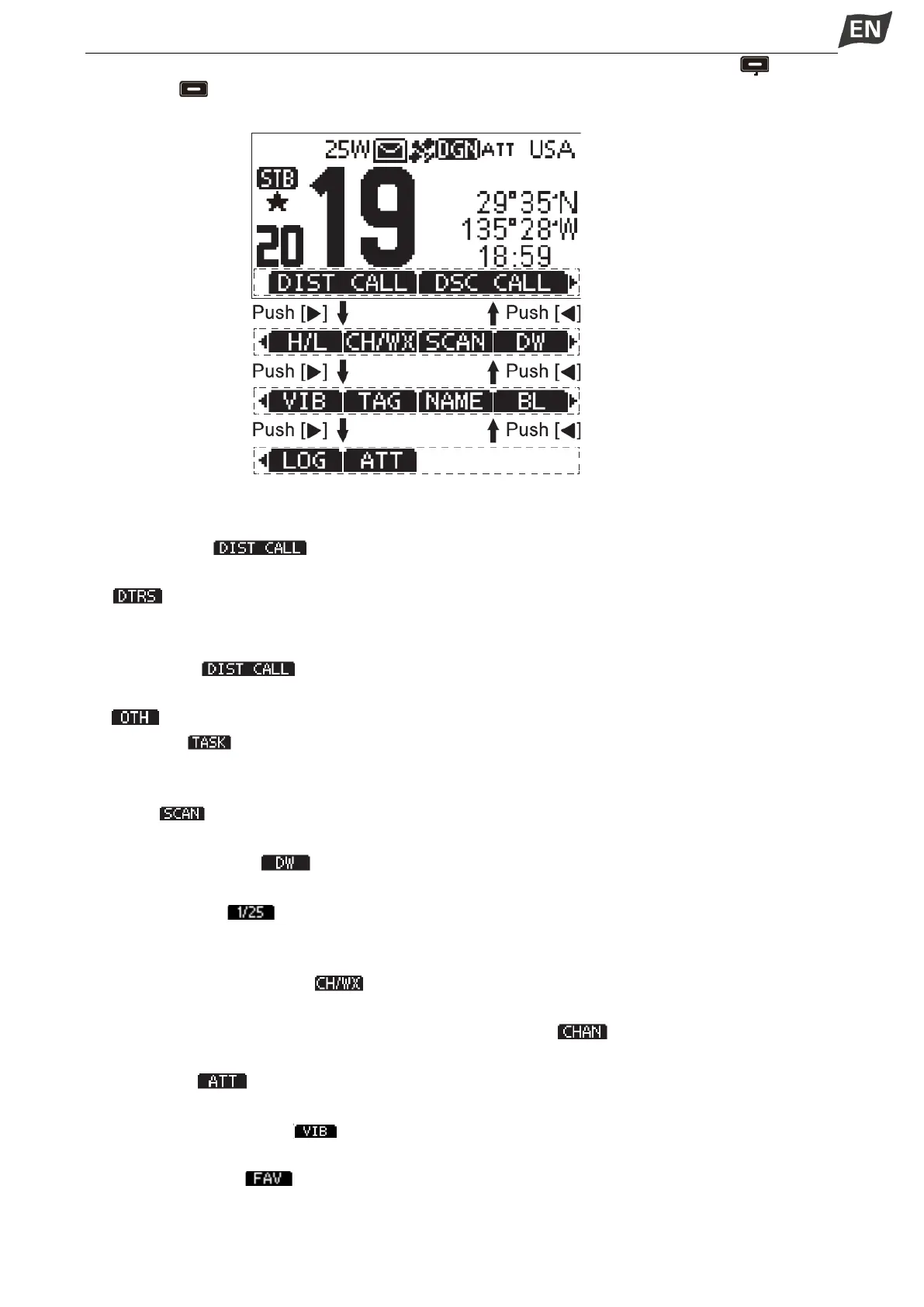
Press[◄] or [►] to scroll through the selectable functions that are assigned to the softkeys[ ].Press
the softkeys[ ] under the functions's icon to select the function.
◆Softkey Functions
The softkey functions that can be implemented are as follows:
1. Distress Call [ ]
Press to display the “DISTRESS” screen, to select the Nature of distress, then to make a call.
·“ ” is displayed in the Multiple-task mode.
NOTE: NEVER make a distress call if your ship or a person is not in an emergency. A distress call should
be made only when immediate help is needed.
2. Other DSC [ ]
Press to select DSC CALL, including Individual Call, Group Call, All Ships Call, Test Call.
·“ ” is displayed in the Multiple-task mode.
3. Task List [ ]
Press to display Task List.
·It is displayed in the Multiple-task mode.
4. Scan [ ]
Press to start or stop Normal Scan or Priority Scan.
5. Dualwatch/Tri-watch [ ]
Press to start or stop Dualwatch/Tri-watch.
6.High/Low Power [ ]
Press to set output power to high or low.
·Some channels are set to low power only.
7. Channel/Weather Channel [ ]
Press to select regular channels or Weather Channel.
·The Weather Channel is for USA and Australian versions only. “ ” is displayed for other versions.
·While the Call channel or Channel 16 is displayed, press this key to return to regular channel mode.
8. Attenuation [ ]
Press to turn the Attenuator ON or OFF.
9. Vibration Water Draining [ ]
Press and hold this key to turn ON Vibration Water Draining function to clear water from the speaker grill.
10.Favorite Channel [ ]
Press to set or release the displayed channel as a Favorite Channel.
Press to set current untagged channel as Favorite channel;


 To Next Page
 Loading...


