■ Channel Selection
◆ Regular Channel
Press [▲]\[▼] to select regular channel.
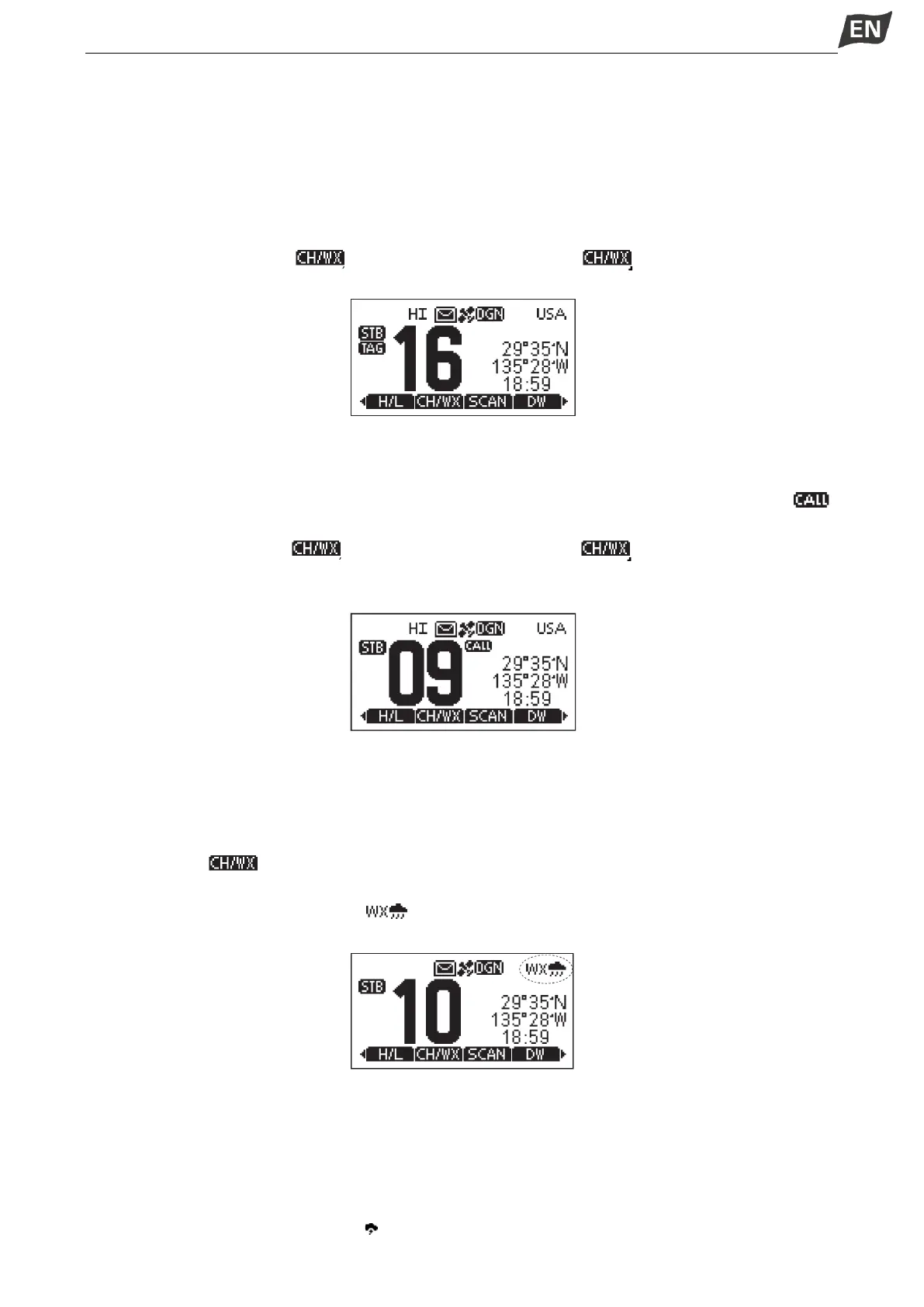
◆ Channel 16
Channel 16 is the distress and safety channel. It is used for establishing initial contact with a station and
for emergency communications. Channel 16 is monitored during both Dualwatch and Tri-watch.
1. Press [16/C] to select Channel 16.
2. Press [◄]\[►] to display “ ”, then press the softkey below [ ], to return to the previously
selected channel.
◆ Call Channel
Each regular channel group has a separate leisure-use Call channel (Default Channel 9). The Call
channel is monitored during Tri-watch.
1. Press and hold [16/C] for 1 second to select the Call channel of the selected channel group. “ ”
and Call channel number appear.
2.Press [◄]\[►] to display “ ”, then press the softkey below [ ], to return to the previously
selected channel.
Press [◄]\[►] to select channel.
◆ Weather Channels
The transceiver has 10 weather channels.
The transceiver can automatically detect a weather alert tone on the selected weather channel while
receiving on a regular channel or while scanning.
Selecting a Weather Channel
1. Press softkey[ ] to select between weather channel and regualr channel.
·“WX” appears when a weather channel is selected.
·When the WX-Alert is set to ON, “ ” is displayed insteadof “WX”.
2. Press [▲]\[▼] to select a Weather channel.
Setting the Weather Alert
1. Press [MENU] key, the menu interface is displayed.
2. Press [▲]\[▼] or rotate [DIAL] knob to select “Radio Settings”, then press [OK], the “RADIO SETTINGS”
screen is displayed.
3. Press [▲]\[▼] or rotate [DIAL] knob to select “WX Alert”, then press [OK], the “WX ALERT” screen is
displayed.
4. Select “On With Scan” or “On”, “WX ” is displayed on screen.


 To Next Page
 Loading...


