DSC OPERATION
■ MMSI Code Programming
The 9-digit MMSI (Maritime Mobile Service Identity: DSC self ID) code can be programmed by PC
software and also manually set on this transceiver.
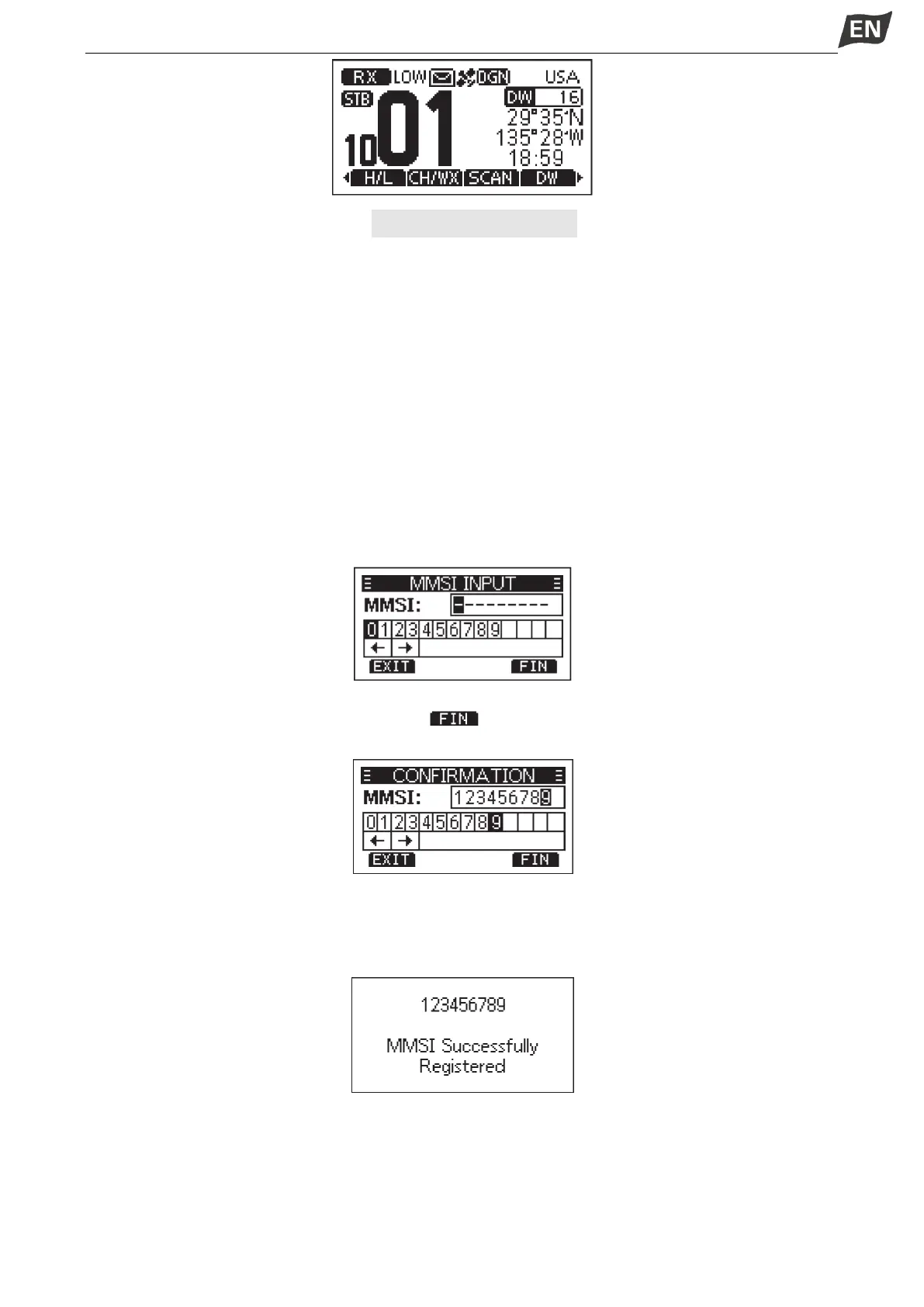
1. Press and hold [PWR] knob to power ON.
·Three short beeps sound, and “Push [OK] to Register your MMSI” is displayed.
2. Press [OK] to start setting the MMSI code.
·During the setup process, press [BACK] to skip the setting and return to normal operating mode,
and you cannot make a DSC call.
3. Enter the MMSI code:
·Press [◄]/[►] to select the desired number.
·Press [OK] to input the selected number.
·Select “←” or “→”, or rotate [DIAL] to move the cursor, then press [OK].
4. Repeat step 3 to enter all 9 digits.
5. After 9 digits have been input, press softkey [ ] to set the code.
6.Enter MMSI code again to confirm.
7. Repeat step 3 to 5 as above.
·When your MMSI code is successfully input, “MMSI Successfully Registered” is displayed as
below.
·After setting, this transceiver can perform normal operation.
NOTE:In the menu interface, you can query the set MMSI code.
■ ATIS ID Programming
The Automatic Transmitter Identification System (ATIS) ID consists of 10 digits. You can enter the ATIS
ID in the “ATIS ID Input” item on the Menu screen.


 To Next Page
 Loading...


