operating screen. When a Time-outTimer (TOT) activates, an alarm sounds and a countdown message
is displayed for 10 seconds.
◆ Holding a DSC Task
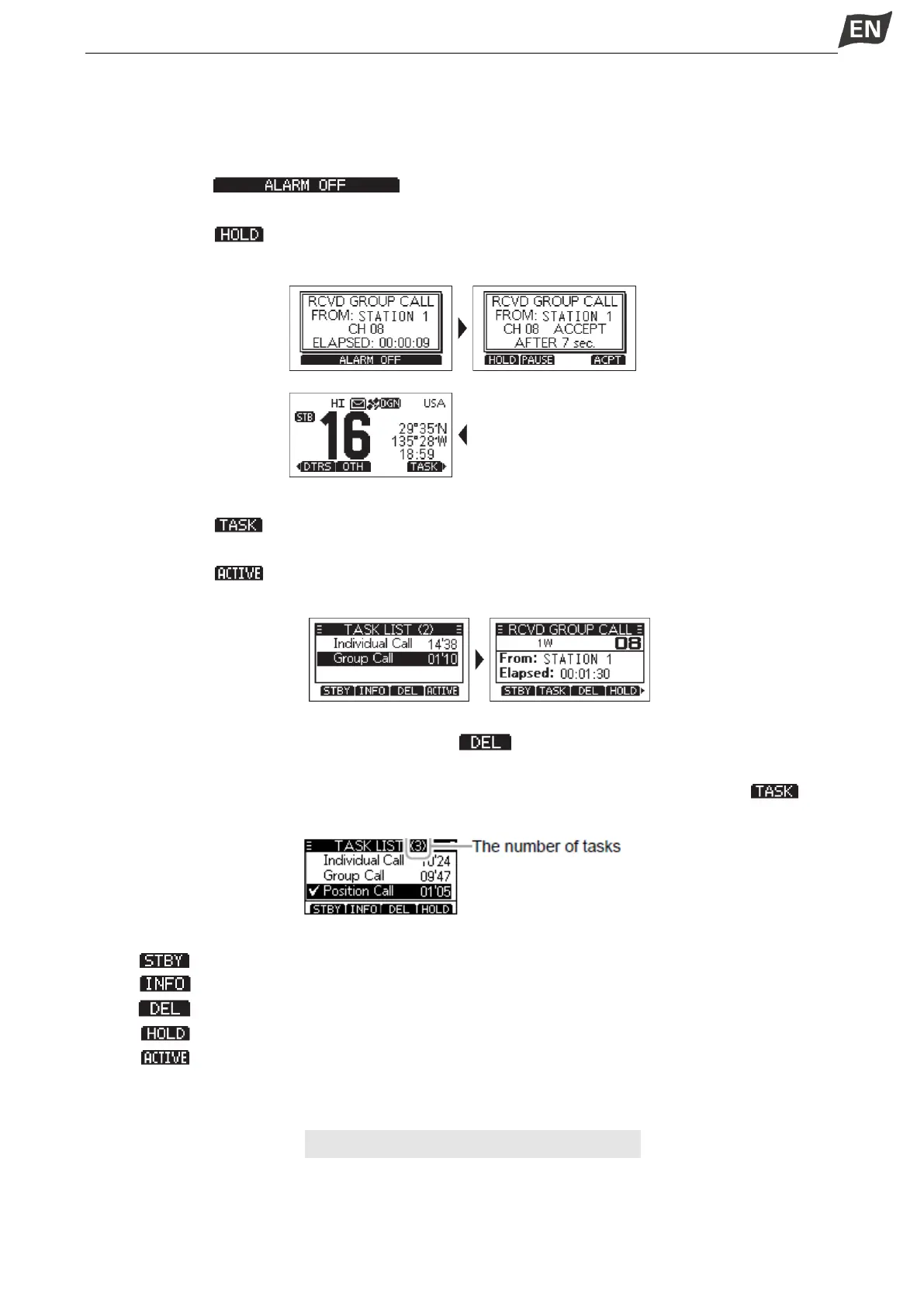
In the Multiple-take mode, you can hold or activate the DSC task, operations as follows.
Example: When a Group call is received,
1. Press softkey [ ] to turn OFF the alarm.
• The received call’s information is displayed.
2. Press softkey [ ].
• The received Group call task is held into the task list and returns to the operating screen.
◆ Activating the Held DSC Task
1. Press softkey [ ] to display the task list.
2. Press [▲]/[▼] to select the task that you want to activate.
3. Press softkey [ ] to activate the task.
• The activated task information is displayed.
4. Press [PTT] to communicate.
5. After finishing the communication, press softkey [ ] to delete the task.
◆ Task List
When one or more tasks are held, you can display the task list screen by pressing softkey [ ], the
number of tasks is displayed at the top of the screen.
On the “TASK LIST” screen, the following softkeys are displayed.
Press [ ]: Holds the task and returns to the operating screen.
Press [ ]: Displays the task information.
Press [ ]: Deletes the selected task.
Press [ ]: Holds the selected task.
Press [ ]: Activates the selected task.
MENU SCREEN OPERATION
■ Menu Screen Operation
The Menu screen is used to set items, select options, and so on for the transciver’s functions.


 To Next Page
 Loading...


