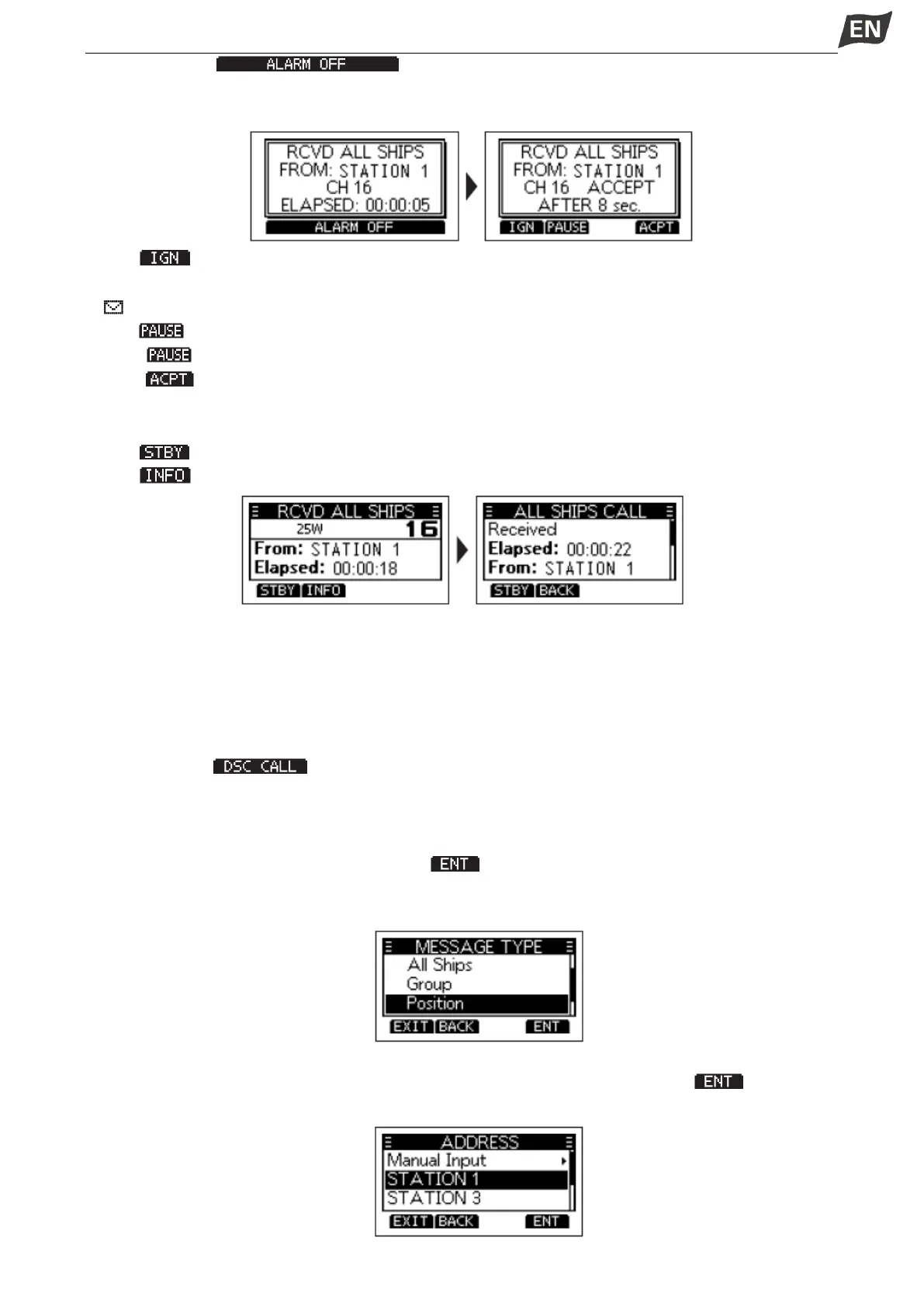
1. Press softkey [ ] to turn OFF the alarm.
•The channel that is assigned by the caller is automatically selected after 10 seconds by default.
2. Press the softkey for the next operation.
Press [ ]: Ingores the call and returns to the operating screen.
• The call is saved in the DSC Log.
•” ” blinks continuously until you display the call message.
Press [ ]: Pauses the countdown until the assigned channel is automatically selected.
NOTE: is not displayed if the “CH Auto SW” item is set to “Manual”.
Press [ ]: Accepts the call.
• The assigned channel is automatically selected.
• The call is saved in the DSC Log.
Press [ ]: Closes the All Ships call, then returns to the operating screen.
Press [ ]:The receiver call’s information is displayed.
■Position Request Call/ Polling Request Call
When you want to know information about the current location of a ship, you can send a Position Request
call.
◆Sending a Position Request Call/ Polling Request Call
1. Press softkey [ ], the “OTHER DSC” screen is displayed.
NOTE: You can also display the “OTHER DSC” screen by selecting the “DSC Call” item on the Menu
screen.
2. Select “Type”, then press [OK], “MESSAGE TYPE” is displayed.
3. Select “Position”, then press [OK] or softkey [ ].
• The message type is selected, and returns to the “OTHER DSC” screen.
NOTE: When you send a Polling Request call, select “Polling”.
4. Select “Address”, and then press [OK].
5. Select a target to send a Position Request call to, and then press [OK] or softkey [ ].
NOTE:You can also select “Manual Input” to manually enter the target ID.


 To Next Page
 Loading...


