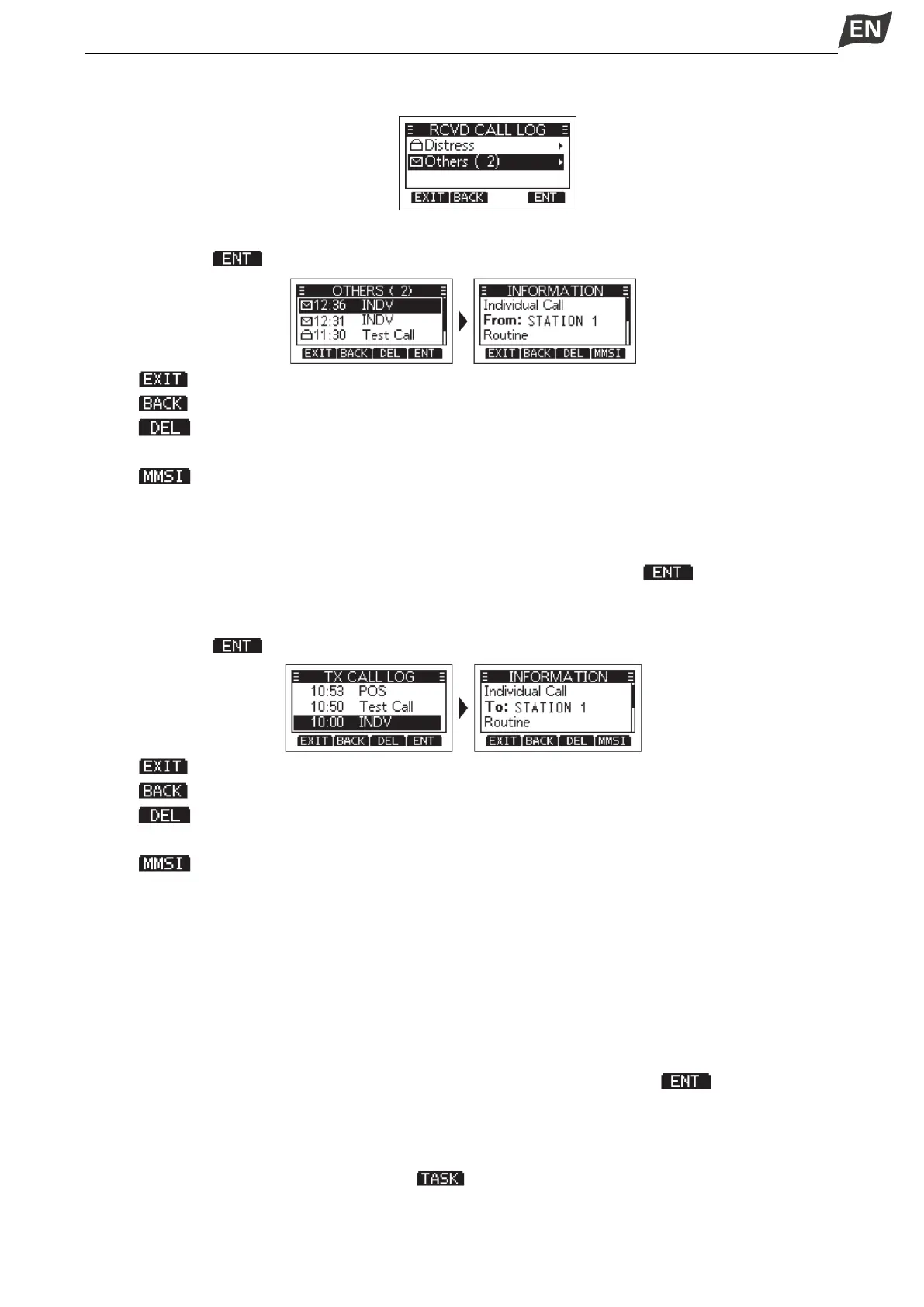
Distress:Displays the received Distress call log.
Others:Displays the received DSC call log.
3. Press [▲]/[▼] to scroll through the log.
4. Press softkey [ ] to display the received call’s information.
Press [ ]: Returns to the operating screen.
Press [ ]: Returns to the previous screen.
Press [ ]: Deletes the selected call log.
NOTE: The confirmation screen is displayed before deleting.
Press [ ]: Saves the MMSI as an Invididual ID.
◆ Transmitted DSC Log
The transceiver saves up to 30 DSC transmitted calls in your DSC Log.
1. Press [MENU], then press [▲]/[▼] to select “DSC Log”, and then press [OK].
2. Press [▲]/[▼] to select “Transmitted Call Log”, then press [OK] or softkey [ ].
• The“TX CALL LOG” screen is displayed.
3. Press [▲]/[▼] to scroll through the log.
4. Press softkey [ ] to display the sent call’s information.
Press [ ]: Returns to the operating screen.
Press [ ]: Returns to the previous screen.
Press [ ]: Deletes the selected call log.
NOTE: The confirmation screen is displayed before deleting.
Press [ ]: Saves the MMSI as an Invididual ID or a Group ID.
■ Multiple-task Mode
If the Multiple-task function is enabled, the transceiver can hold up to 7 tasks. Therefore, you can handle
more than 2 DSC taks simultaneously by switching between the DSC tasks.
◆ Setting Multiple-task Mode
1. You can enter “MULTI-TASK” screen by menu operation, steps as below:
Menu → DSC Settings → Multi-Task
2. Press [▲]/[▼] to select required multi-task mode, then press [OK] or softkey [ ].
NOTE:
Single: Single task mode, you can handle one DSC task.
Multiple: Multi-task mode, you can handle more than 2 DSC tasks.
• When the Multiple-task mode is activated, [ ] is displayed on the operating screen.
NOTE: The Task mode has a Time-out Timer (TOT) function. After a certain period of time has passed
without any operationon a task, the transceiver automatically exits the Taskmode and returns to the


 To Next Page
 Loading...


