3. Press [▲]\[▼] or rotate [DIAL] knob to select “FAV Settings”, then press [OK], the “FAV SETTINGS”
screen is displayed.
4. Press [▲]\[▼] or rotate [DIAL] knob to select “Set All Channels” to set all channels as Tagged Channels.
5. Select “Clear All Channels” to cancel all the TAG channel setting.
6. Select “Set Default” to restore to factory default channel setting.
■Starting a Scan
Scan Type, Weather Alert, Scan Timer can be set in the menu interface.
1. Press [◄]\[►] to display[ ].
2. Press softkey [ ] to start Normal or Priority Scan.
·“SCAN 16” is displayed during a Priority Scan, and “SCAN” is displayed during a Normal Scan.
·When a signal is received, the scan pauses until the signal disappears, or resumes after 5 seconds,
depending on the Scan Timer setting in “Radio Settings”.
·A beep sounds and “16” blinks when a signal is received on Channel 16 during a Priority Scan.
·Press [▲]/[▼] to change the scanning direction.
3. To stop the scan, press softkey [ ] again.
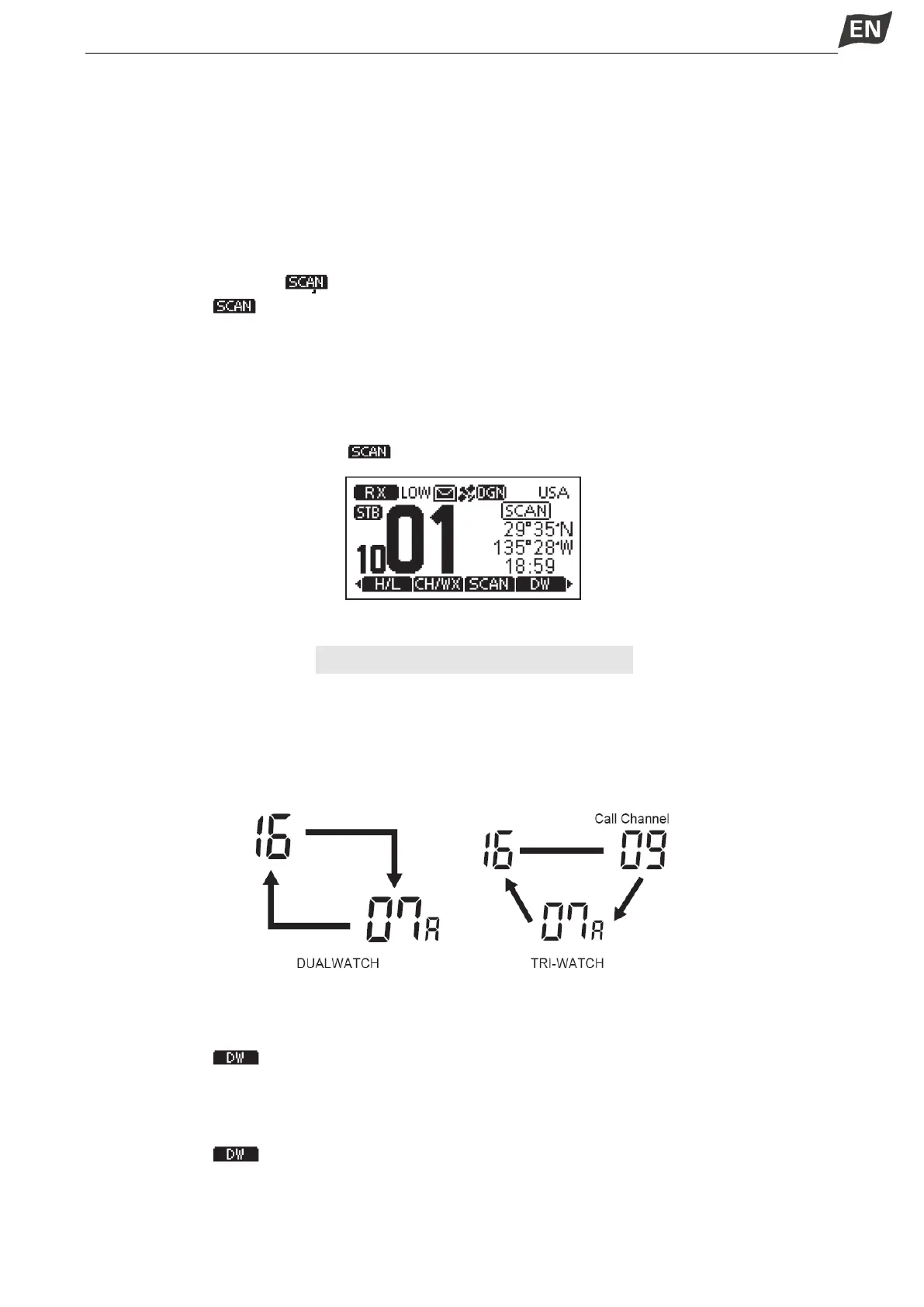
DUALWATCH / TRI-WATCH
■ Description
This transceiver has Dualwatch and Tri-watch.
Dualwatch monitors Channel 16 while you are receiving on another channel.
Tri-watch monitors Channel 16 and the Call channel while receiving on another channel.
■ Operation
1. Press softkey [ ] to start Dualwatch or Tri-watch.
·“DW 16”is displalyed during Dualwatch; “TW 16” is displalyed during Tri-watch.
·A beep tone sounds when a signal is received on Channel 16.
·Tri-watch converts to Dualwatch when a signal is received on Call channel.
2. Press softkey [ ] again to cancel Dualwatch or Tri-watch.



 To Next Page
 Loading...

