ON or OFF.
SCAN OPERATION
■Scan Types
This transceiver has normal scan and priority scan, can be set in the menu item “Radio Settings”.
When the weather alert function is turned ON, the previously selected (last used) weather channel is also
scanned.
Set the TAG channels (scanned channels) before scanning. Clear the TAG channels which inconveniently
stop scanning.
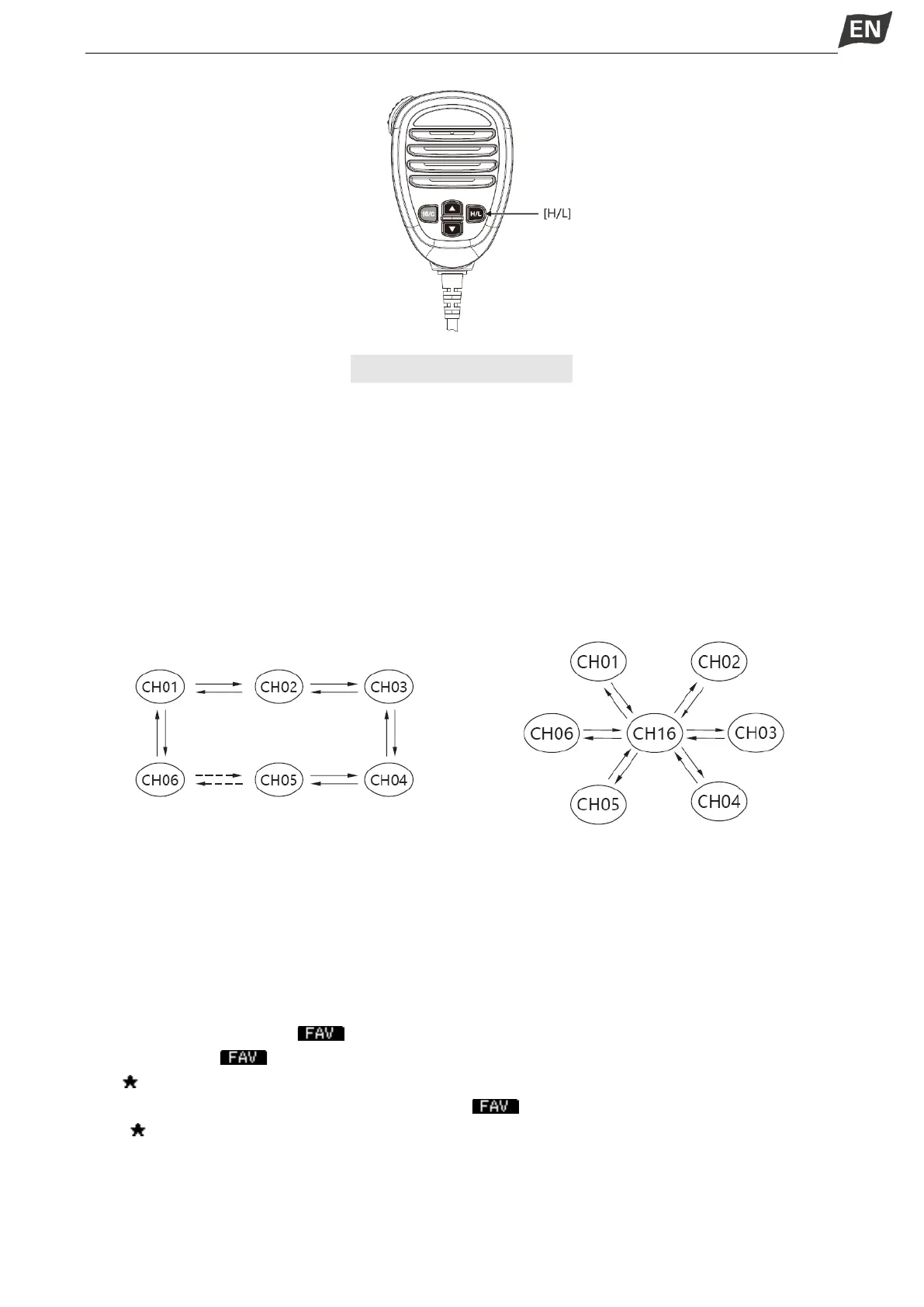
Normal Scan: Normal scan searches through all TAG channels in sequence. Channel 16 is not checked
unless Channel 16 is set as a TAG channel.
Priority Scan: Priority scan searches though all TAG channels in sequence while monitoring Channel 16.
Normal Scan Priority Scan
■Setting TAG Channels
For more efficient scanning, you can add desired channels as TAG channels or clear the TAG for
unwanted channels.
Channels that are not tagged will be skipped during scanning.
◆ Setting / Clearing a Single Tagged Channel
1. Press [▲]\[▼] to select the channel you want to set as TAG channel.
2. Press [◄]\[►] to display “ ”.
3. Press softkey [ ] to set current channel as TAG channel.
·“ ” is displayed on screen.
4.To cancel the TAG channel setting, press softkey [ ] again.
·“ ” is disappeared on screen.
◆ Setting / Clearing All Tagged Channels
1. Press [MENU] key, the menu interface is displayed.
2. Press[▲]\[▼] or rotate [DIAL] knob to select “Radio Settings”, then press [OK], the “RADIO SETTINGS”
screen is displayed.


 To Next Page
 Loading...


