■ All Ships Call
An All Ships call enables you to announce a message to all the ships within range.
◆Sending an All Ships Call
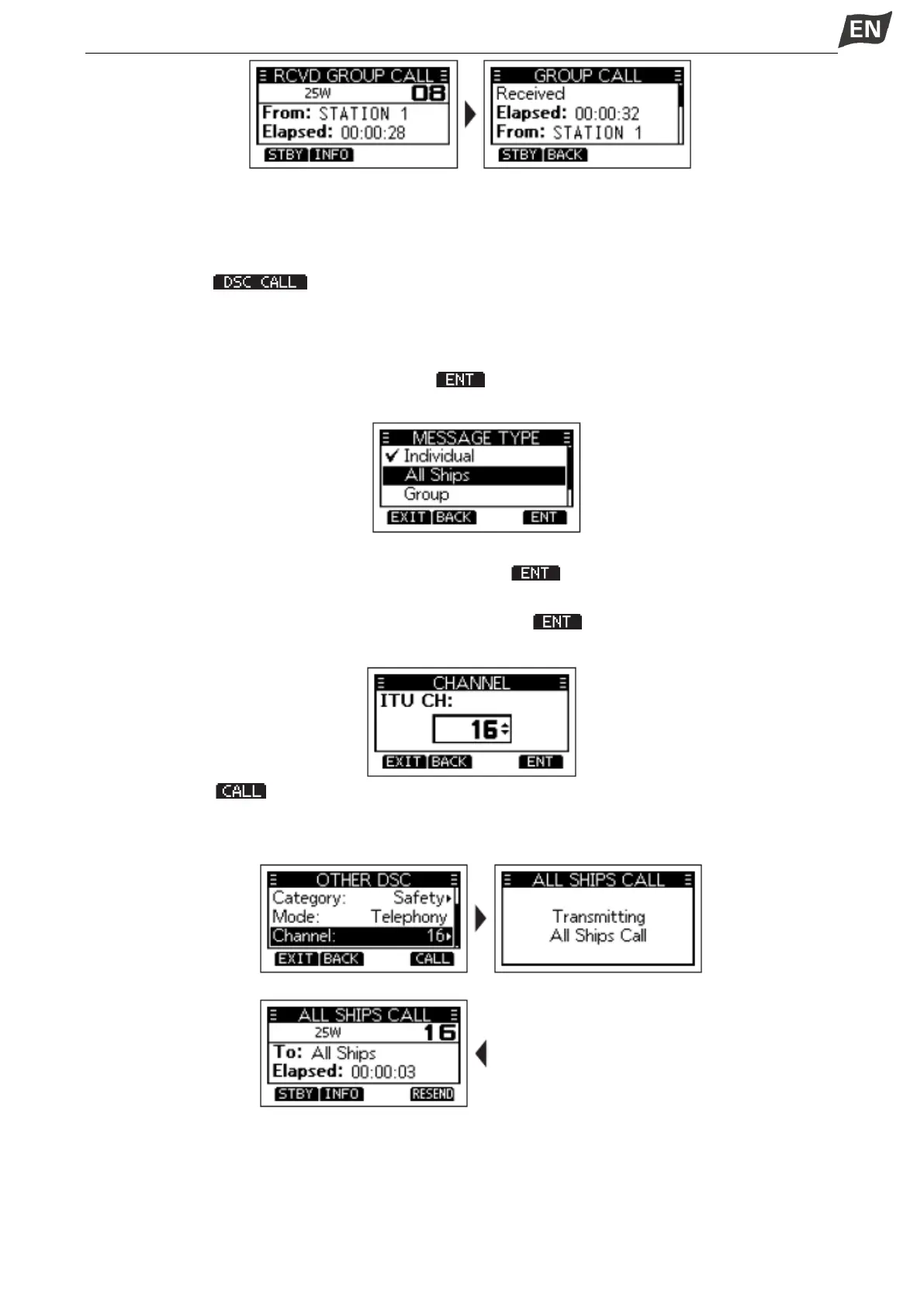
1. Press softkey [ ], the “OTHER DSC” screen is displayed.
NOTE: You can also display the “OTHER DSC” screen by selecting the “DSC Call” item on the Menu
screen.
2. Select “Type”, then press [OK], “MESSAGE TYPE” is displayed.
3. Select “All Ships”, then press [OK] or softkey [ ].
• Returns to the “OTHER DSC” screen.
4. Select “Category”, then press [OK].
5. Select a category of the call, then press [OK] or softkey [ ].
6. Select “Channel”, then press [OK].
7. Select a channel to assign, and then press [OK] or softkey [ ].
• The assigned channels are preset by default.
8. Press softkey [ ] to send the All Ships call, ”Transmitting All Ships Call” is displayed, and then
the assigned channel is automatically selected.
NOTE: If Channel 70 is busy, the transceiver stands by until the channel becomes clear.
9. Hold down [PTT] to communicate.
◆Receiving an All Ships Call
When an All Ships call is received:
•The alarm sounds
•”RCVD ALL SHIPS CALL” is displayed.


 To Next Page
 Loading...


