NOTE:
•If the Auto ACK function in “DSC Settings” is set to “Auto”, the Position Reply is automatically sent to the
calling station.
•However, even if the Auto ACK function is set to “Manual”, after receiving a Distress Acknowledgement,
or while in the Distress Cancel call procedure, the Position Reply is automatically sent to the calling station.
◆Sending a Position Reply Call
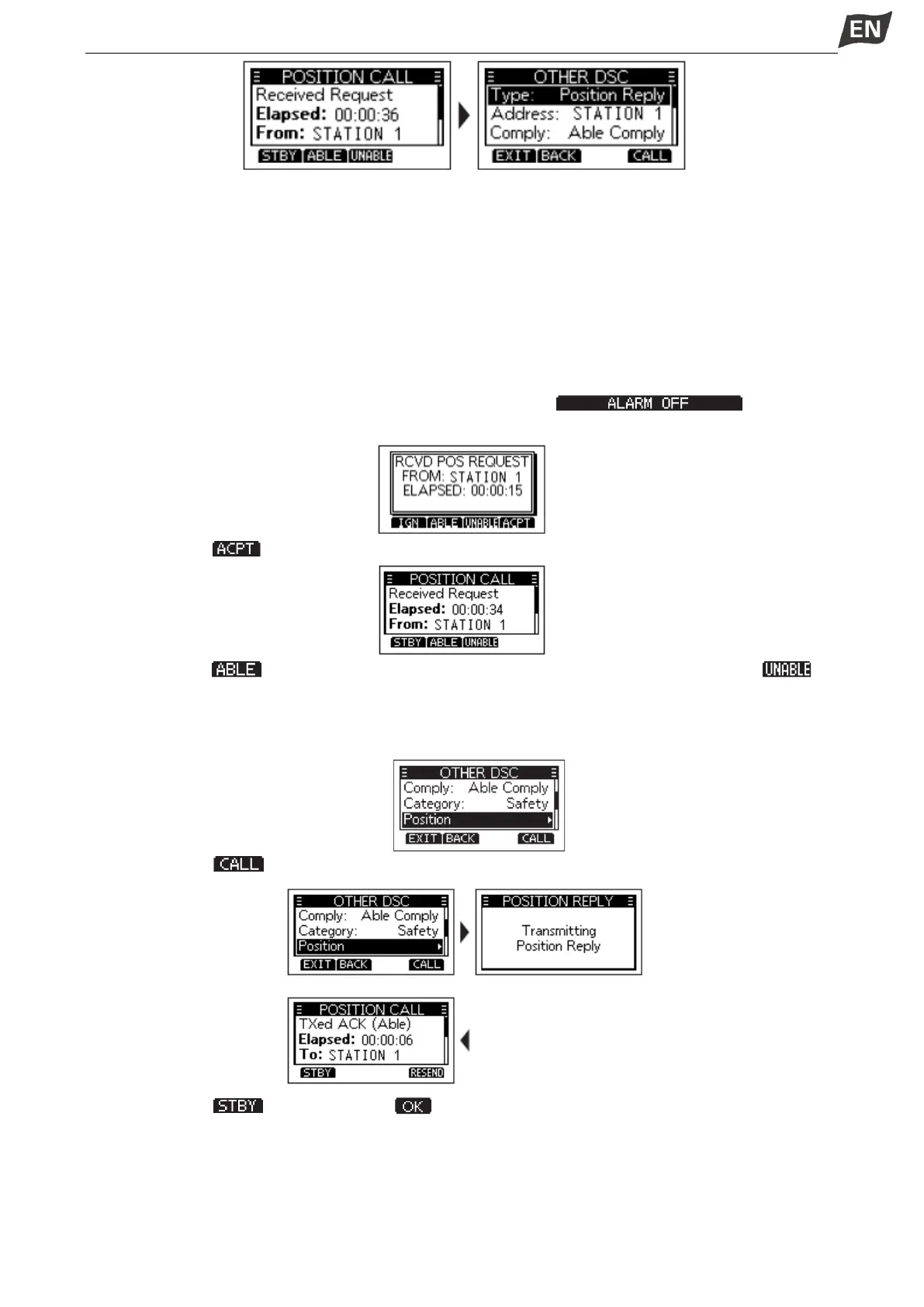
Send a Position Reply call when a Position Request call is received. If the Auto ACK function in “DSC
Settings” is set to “Auto”, the Acknowledgement is automatically sent to the calling station.
1. While a Position Request call is being received, press softkey [ ] to turn OFF
the alarm.
2. Press softkey [ ], the received call’s information is displayed.
3. Press softkey[ ] to send an “Able to Comply” Acknowledgement, or press softkey [ ] to
send an “Unable to Comply” Acknowledgement.
NOTE: If no valid GPS position is received, you can manually enter the position and time in “Position”
item on this screen. See “Entering the position and time” for details.
4. Press softkey [ ] to send the Position Reply call.
5. Press softkey [ ], and then press [ ] to return to the operating screen.
■Test Call
You should avoid testing calls on the specific DSC distress channels and safety calling channels. When
you cannot avoid testing on a distress or safety channel, you should indicate that these are test calls.


 To Next Page
 Loading...


