Normally the test call would require no further communications between the two stations involved.
◆Sending a Test Call
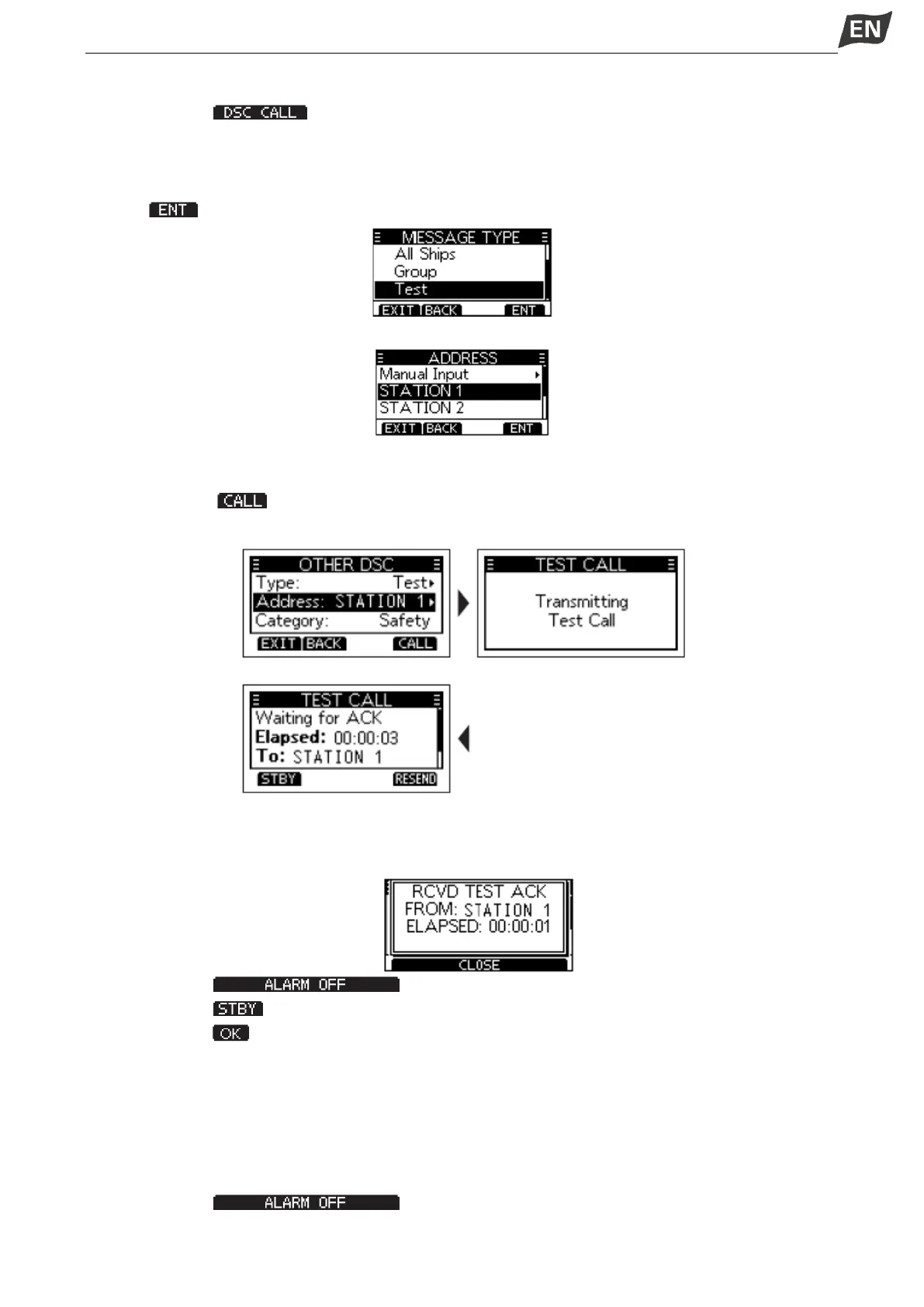
1. Press softkey [ ], the “OTHER DSC” screen is displayed.
NOTE: You can also display the “OTHER DSC” screen by selecting the “DSC Call” item on the Menu
screen.
2. Select “Type”, then press [OK], “MESSAGE TYPE” is displayed. Select “Test”, then press [OK] or
softkey [ ].
3. Select “Address”, and then press [OK].
4. Select a station to send the Test call to.
NOTE: You can also select “Manual Input” to manually enter the calling station.
5. Press softway [ ] to send the Test call, “Transmitting Test Call” is displayed.
NOTE: If Channel 70 is busy, the transceiver stands by until the channel becomes clear.
6. When you receive an Acknowledgement:
• An alarm sounds, the screen is displayed as below.
7. Press softkey [ ] to turn OFF the alarm.
8. Press softkey [ ],”Terminate the procedure. Are you sure?” is displayed.
9. Press softkey [ ] to return to the operating screen.
◆Receiving a Test Call
By default, the Auto ACK function automatically sends an Acknowledgement to the calling station. If the
function is set to “Manual”, the following screen are displayed.
When a Test call is received:
•The alarm sounds for 2 minutes.
•”RCVD TEST CALL” is displayed.
1. Press softkey [ ] to turn OFF the alarm.
2. Press the softkey for the next operation.


 To Next Page
 Loading...


