·If “NG” is displayed, that means there is a problem with at least one of the transmitting DSC and the
receiving DSC circuit. The transceiver must be handed over to the dealer for repair.
◆ Multi-Task
You can select the type of task for the transceiver, depending on the presetting.
·Single: Handles only 1 task at the same time.
·Multiple: Handles up to 7 tasks at the same time.
■ Distress Call
A Distress call should be sent if the ship or a person is in distress and requires immediate assistance.
NEVER make a Distress call if your ship or a person is not in an emergency. A Distress call should be
made only when immediate help is needed.
◆ Distress Call Softkey Description
While waiting for an Acknowledgement:
1. [ ]: Cancels the Distress call and enables you to send a Cancel call.
2. [ ]: Enables you to resend the Distress call by holding down [DISTRESS] again.
3. [ ]: Pauses the countdown to resend the next Distress call.
4. [ ]: Displays the information of the Distress call that you have sent.
After receiving an Acknowledgement:
1. [ ]: Closes the Distress operation, and returns to the operating screen.
2. [ ]: Displays the “DISTRESS HISTORY”.
3. [ ]: Display the information of the received Distress Acknowledgement.
◆ Simple Call
1. Confirm that no Distress call is being received.
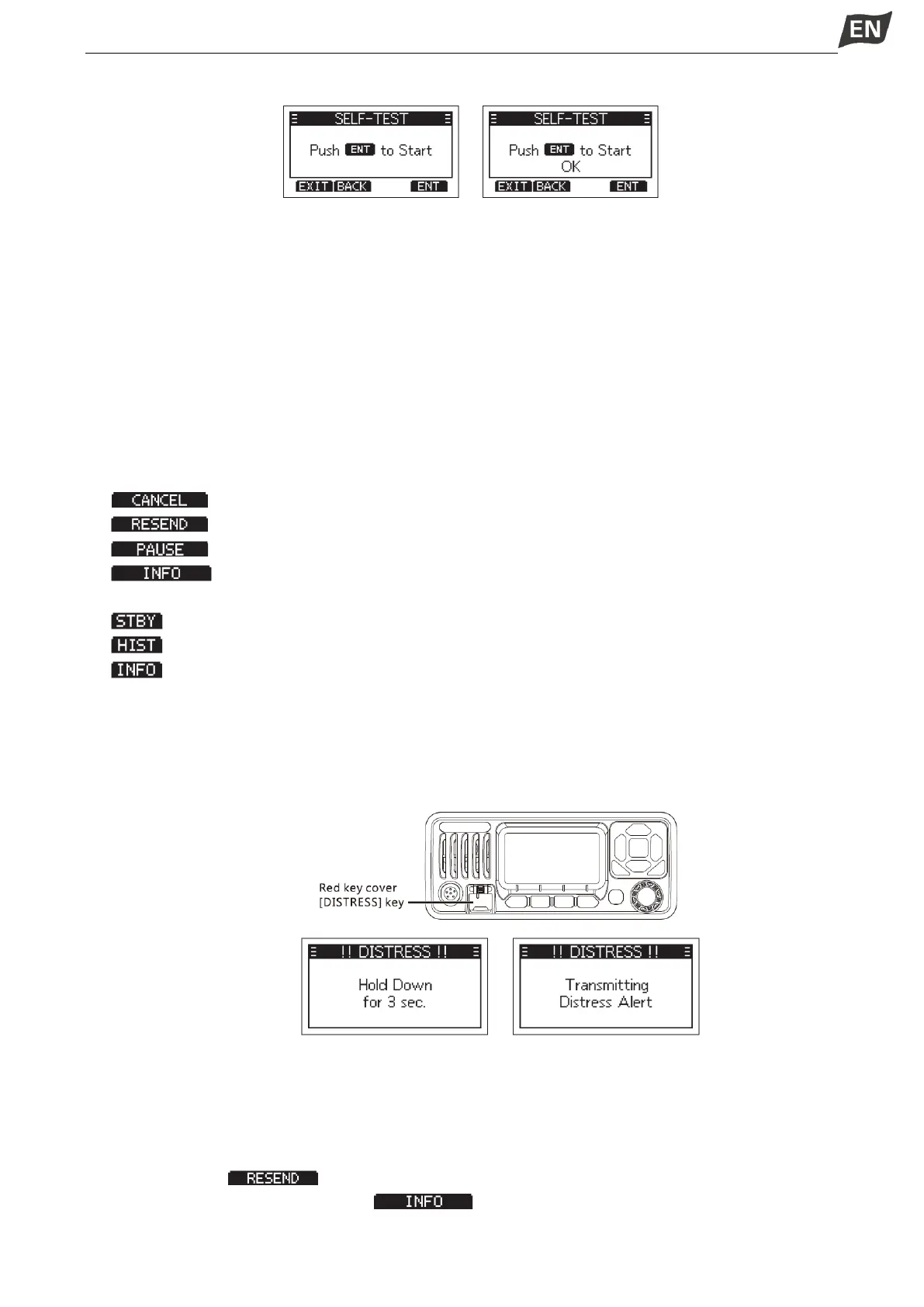
2. While lifting up the key cover, hold down [DISTRESS] for 3 seconds until you hear 3 short countdown
beeps and a long beep sound.
·The backlight blinks.
NOTE: When the transceiver does not receive any valid locationdata, the stored location data will be used
for distress calls.
3. After sending, wait for an Acknowledgement call, “Waiting for ACK” is displayed.
·The Distress call is automatically sent every 3.5~4.5 minutes, until an Acknowledgement is received,
or a Distress Cancel call is sent.
·Press softkey [ ] to manually resend the Distress call.
·Press [◄]/[►], then press softkey [ ] to display the information of the Distress call that
you have sent.


 To Next Page
 Loading...


