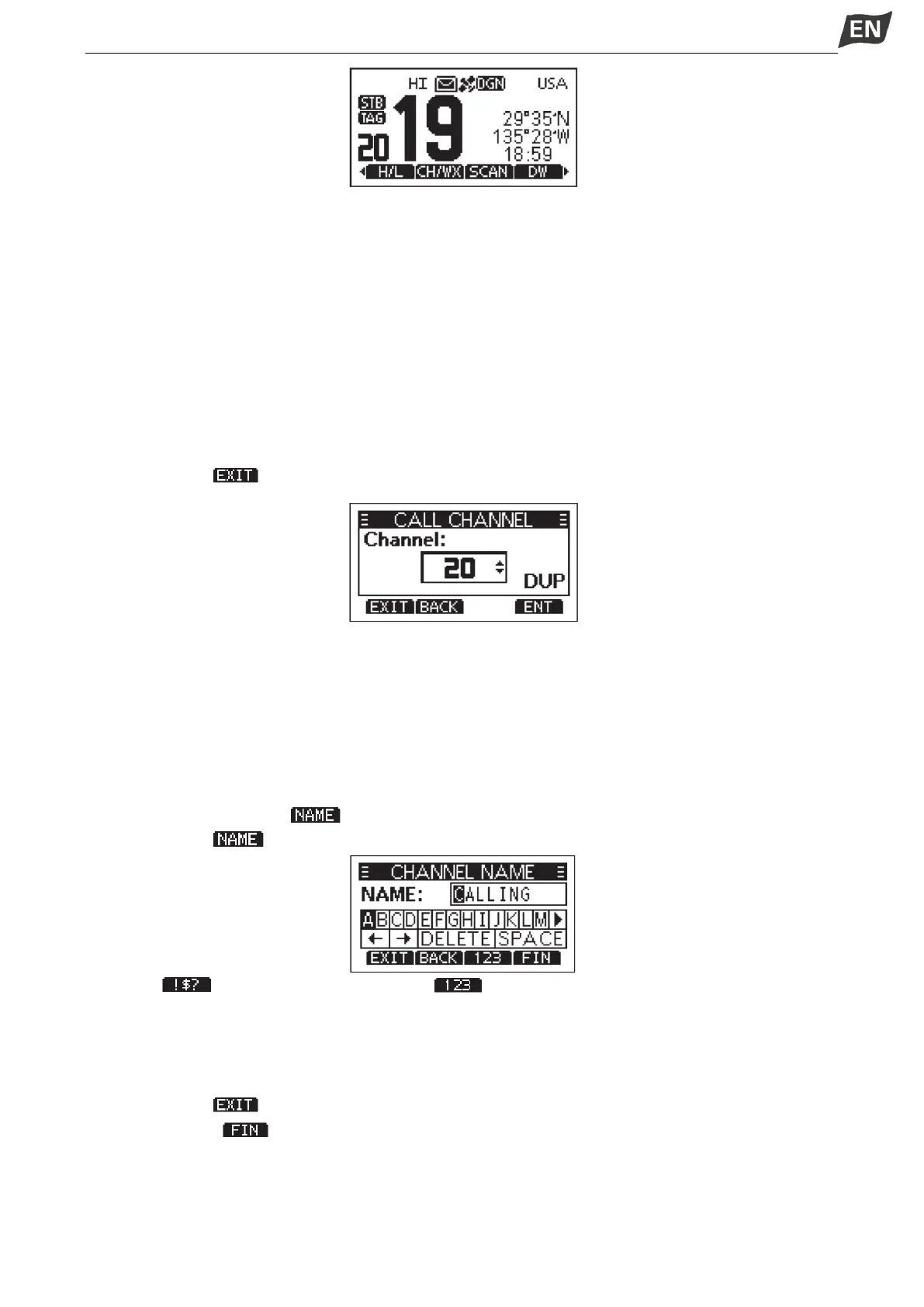
■ Call Channel Programming
Call channel is used to select Channel 9 (default), however, you can program the Call channel with your
most offer-used channel in each channel group for quick recall.
1. Press [MENU] key, the menu interface is displayed.
2.Press [▲]\[▼] or rotate [DIAL] knob to select “Radio Settings”, then press [OK], the “RADIO SETTINGS”
screen is displayed.
3. Press [▲]\[▼] or rotate [DIAL] knob to select “Call Channel”, then press [OK], the “CALL CHANNEL”
screen is displayed.
4. Press [▲]\[▼] or rotate [DIAL] knob to select the desired Call channel.
5. Press [OK] to confirm, the selected channel is set as Call channel.
6. Press softkey [ ] to cancel and exit.
■ Channel Name
Each channel can be assigned a name of up to 10 characters.
Characters available for input: 26 uppercase letters, number 0~9, symbol (! " # $ % &’()* +,-。 / [\]^ _:;<
= > ?), SPACE.
1. Press [▲]\[▼] to select the channel you want to edit.
·Before setting, you should exit Dualwatch, Tri-watch or scan.
2. Press [◄]\[►] to display “ ”.
3. Press softkey [ ], the “CHAN NAME” screen is displayed.
4. Select “ ” to input symbols, and select “ ” to input numbers and letters.
5.Press [▲]\[▼]\[◄]\[►] to select characters or space.
6. Press [OK] to input the selected character.
7.Select “←” or “→”, or rotate [DIAL] to move the cursor.
8. Repeat steps 4~7 to input all the characters.
9. Press softkey [ ] to cancel editing.
10. Press softkey [ ] to save the edited name and return to the operating screen.
■ Display Backlight



 To Next Page
 Loading...

