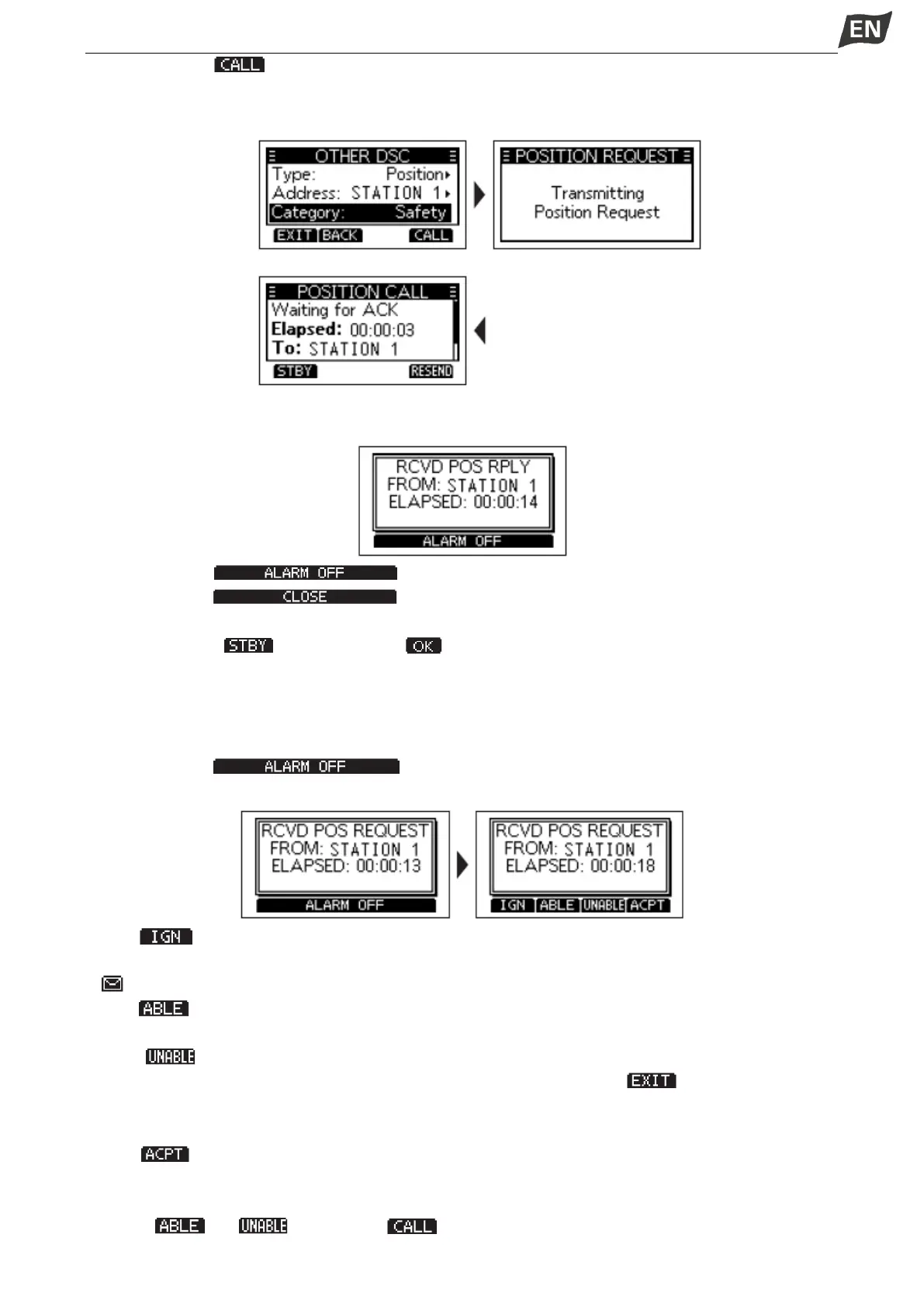
6. Press softkey [ ] to send the Position Request call.
•”Transmitting Position Request” is displayed, and then the assigned channel is automatically selected.
NOTE: If Channel 70 is busy, the transceiver stands by until the channel becomes clear.
7. When you receive a Position Reply:
• An alarm sounds.
8. Press softkey [ ] to turn OFF the alarm.
9. Press softkey [ ], the received information is displayed.
10. Press [▲]/[▼] to scroll the screen then check the target’s position.
11. Press softkey [ ], and then press [ ] to return to the operating screen.
◆Receiving a Position Request Call/ Polling Request Call
When an Position Request call is received:
•The alarm sounds for 2 minutes.
•”RCVD POS REQUEST” is displayed.
1. Press softkey [ ] to turn OFF the alarm.
2. Press the softkey for the next operation.
Press [ ]: Ingores the call and returns to the operating screen.
•The call is saved in the DSC Log.
•” ” blinks continuously until you display the call message.
Press [ ]: Sends the Acknowledgement “Able to Comply”.
•The call is saved in the DSC Log.
Press [ ]: Sends the Acknowledgement “Unable to Comply”.
•Displays the Acknowledgement information, and then press [ ] to returns to the
operating screen.
•The call is saved in the DSC Log.
Press[ ]: Accepts the call.
• The received call’s information is displayed.
• The call is saved in the DSC Log.
• Press [ ] or [ ], then press [ ] to send the Position Reply call.


 To Next Page
 Loading...


