888-2408-002 5-5
WARNING: Disconnect primary power prior to servicing.
Maintenance and Alignment
5.4.2 System Test
The purpose of the SYSTEM test is to check the combiner configuration, cabling
and integrity. The length of time required for the SYSTEM test will be indicated on
the display. The test will reduce the transmitter power to 40% of nameplate TPO
(2kW) and will be going through a MUTE cycle for each PA. The antenna VSWR
must be 1.2:1 or less with no faults present in order to run the test. If the VSWR
is too high the test will be aborted, but nothing will be reported in the Fault Log (the
abort screen will read VSWR high). During the test the HIGH ON and LOW ON
buttons will not work. The test can be started at any time and any power level above
50%. If a fault is detected during the test it will be aborted and the fault will be
noted in the Fault Log. Also the user can abort the test at any time by pressing the
OFF button or via the test screen on the Diagnostics Display. The results of the test
will be either Aborted, Failed or Passed. If the test fails, check the Fault Log to find
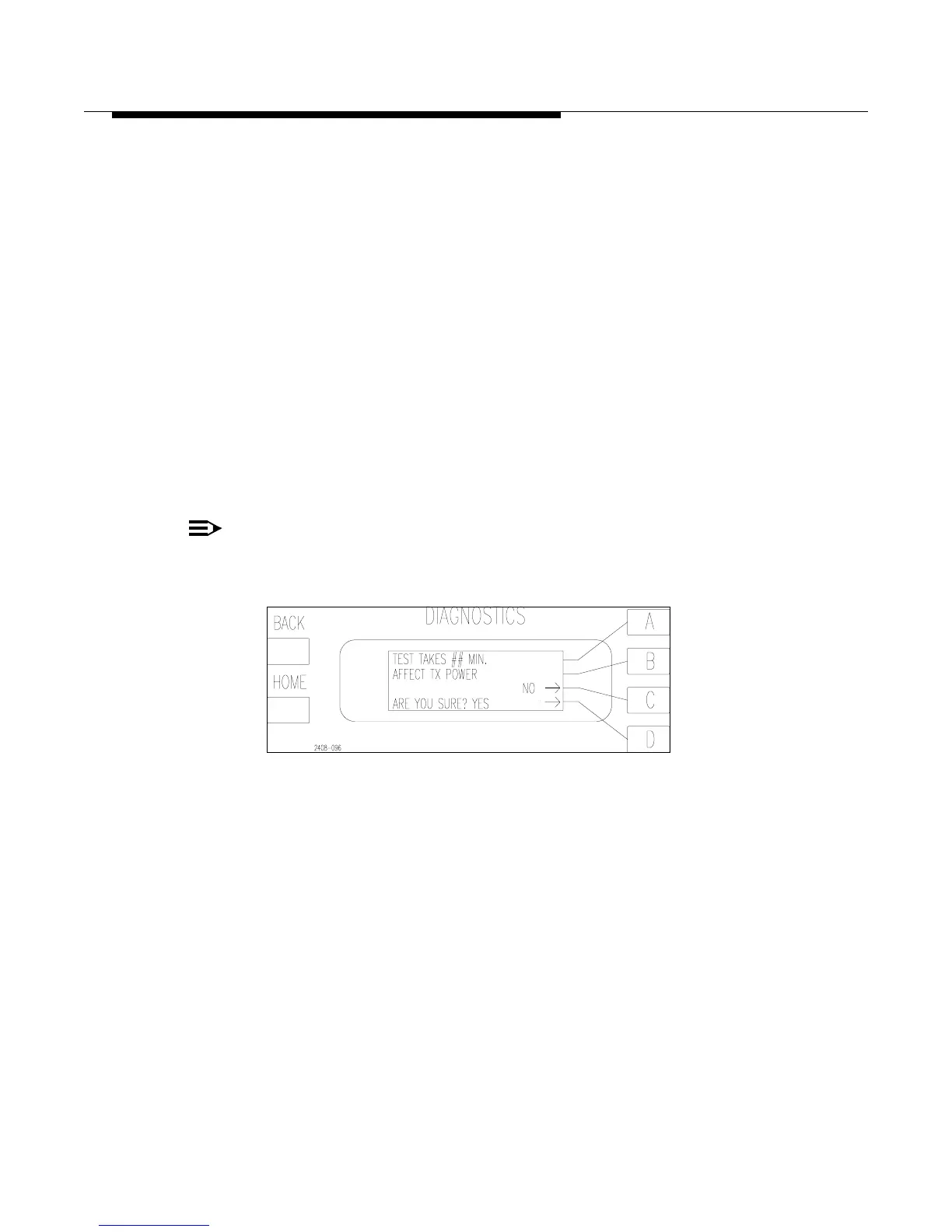
out why. To run the SYSTEM test press [MORE TEST C]. This will bring up the
screen in Figure 5-2. Press [D] to run the test or [C] to go back to the previous
menu.
NOTE:
For further details, see “Self Diagnostics” portion of Section 6 in this manual.
Figure 5-2 System Test (takes about 8 minutes)



 To Next Page