888-2408-002 3-11
WARNING: Disconnect primary power prior to servicing.
Operator Guide
3.8 Optimizing Efficiency
The transmitter has the ability to Manually or Automatically optimize its own
operating efficiency. It is not a requirement, and the transmitter will meet all
specifications without activating this function. When activated, the controller will
adjust the transmitter operating parameters to get the best possible efficiency. The
user must select whether the function is in Manual or Automatic mode via the
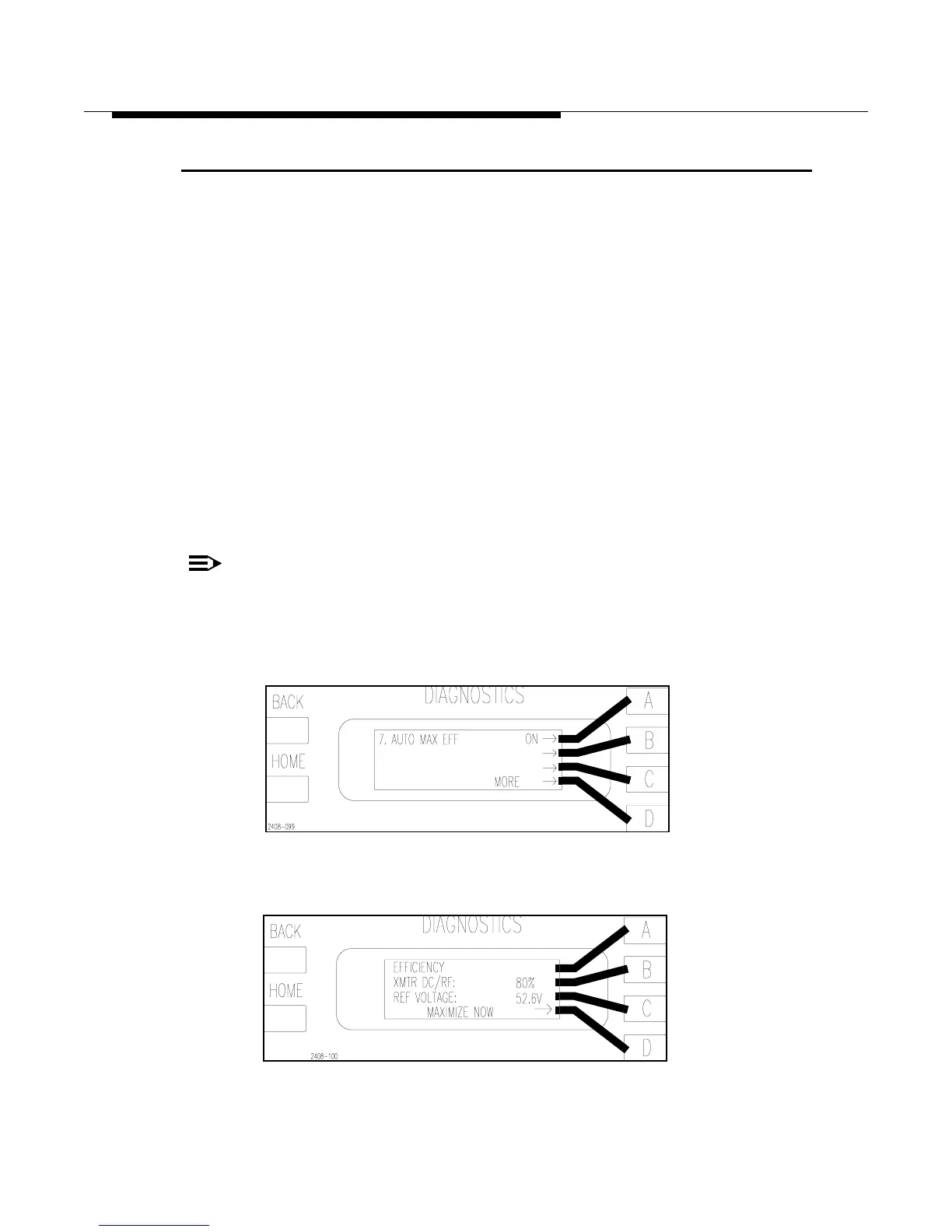
Diagnostics Display Menus. To select the mode press [HOME, MORE,
CONFIGURATION A,D,D then A to toggle: ON for auto mode or OFF for Manual
mode]. The configuration screen is shown in Figure 3-12.
• Automatic Mode - When AUTO mode is selected, the transmitter will automati-
cally optimize the efficiency every 12 hours if there are not faults present. This is
the recommended mode of operation and is the default mode from the factory.
• Manual Mode - In the Diagnostics Display there is a menu screen which can be
used to optimize the transmitter efficiency. To optimize efficiency press [HOME,
METERING D,C then D for Maximization]. The Efficiency Status/Manual Opti-
mize screen is shown in Figure 3-13.
NOTE:
The REF VOLTAGE in Figure 3-13 is merely an internal reference point the
controller uses to reduce the supply voltage in optimized mode. This reading
is usually in the low 40’s when the transmitter is optimized (well below the
actual supply voltage).
Figure 3-12 Efficiency Configuration Screen
[HOME, MORE, CONFIGURATION A,D,D]
Figure 3-13 Efficiency Status Screen
[HOME, METERING D,C]



 To Next Page