888-2408-002 2-25
WARNING: Disconnect primary power prior to servicing.
Installation & Initial Turn-On
2.6.1 Using an Uninterruptable Power Supply or UPS
If the transmitter is backed up with a UPS, to keep it operating during an ac power
failure, then the logical thing to do is to lower the transmitter power to conserve the
UPS for as long as possible. Therefore, during an ac power failure, the transmitter
has the ability to automatically operate at a reduced power level when backed up by
a UPS or even a generator if so desired.
When the UPS is activated, TB1-9, the remote control interface terminal strip, must
be pulled low. This will take the transmitter to the preset UPS power level which is
factory set for 2.5kW, via software in the Diagnostics Display System. However, if
the transmitter is operating in LOW power when the UPS mode is activated, then the
transmitter will stay at the LOW power level unless the UPS level is set lower. For
example, if LOW power is set for 2kW and UPS is set for 2.5kW, the transmitter will
stay at the LOW power level of 2kW. If the transmitter is operating at HIGH power
when the UPS mode is activated then it will drop to the UPS power setting.
2.6.1.1 Setting The UPS Power Level
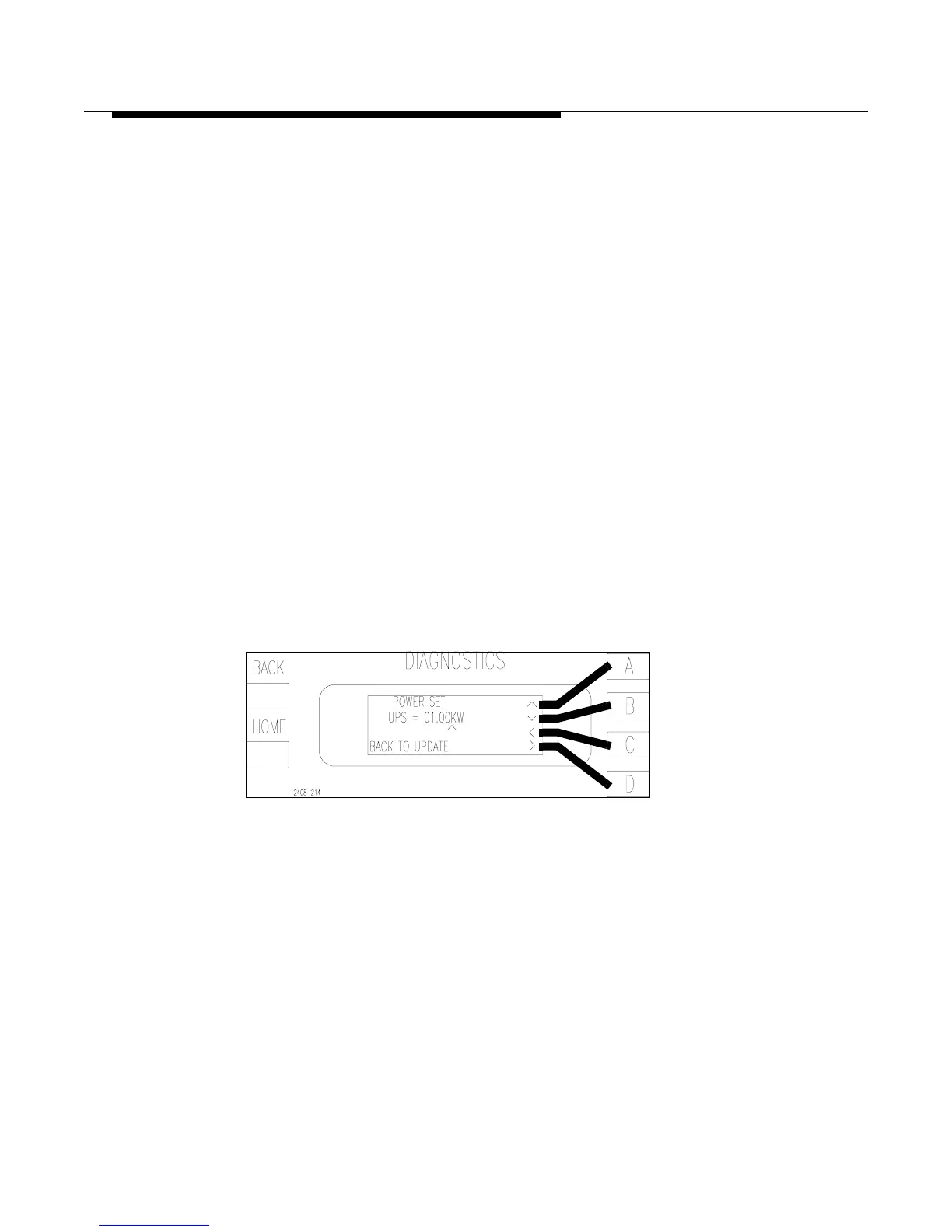
The setting of the UPS power level is done in the software of the Diagnostics
Display Menu. To set the UPS power level press [HOME, MORE,
CONFIGURATION B,D,A] see Figure 2-15. Once the new UPS power level is set
press [BACK] to save the new information. Pressing [HOME] instead will cancel
any changes made and take you back to the main menu.
Figure 2-15 UPS Power Set
[HOME, MORE, CONFIGURATION B,D,A]



 To Next Page