888-2408-002 3-7
WARNING: Disconnect primary power prior to servicing.
Operator Guide
Example 1
If you wanted to check the temperature of the individual Power Amplifiers on Z
Plane A, you would press the following keys;
[HOME, METERING C,A,C]
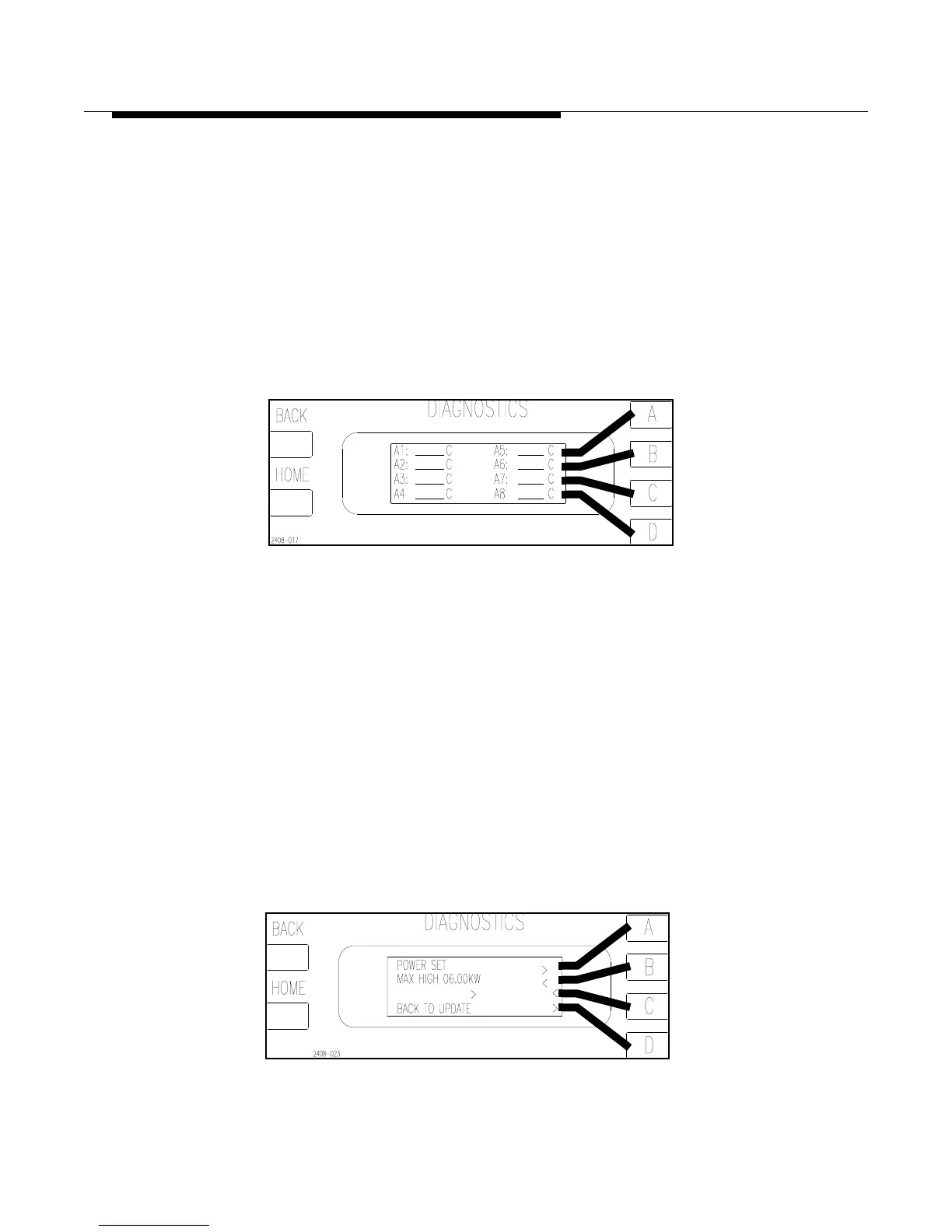
After entering this key sequence the screen should look like Figure 3-6. This is
equivalent to pressing the following menu items as they appear on each successive
screen: METERING, TEMPERATURE, PA, Z PLANE A.
Figure 3-6 PA Temperature Metering
[HOME, METERING C,A,C]
Example 2
You want to check or possibly change the Maximum High Power Setting. This falls
under the category of CONFIGURATION, but this menu item only shows up on the
second screen of the HOME layer. Therefore, press the following keys:
[HOME, MORE, CONFIGURATION B,B]
This should have taken you to the screen shown in Figure 3-7. This screen now
allows the operator to change the Maximum High Power setting using the A,B,C
and D function keys. Pressing the BACK key updates the change, while pressing
HOME would cancel any changes.
Figure 3-7 Max High Power Configuration Screen
[HOME, MORE, CONFIGURATION B,B]



 To Next Page