Page 10 of 43
4. Settings
For the first start-up it is recommended to adapt settings e.g. general (basic settings),
printer, network (GDT), your address and system to the conditions of your practice.
With the exception of the general settings appears at each page a security query, where
you have to type in “YES”, to perform settings if you are authorized to do that. If you
are not authorized click on “Cancel”. Then you just can have a look at the existing
settings and not perform any settings.
4.1 General (Basic settings)
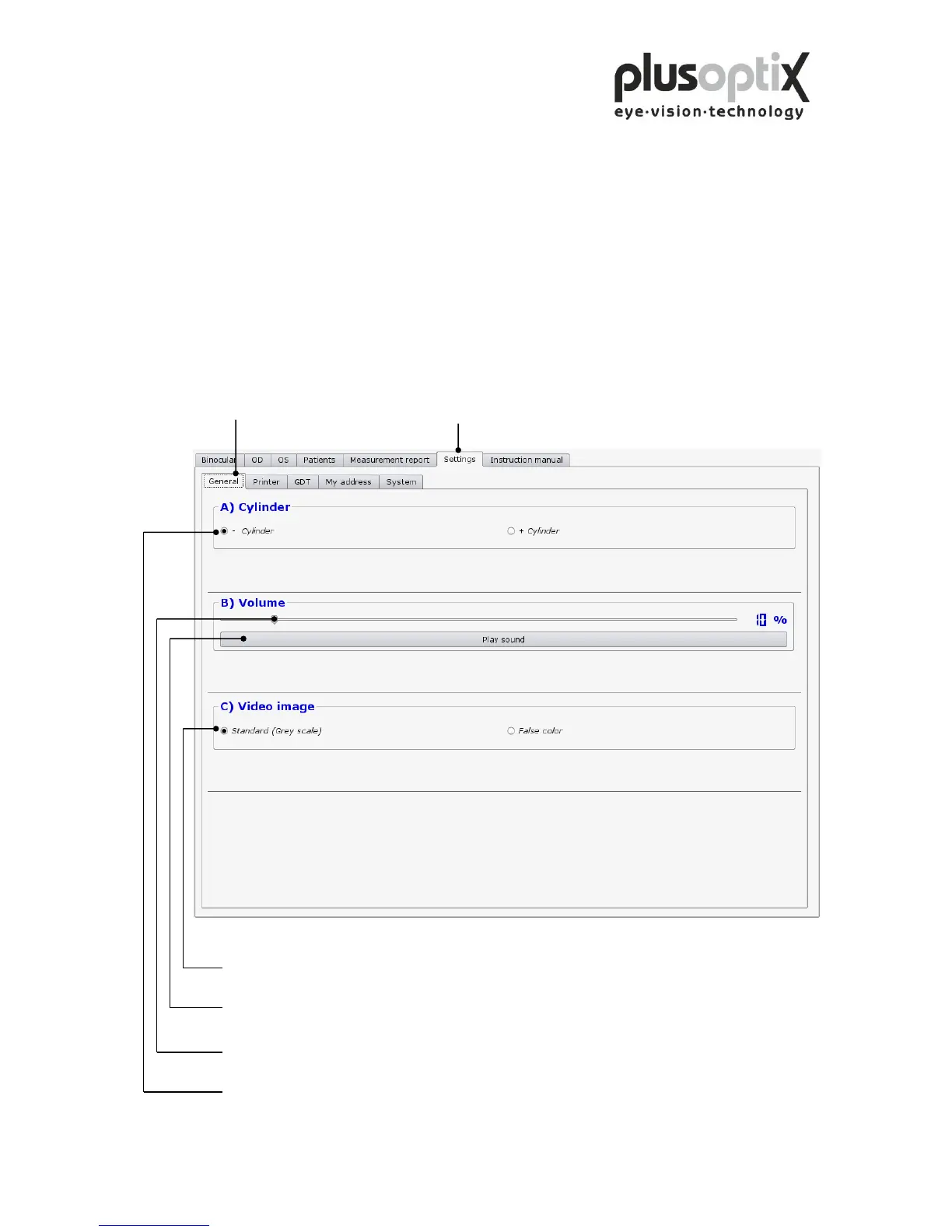
Click on “Settings” and then on
"General" to perform basic settings.
Click here to switch the video image on the monitor from black and white to false colours. You
can see the brightness profile of the pupils in colour (Brückner test).
Click here to test the volume of the warble sound.
Click here and move the slide to the left using the mouse to decrease the volume of the warble
sound, or to the right to increase the volume.
Click here to measure the astigmatism in minus cylinder or plus cylinder.



 To Next Page