Page 12 of 43
4.3 Practice network
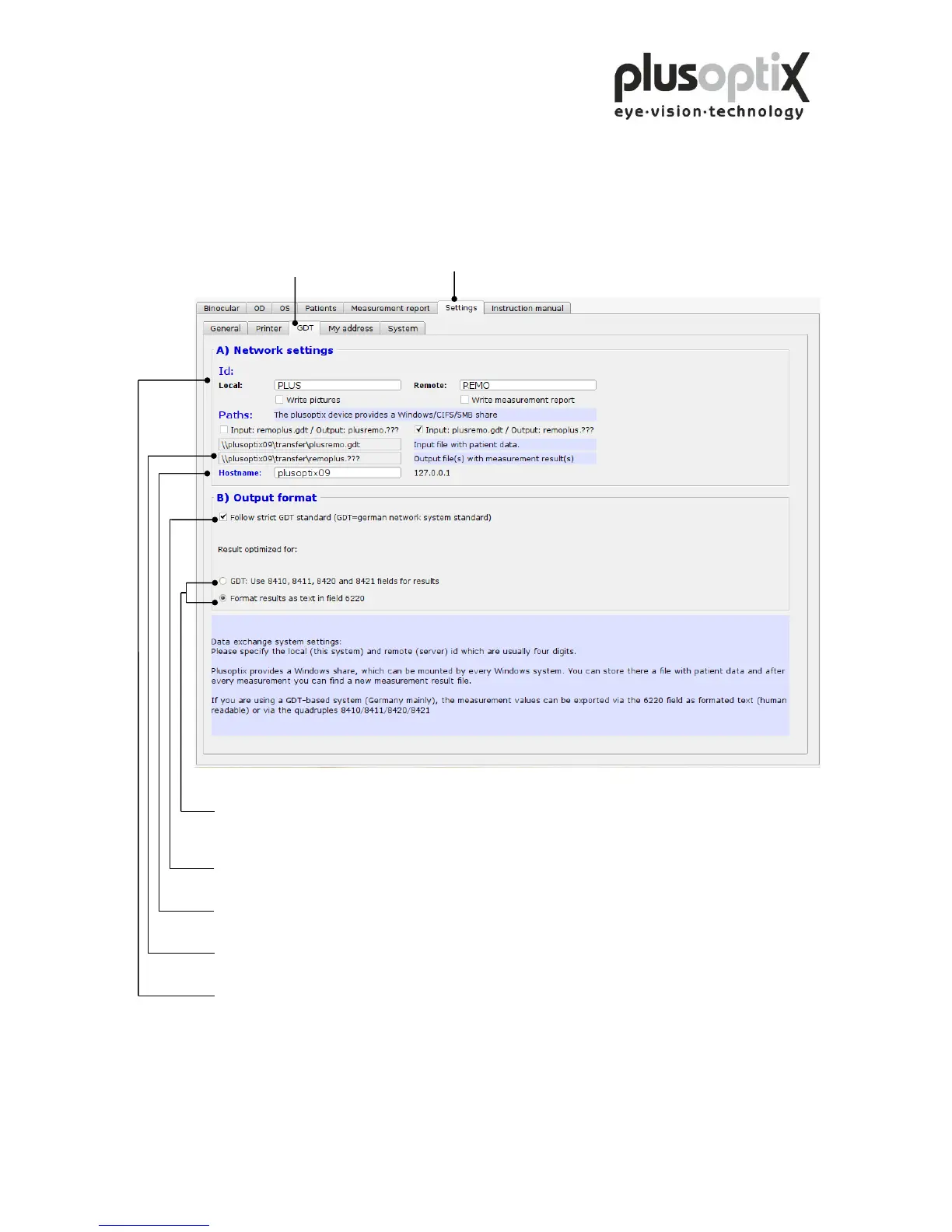
To connect the plusoptiX A09 to an existing practice network, proceed as follows:
Click on “Settings” and then on "GDT".
Output format of the measurement results in the network - Parser: output in field identifiers
- Human readable: formatted text output
Adherence to GDT standard when transmitting measurement values. A selection can be made
between formatted text and field identifiers 8410 to 8421.
Enter the name of the plusoptiX A09 in the network here.
The paths for data input to the plusoptiX A09 and for data export to the network are extracted from
this value.
Identifiers for data exchange in the practice software.
Specifications for the GDT-standard is available at: http://www.plusoptix.eu/gdt



 To Next Page