Page 30 of 43
8.2 Creating text modules
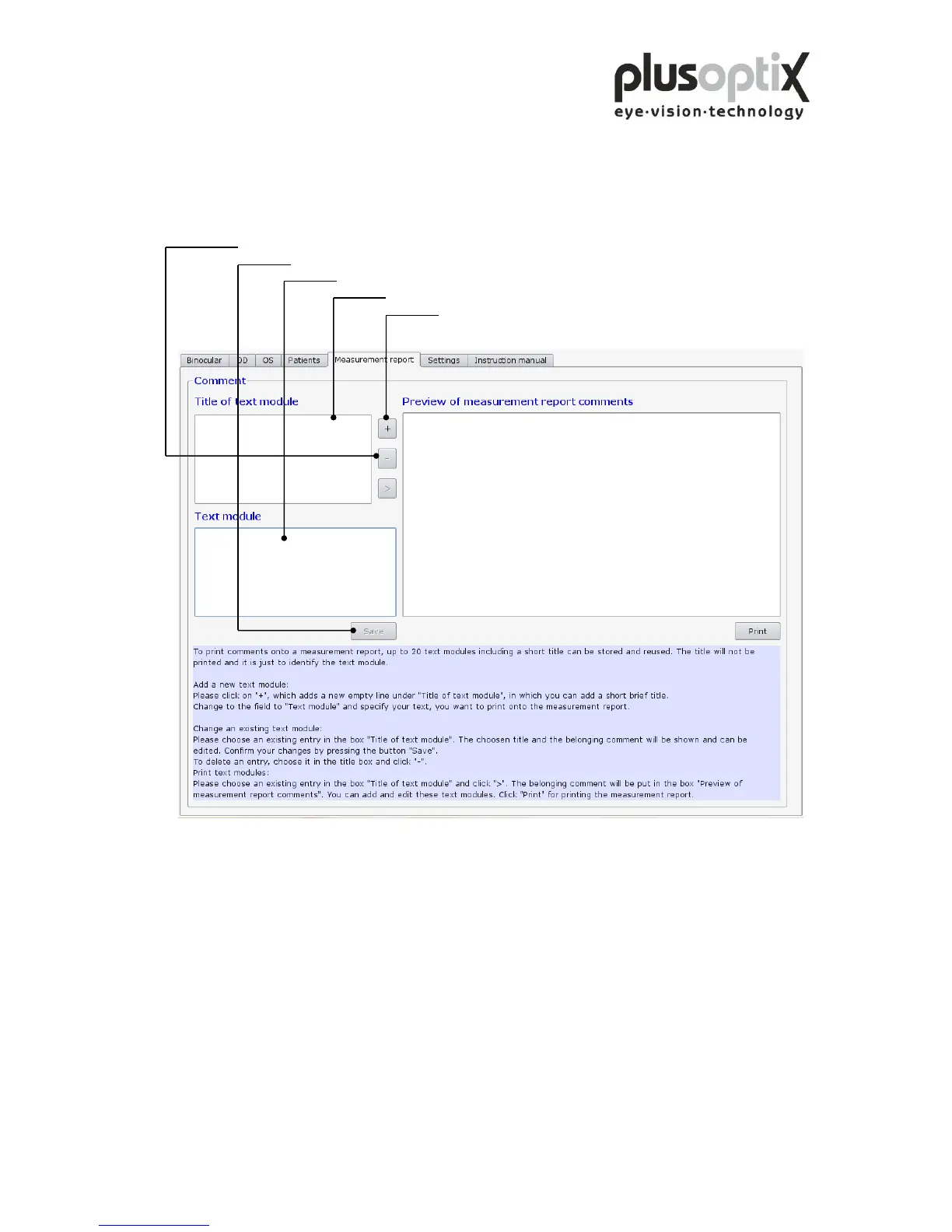
You can enter a maximum of 20 different text modules. To do so, proceed as follows:
5. Click here to delete a selected text module and the title.
4. Click here to store the text module.
3. Click here to enter the text module.
2. Click here to enter the title of a text module.
1. Click here to create a title for a new text module.
The title of the text modules is used only to call up the corresponding text module, and
is not printed with the measurement report.



 To Next Page