Page 34 of 43
9.3 Deleting or modifying patient data
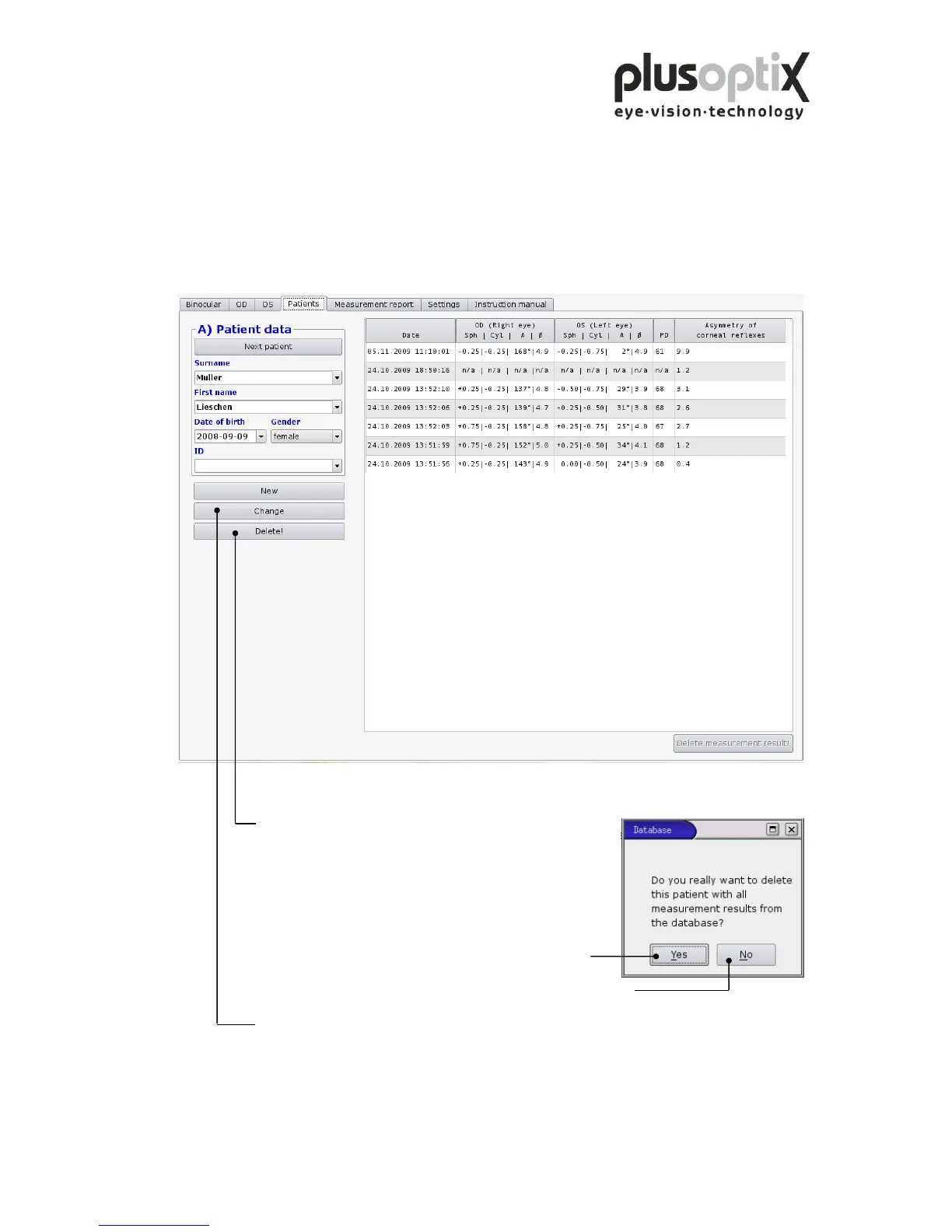
To delete a patient record from the database, i.e. this patient data including
measurement results, proceed as follows:
1. Call up the patient to be modified.
2. Click here to delete the selected patient data record.
Afterwards a window with a
security query will appear.
3. Click on “Yes” and the patient data will be deleted.
4. If you would like to cancel this procedure, click on “No”.
5. To modify the patient data record, click on “Change” and a new window will appear
“B) Edit patient data”.



 To Next Page