Page 35 of 43
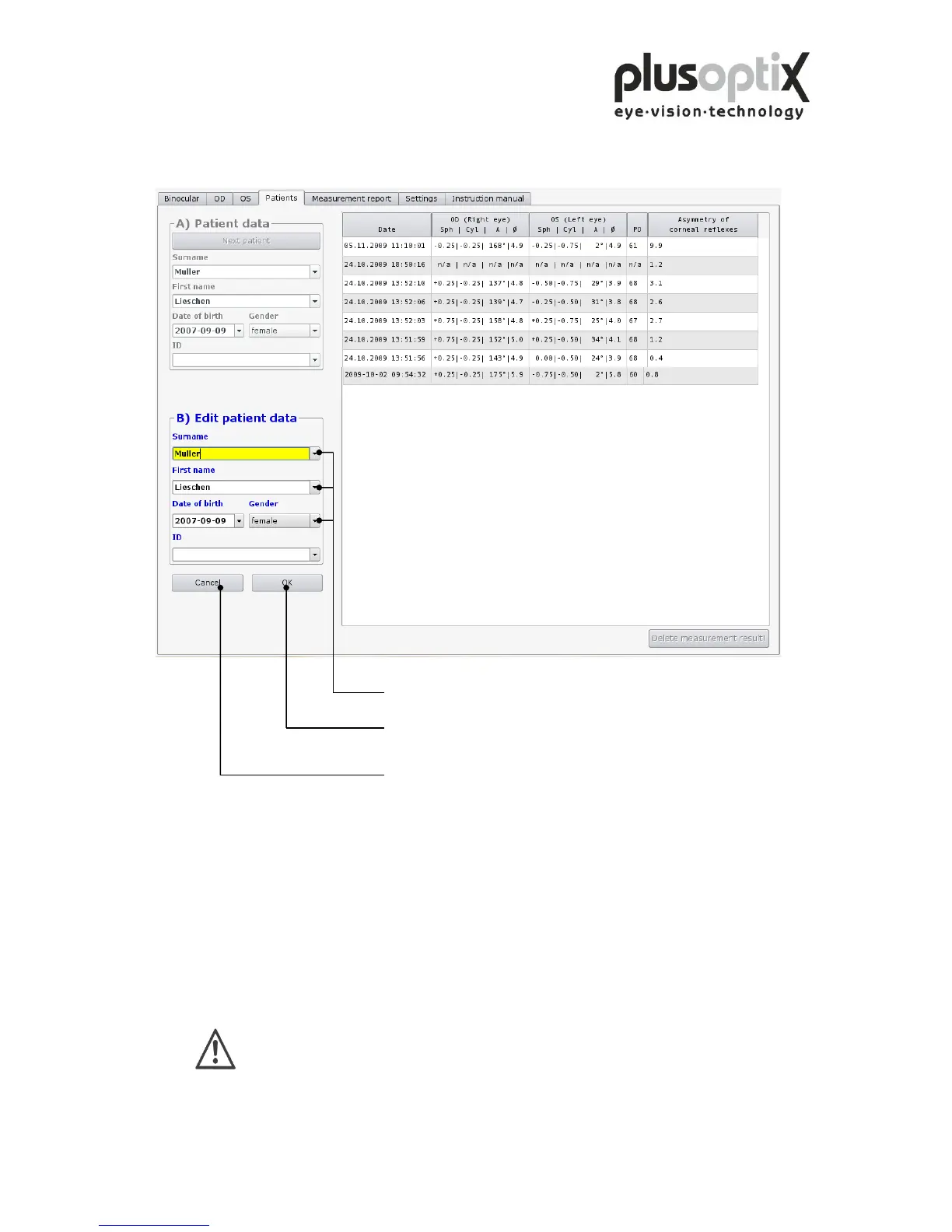
The following page describes how you can modify the patient data record.
1. Click here to perform changes.
2. Click here to store changes.
Click here to cancel the procedure.
9.4 Backing up measurement results
The system provides an option to back up the measurements on a regular basis. To do
so, insert the supplied USB stick into a free USB port on the plusoptiX A09. The data is
automatically saved on the stick. The space available on the stick is sufficient to store
about 10 years’ worth of data.
Please ensure that you remove the USB stick from the plusoptiX A09 after
the back up, as this could lead to problems at boot time.



 To Next Page