Page 14 of 43
4.5 System
The system settings have been carried out by the company you have bought the device
from. In case you would like to change some system settings, please proceed as follows:
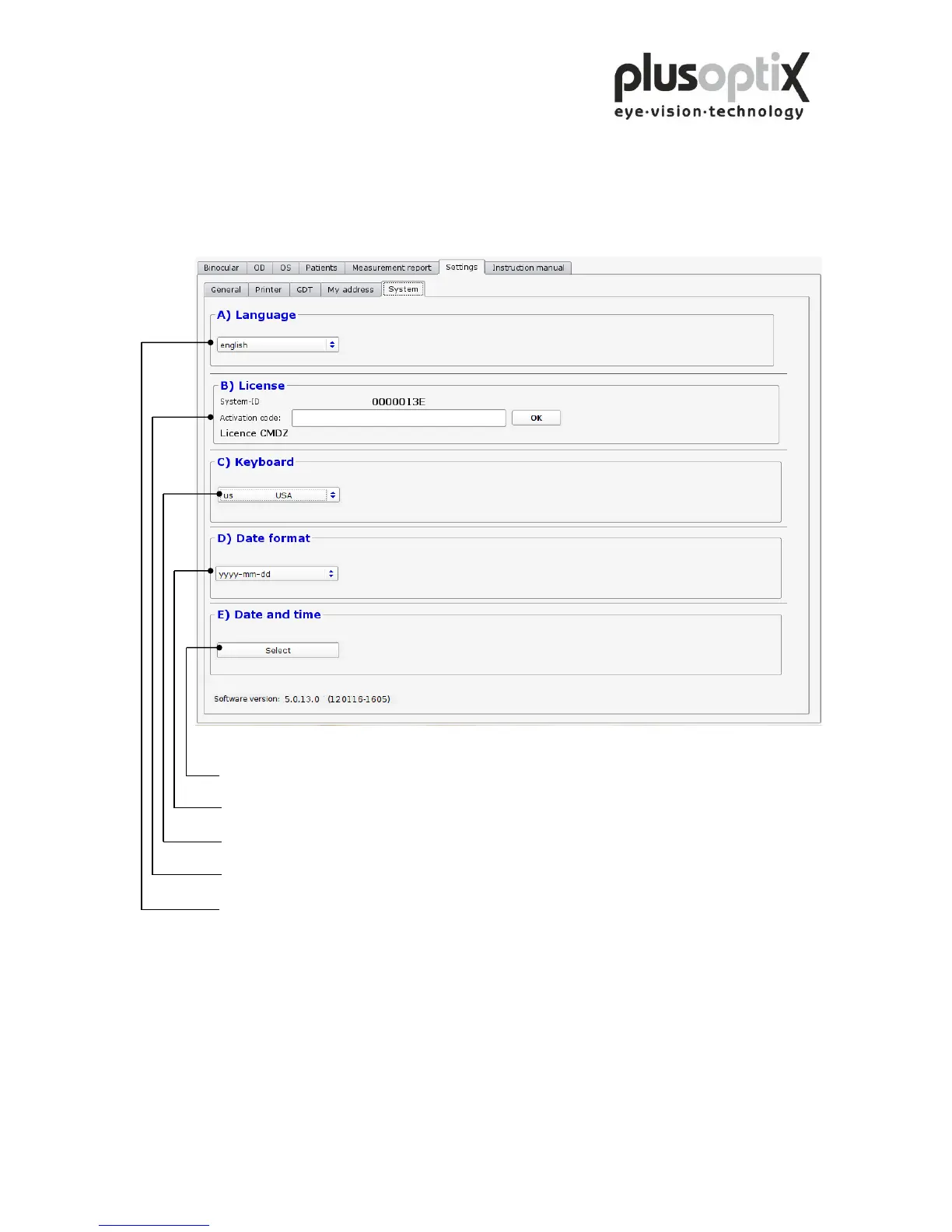
Click here to set the current data and time of day.
Click here to select the date format for entering the date of birth.
Click here to set the keyboard layout.
Click here to activate additional licenses.
Click here to select the language for the operator interface.
Once you have performed all system settings, click on “Binocular” to return to the start
page. You can then begin measurements.



 To Next Page