Page 25 of 43
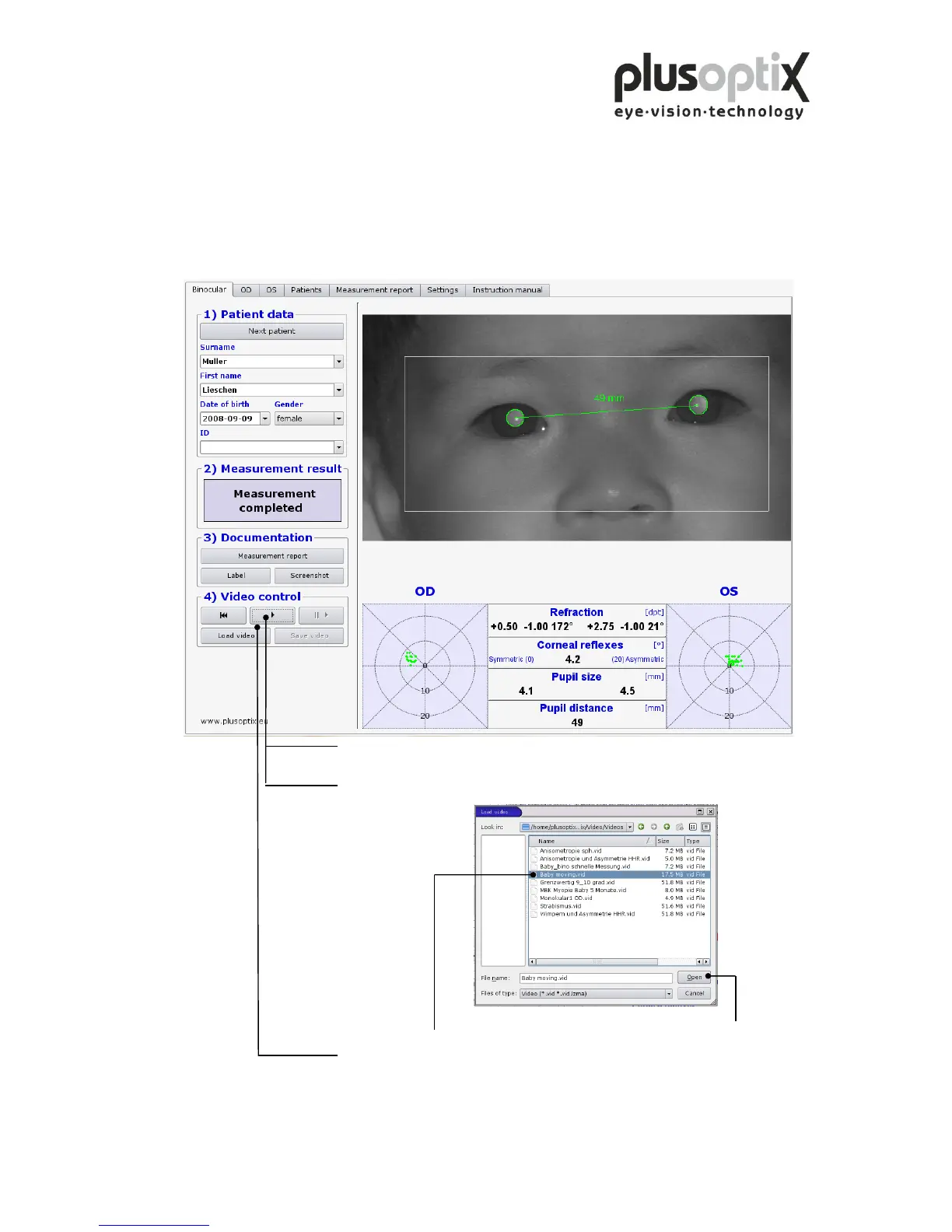
5.5 Loading video
The plusoptiX A09 allows you to load videos directly from a USB stick and to view
them. You can only play back videos that have been recorded and stored using the
plusoptiX A09. To do so, insert a USB stick or an external hard drive with a maximum
current consumption of 0.5 A into one of the free USB ports on the plusoptiX A09 and
proceed as follows:
1. Wait after insertion of the USB stick approx. 5 seconds until the “Load
video” button becomes active.
2. Now click on “Load video”. The window containing the available videos
opens.
3. Select the video that you wish to play back and click on “Open”.
4. Click here to play the loaded video.
Do you replay a stored video, documents like a measurement report or a screenshot can
be printed again.



 To Next Page