PM75 Android 11 User Manual
Getting Started
12
© 2021 Point Mobile Co., Ltd. All rights reserved
Install & Remove Battery
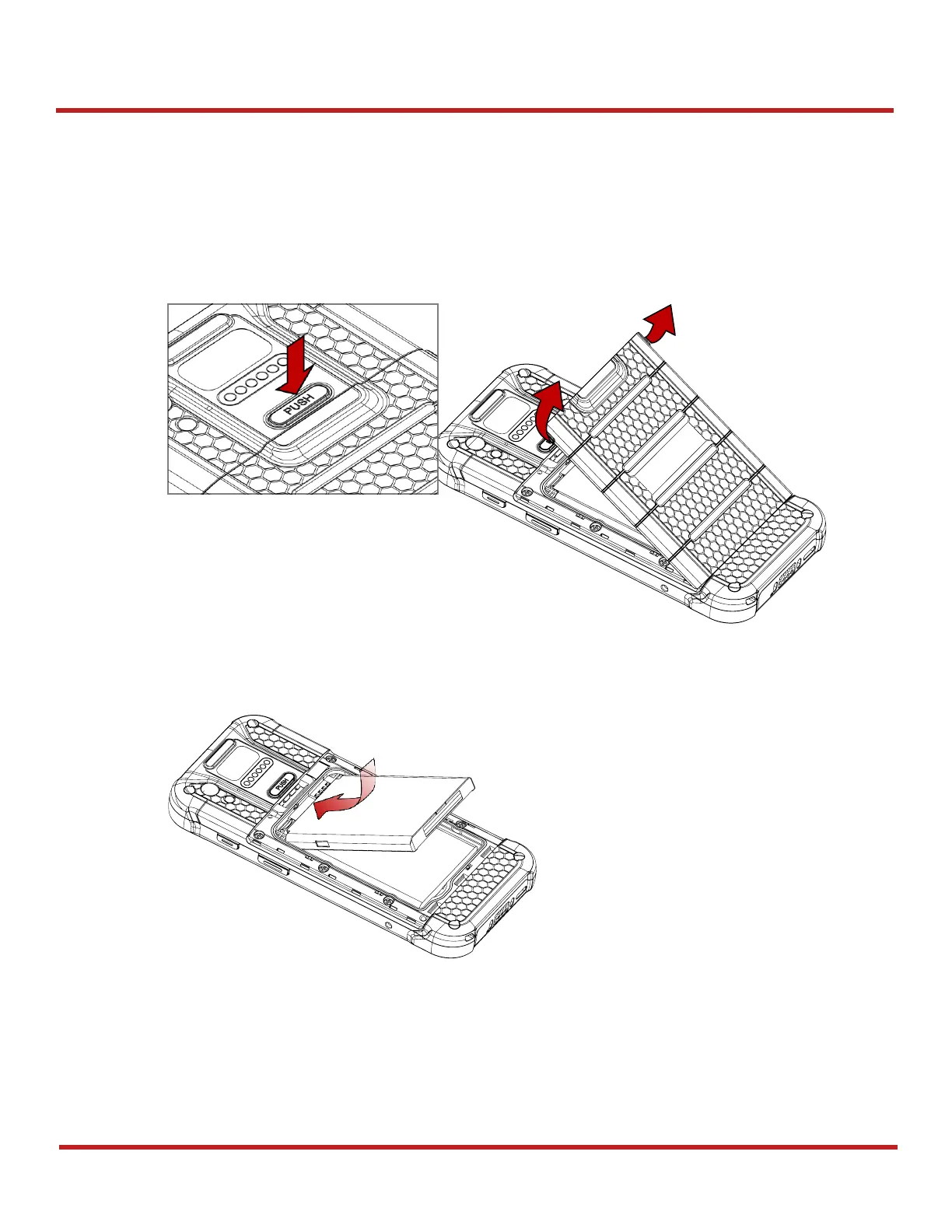
Install the battery
1. Open the battery cover while pressing the battery cover release button.
Using the small latch on both sides of the cover, pull it up.
2. Align the connector (gold contact) of the battery with the battery connector of device.
3. Insert the battery from top to bottom into the slot.



 To Next Page