PM75 Android 11 User Manual
Getting Started
21
© 2021 Point Mobile Co., Ltd. All rights reserved
Turn on & off PM75
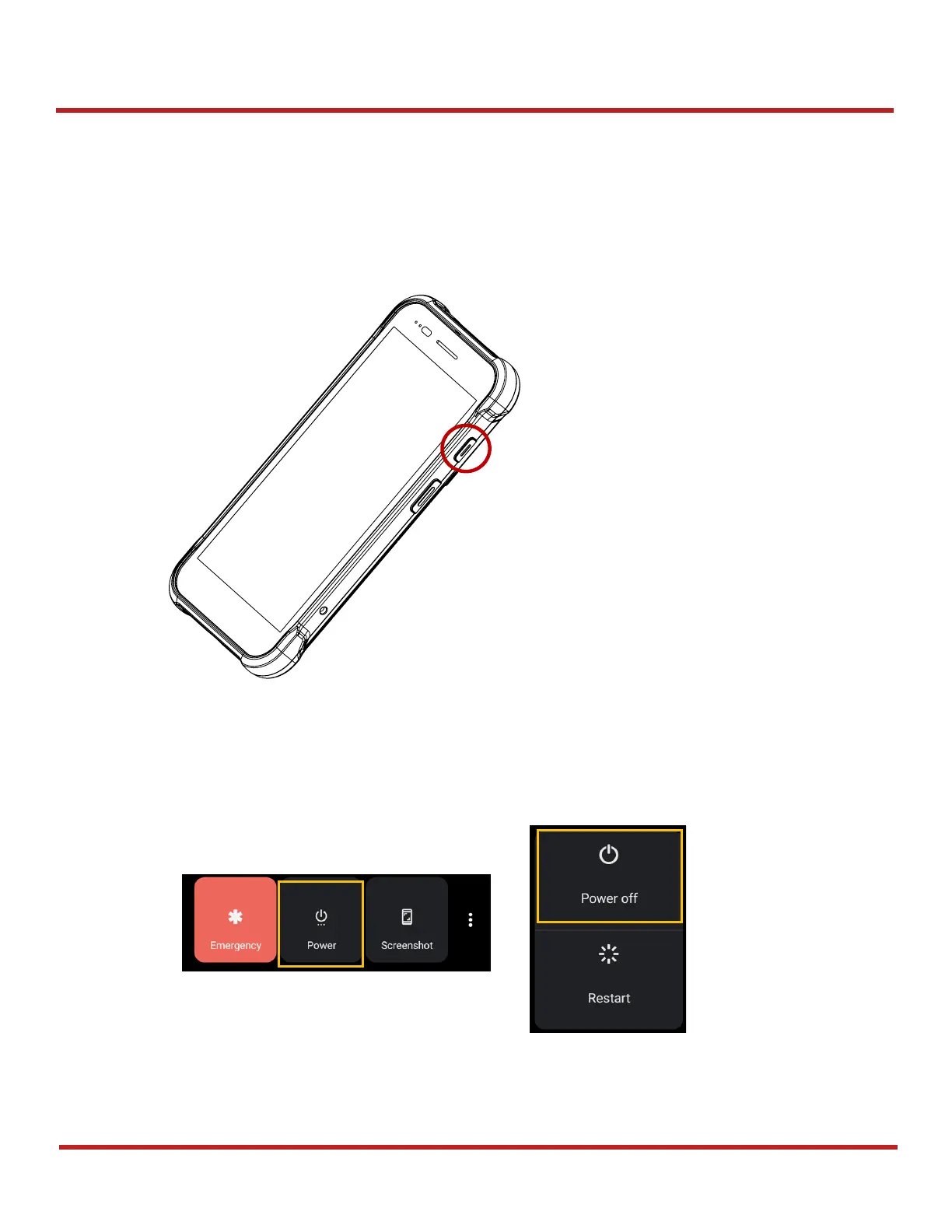
To turn on the device,
- Press and hold the
power
button on the right side of the PM75 until
SMART BEYOND
RUGGED
logo displays on the screen.
To turn off the device,
- Press and hold the
power
button when the screen is on, until the power menu is shown.
Then, tap
Power
>
Power off
among the menu.



 To Next Page